
How AI Enhances Knowledge Sharing
Problem: Technical teams waste hours searching for information scattered across tools like wikis, Slack, and code repositories. This slows incident resolution, onboarding, and productivity.
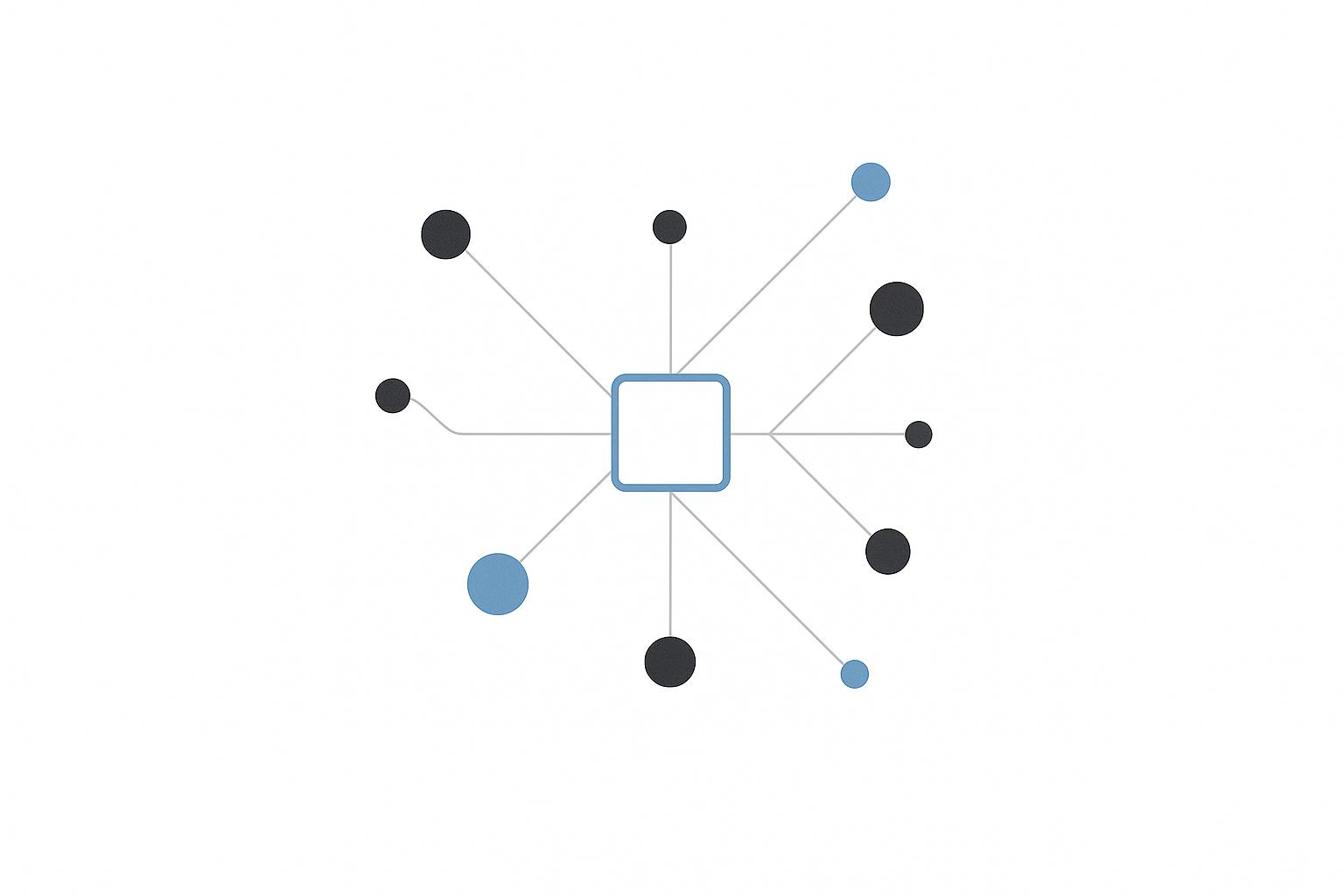
Solution: AI simplifies knowledge sharing by:
- Improving search: AI tools understand context, delivering accurate answers from multiple sources.
- Organizing content: Automates tagging, removes duplicates, and flags outdated information.
- Providing instant help: AI assistants answer common questions, summarize documents, and route complex issues to experts.
Why it matters: Companies using AI for knowledge sharing report:
- 20–30% faster information retrieval
- 10–12% gains in team efficiency
- Shorter onboarding times
How to Use AI in Knowledge Management
Knowledge-Sharing Goals and Challenges
To make the most of AI's capabilities, setting clear goals and honestly evaluating potential obstacles is essential for improving knowledge-sharing practices. Before introducing AI, it’s crucial to define specific objectives and identify existing challenges. This groundwork lays the path for a more effective knowledge-sharing system.
Goals of Effective Knowledge Sharing
Technical teams face daily hurdles that can slow them down, and knowledge-sharing initiatives often aim to tackle these issues head-on. Common goals include cutting down the time spent searching for information, streamlining onboarding, and preserving institutional knowledge.
One major focus is reducing search time. Developers typically spend 20–30% of their day - about 2 to 2.5 hours - looking for information. Even a modest reduction of 10–20% in search time can result in noticeable savings in both time and costs [2].
Onboarding is another area where improvements can make a big difference. A centralized, searchable knowledge base can significantly shorten the learning curve for new hires. For instance, setting a goal to reduce onboarding time from six weeks to four weeks can lead to more efficient integration of new employees [2].
Better incident response is also a priority. When resources like runbooks, postmortems, and fixes are easy to find, the mean time to resolution (MTTR) for production issues can drop significantly. Instead of spending 45 minutes searching for a past incident report or the right contact, engineers can quickly locate the information they need, saving valuable time [2].
Cross-functional collaboration thrives when teams have access to a unified repository of product decisions, technical explanations, and frequently asked questions. This shared knowledge can lead to productivity gains of around 10–12% by improving coordination between product, engineering, data, and support teams [4].
Preserving institutional knowledge is equally important. Capturing critical expertise prevents teams from becoming overly reliant on senior engineers or "heroes" and ensures continuity when key personnel leave or transition [2].
For technical leaders and consultants - especially those building their expertise through programs like Tech Leaders (https://technical-leaders.com) - a well-structured knowledge-sharing system supports broader goals. By creating reusable resources like playbooks and structured knowledge assets, leaders can scale their impact, whether working internally or offering external consulting services [3].
These objectives provide a clear framework for assessing how AI can improve knowledge sharing as implementation progresses.
Problems With Traditional Knowledge-Sharing Systems
Traditional knowledge-sharing methods often fall short because they scatter information across multiple platforms - wikis, GitHub, email, and Slack - leading to silos that obscure valuable context and expertise [2].
Outdated and fragmented documentation is a common issue. When wikis and documents aren’t regularly updated, they lose credibility, pushing engineers to rely on real-time conversations instead. The complexity of keeping documentation current only widens these gaps over time [2].
Search functionality in traditional systems can also be a pain point. Many rely on basic keyword searches, which often demand exact phrasing or specific file names. This can result in irrelevant or incomplete search results, frustrating users [2].
Another challenge lies in unstructured formats like Slack threads, meeting notes, or emails. Important insights - such as architectural decisions or troubleshooting tips - often get buried in these informal channels. This not only slows decision-making but also leads to inefficiencies, like support teams providing inconsistent answers due to outdated or fragmented information [4].
To address these issues, teams need to set clear, measurable goals that focus on improving knowledge-sharing systems.
Setting Measurable Objectives
Vague goals won’t drive meaningful change. Instead, teams should set specific, measurable objectives that align with their workflows and address pain points.
Start with time-to-answer metrics. For example, aim to cut average search time by 25–50% and increase the percentage of queries resolved without human intervention to around 60–70% [6].
Usage and engagement metrics are also helpful. Track metrics like monthly active users, the number of weekly searches per user, and satisfaction ratings (e.g., CSAT scores) to gauge how well the system meets team needs.
Content health is another key area. Strive to have at least 80% of articles reviewed or auto-verified within the last 90 days to maintain trust in the knowledge base. Keeping an eye on duplicate or outdated items flagged by AI tools can further improve content quality.
Operational metrics tie knowledge sharing to business outcomes. For instance, set goals to reduce repeat questions by 40% within six months or lower MTTR for incidents by 25%. Similarly, cutting onboarding time from 90 days to 60 days can serve as a tangible performance indicator [2].
Finally, measure cross-functional collaboration by tracking the number of cross-team projects or contributions to a shared knowledge base. Many U.S.-based teams review these metrics monthly or quarterly using dashboards that combine operational data from incident systems with engagement analytics from AI-enhanced platforms [2]. Linking these metrics to estimated time and cost savings can make a strong case for ongoing investment in knowledge-sharing initiatives.
AI Capabilities for Knowledge Sharing
Addressing the common hurdles of sharing knowledge within teams requires practical solutions. AI offers a suite of tools that can reshape how teams locate, organize, and access information. These tools focus on three key areas: intelligent search that interprets the intent behind queries, automated systems that manage content effortlessly, and AI assistants capable of delivering instant answers.
Intelligent Search and Semantic Retrieval
Traditional keyword searches often fall short when exact wording doesn’t align with the query. For instance, searching for "onboard enterprise client" might fail if the document uses "welcome new B2B customer" instead. Semantic search changes the game by focusing on the meaning behind your query rather than just matching keywords.
Using semantic retrieval, AI analyzes both your query and the content in your database to deliver relevant results. For example, when you ask, "How do I onboard a new enterprise client?", the system surfaces SOPs, playbooks, and checklists - even if the language in those resources differs entirely [4][9]. AI maps related terms and concepts, recognizing that words like "onboard", "welcome", and "integrate" are connected in a business context.
Context awareness further refines search results. Tools like Glean and Guru tailor outcomes based on factors such as your role, team, and the systems you use. A sales rep searching for "pricing" will see different results compared to an engineer asking the same question [4][5]. By eliminating the need to sift through wikis, email threads, or file shares, semantic search provides precise answers in seconds - streamlined and aligned with your access permissions [4][6].
Automated Tagging and Content Curation
Manually tagging files, videos, and threads can be a tedious bottleneck. AI simplifies this by automatically categorizing content as soon as it’s created or uploaded [4][6]. Platforms like Bloomfire tag documents, videos, and discussions based on topics, teams, products, or customers - no manual effort required. For example, a Zoom meeting recording with a client can be transcribed, tagged (e.g., "renewals", "pricing objections", "healthcare sector"), and linked to relevant resources like playbooks or case studies within minutes [4].
Dynamic knowledge graphs take this a step further. Tools like Tanka.ai and Microsoft Viva Topics create connected networks of information from documents, emails, chats, and meeting notes [4][7]. These graphs link related topics, projects, and individuals, so while researching a product feature, the system might also surface technical specs, customer feedback, and even the engineers involved.
AI also keeps your knowledge base organized by identifying duplicate content, flagging outdated materials, and suggesting ways to consolidate similar resources [2]. Instead of letting your wiki become cluttered with conflicting documents, AI ensures your team has a reliable, up-to-date source of truth. This is particularly valuable for technical leaders participating in programs like Tech Leaders, where scaling frameworks and case studies effectively is essential [3].
These automated tools integrate seamlessly into existing systems, laying the groundwork for real-time support through AI assistants.
AI-Powered Assistants and Chatbots
AI assistants act as the first line of support for repetitive questions by pulling answers directly from your organization’s knowledge base [5][9]. Instead of interrupting a senior engineer to ask about setting up a feature or clarifying an expense policy, team members can query a chatbot integrated into platforms like Slack or Microsoft Teams. These assistants use natural language understanding to handle varied phrasings and ambiguous queries [9].
For example, if an employee asks, "What’s our PTO policy?", the bot retrieves information from tagged HR documents and verified knowledge cards to provide an immediate answer [4][5]. If the question is too complex or unclear, the bot escalates it to a human expert, including all relevant context [9]. This setup allows subject matter experts to focus on high-value tasks like solving complex problems or developing new content instead of answering repetitive questions [4][8].
AI assistants deliver verified, real-time answers directly within tools like Salesforce, Slack, or Chrome, eliminating the need to switch between apps [4][5].
| Tool | Core AI Capability | Key Integration | Pricing Model |
|---|---|---|---|
| Guru | AI-powered search, contextual knowledge delivery, verification workflows | Salesforce, Slack, Chrome, CRM | Free trial; $15/user/month |
| Bloomfire | AI content tagging, intelligent search, automated recommendations | Microsoft 365, Google Workspace, Salesforce, LMS | Custom pricing |
| Glean | Semantic search, knowledge graphs, proactive knowledge delivery | 100+ apps (Slack, Google Workspace, etc.) | Custom pricing |
| Tanka.ai | Automated content intelligence, expert identification, knowledge graphs | Microsoft 365, Google Workspace, Slack, CRM, project tools | Pricing details vary |
When choosing AI tools, prioritize platforms that integrate smoothly with your existing productivity stack, such as Slack, Microsoft 365, or Google Workspace. This minimizes friction and encourages adoption [4][5]. Ensure the platform supports security standards like SOC 2 or ISO 27001 compliance, SSO/SCIM, and aligns with U.S. privacy laws [4][6]. Pricing varies, with tools like Guru starting at $15 per user per month, while platforms like Bloomfire and Glean offer custom enterprise plans [4][5].
Integrating these AI capabilities into your workflows can significantly boost efficiency and streamline knowledge sharing.
sbb-itb-8feac72
How to Implement AI-Powered Knowledge Sharing
Transitioning from understanding AI's potential to actually implementing it calls for a clear, structured plan. Technical leaders need to organize existing knowledge, integrate the right tools, and establish processes to ensure continuous improvement. The process can be broken down into three key phases: auditing knowledge assets, deploying AI tools, and monitoring performance to optimize results.
Audit and Organize Existing Knowledge
Start by cataloging all your knowledge sources - think Confluence, SharePoint, GitHub, Jira, Slack, Teams, Zoom, email platforms, and Learning Management Systems (LMS). Include key details such as ownership, content type, access levels, and how easily they can be integrated with other tools.
Take it a step further by identifying which resources your team actually uses versus those that are simply "officially" designated. Talk to engineers, product managers, and support staff to uncover informal knowledge hubs - those hidden gems like personal notes, old Slack threads, or shared Google Docs that people rely on when they're searching for answers.
Once you've gathered this information, classify your content into categories like Authoritative, Duplicate, Outdated, or Missing. This helps you focus on areas that will have the biggest impact, such as onboarding guides, architecture decisions, incident runbooks, and customer support FAQs. To streamline documentation, create simple templates for common content types (like runbooks, design documents, or postmortems) and convert files into AI-friendly formats like HTML, Markdown, structured PDFs, or DOCX.
Adding metadata - such as titles, owners, last updated dates, relevant systems or domains, audience level, and sensitivity classifications - can make your content more searchable and relevant for AI systems. Once your knowledge base is organized, you're ready to integrate AI tools.
Deploy AI Tools and Platforms
Start small by piloting AI tools in a specific, high-impact area. Choose a use case where success can be clearly measured - like managing incident runbooks, enhancing support FAQs, or improving onboarding processes.
When selecting AI tools, focus on four key factors:
- Capabilities: Look for features like semantic search, dynamic knowledge graphs, and automated tagging.
- Integration: Ensure the tools can easily connect with your core systems, such as Google Workspace, Microsoft 365, Slack, Jira, or Salesforce.
- Governance: Opt for platforms with strong permission controls and audit logging.
- Usability: Make sure the tools fit seamlessly into your team's workflows.
Begin by indexing your high-value systems while keeping existing access controls intact. Configure semantic search so users can ask natural language questions - like, "How do we handle Stripe webhook timeouts?" - and get precise results, whether it's a document, code snippet, or runbook.
To maximize efficiency, embed AI into the tools your team already uses, like Slack, Teams, IDEs, or internal portals. For example, when an alert is triggered, the AI could instantly suggest the relevant incident runbook. Or when a pull request is opened, it might surface related design documents.
If you're setting up an AI chatbot, start with a narrow focus to minimize errors and build trust. Connect it to your curated knowledge base and ensure its answers are grounded in actual documents, complete with citations or links. The bot should respect enterprise permissions and escalate queries it can't handle to human experts or create support tickets.
For technical leaders looking to expand their impact, programs like Tech Leaders can provide guidance on bridging technical expertise with business strategy.
"I found Todd because I craved tangible and pragmatic AI hacks that would not be taught in academia. It's been the perfect augment. MCPs, Agents, RAG - this caused my eyes to glaze over and for me to exit Twitter with overwhelm. Todd shows where the rubber hits the road because he's actively doing it for his companies at the exact same time. Highly recommend to avoid YouTube Learning paralysis and to avoid hype. It's been a gamechanger and major unlock."
– Brett P Wilzbach [1]
Deployment is just the beginning - ongoing monitoring is essential for delivering long-term value.
Monitor and Optimize AI Performance
Once your AI solutions are up and running, focus on continuous refinement to maintain accuracy and efficiency. Tie your metrics to clear business outcomes, such as:
- Search success rates
- Time-to-answer improvements
- Ticket deflection rates
- Reduction in duplicate content
Also, track adoption metrics like the number of active users, frequency of AI-assisted queries, and coverage of key knowledge areas. Use in-tool ratings, pulse surveys, and interviews to quickly identify areas for improvement.
Translate these improvements into tangible business benefits. For example, calculate the time saved by reducing search efforts across your engineering team and compare it to their average hourly rates to demonstrate cost savings.
Build in feedback mechanisms that allow users to flag incorrect or outdated answers. Set up workflows so content owners can review flagged issues, and assign clear responsibilities for maintaining high-traffic documents and reviewing AI logs. For instance, designate specific teams - like SRE, data platforms, or security - to oversee their respective domains.
AI analytics can also help identify knowledge gaps by analyzing failed searches or recurring clarifying queries. Use this data to prioritize new documentation or updates.
Regularly review performance metrics in governance meetings - whether monthly or quarterly - and adjust your strategy as needed. A/B testing different AI configurations, prompt strategies, or content structures can provide valuable insights for improvement.
Finally, train your teams on how to craft effective AI queries and when to escalate issues to human experts. Update onboarding processes to include AI tools as standard resources, with examples tailored to U.S. operations, such as locating SOC runbooks, internal API standards, or compliance procedures. By building these systems into daily workflows, you ensure AI becomes a reliable part of your team's toolkit.
Governance and Ethics for AI in Knowledge Sharing
Using AI in knowledge sharing requires a strong focus on trust, which hinges on protecting sensitive data and ensuring fairness. Without proper oversight, AI can inadvertently expose confidential information, amplify biases, or provide misleading answers. A 2023 KPMG survey revealed that 82% of U.S. business leaders are concerned about AI-related data security risks, while 81% worry about bias and fairness. Addressing these challenges demands a structured approach to governance, security, and accountability.
Organizations that prioritize governance can reap measurable benefits. According to McKinsey, companies with robust AI governance are 1.6 times more likely to see revenue growth from AI and 2.4 times more likely to reduce AI-related risks. The key lies in viewing governance as a foundation for long-term AI success rather than just a compliance requirement.
Data Security and Access Control
When it comes to ethical AI practices, securing data is non-negotiable. The strength of your AI knowledge-sharing system depends on the security of the data it accesses. Before connecting AI tools to repositories, establish a solid security framework using role-based access control (RBAC), data classification, and continuous monitoring. Ensure that AI tools respect existing permissions from platforms like SharePoint, Google Drive, Confluence, or Slack. For example, if a user cannot access a document in its original system, the AI should not display it in its results. Tools like Microsoft 365 Copilot are specifically designed to enforce such access controls.
To maintain security, configure AI connectors to align with identity provider groups, ensuring permissions remain consistent. Regularly audit these permissions to prevent unauthorized access. For highly sensitive data - such as HR investigations, legal documents, or trade secrets - consider excluding it from AI indexing altogether or storing it in restricted indexes.
Classify data into categories like Public, Internal, Confidential, and Restricted, and apply data loss prevention (DLP) measures to mask sensitive information, such as Social Security numbers or financial details, before it reaches the AI system. Organizations handling regulated data should comply with sector-specific laws like HIPAA for healthcare, GLBA for financial services, and state-level privacy regulations such as CCPA and CPRA.
Additional safeguards include encrypting data both in transit and at rest, implementing field-level redaction, and limiting network egress to approved AI endpoints. Logging every query and response creates an audit trail that can be invaluable for security reviews and compliance audits, such as SOC 2. A 2023 Cisco Data Privacy Benchmark study found that over 90% of businesses would avoid partnering with organizations that fail to protect data, underscoring the importance of building internal trust in AI systems.
Reducing AI Risks and Bias
Securing data is just one part of the equation - managing AI's risks is equally critical. AI systems can generate "hallucinations" (fabricated answers or false citations), rely on outdated information, or perpetuate biases, all of which can lead to operational errors or reinforce inequities.
To address these risks, ground AI responses in verified internal documents using retrieval-augmented generation (RAG). Configure the system to remain silent when confidence is low, opting for responses like "I don't know" instead of providing inaccurate information. Require source citations for every response so users can verify the origin of the data. Limiting the AI's knowledge base to approved internal sources further reduces the risk of misinformation.
Establishing clear guidelines for the AI system is essential. Use prompt templates and policies to instruct the AI to avoid speculation on sensitive topics. For critical outputs - such as customer FAQs, HR policies, or compliance guidance - implement a human-in-the-loop review process to ensure accuracy and relevance.
Regularly evaluate the system's performance by testing it against relevant queries, whether for customer service, engineering, or compliance. Monitor accuracy over time and adjust content or retrain models as necessary. Tackling bias involves analyzing search logs, conducting controlled tests with diverse queries, and tracking metrics like expert recommendations and source diversity.
To counteract biases, avoid popularity-based ranking algorithms that may favor dominant groups. Instead, curate content to include underrepresented perspectives and create clear channels for employees to report biased outputs. Emphasize that AI recommendations are advisory, not definitive, especially when they influence policies or decisions.
For compliance, U.S. organizations should map categories of sensitive data, such as employee records or financial details, and implement strict rules around data minimization, purpose limitation, and retention in line with regulations like CCPA.
Setting Clear Ownership and Policies
Clear accountability is the bridge between technical governance and effective execution. Without it, AI systems can quickly become chaotic. To maintain order, define three key roles:
- Data Owners: Individuals responsible for the quality and lifecycle of data in major repositories like finance, HR, or customer support.
- AI Product Owners: Professionals who manage the AI system's configurations, guardrails, and feature roadmap.
- Governance Committees: Groups comprising IT, security, legal, compliance, and business stakeholders who oversee new data sources, incidents, and policy updates.
These roles should operate on a consistent schedule, holding monthly or quarterly reviews to monitor performance, address issues, and refine strategies. Integrating governance roles with your AI deployment ensures consistent oversight. Gartner predicts that by 2026, 60% of large organizations will have formal AI governance frameworks, up from less than 20% in 2021, reflecting the growing need for structured oversight.
Develop policies that specify what data can be used for AI training or fine-tuning. Exclude sensitive information like personally identifiable information (PII), protected health information (PHI), or trade secrets unless managed under strict controls. Provide guidelines for employee interactions with external AI tools to prevent accidental data exposure. Establish protocols for logging, retaining, and deleting AI interaction data to meet both U.S. and global privacy standards.
Approval workflows are also critical. Ensure that security reviews are part of the process before enabling AI features in regulated areas. Assign responsibilities for maintaining key documents and reviewing AI logs, ensuring accountability across the organization.
Many U.S. organizations are aligning with the NIST AI Risk Management Framework, which focuses on governance, risk assessment, and safeguards for trustworthy AI. This framework integrates seamlessly with existing compliance processes like SOC 2, ISO 27001, or HIPAA.
Lastly, training and change management are essential for successful governance. Offer AI literacy programs that explain how models work, their limitations, and privacy expectations. Encourage employees to view AI as a tool to assist - not replace - decision-making and to verify critical information before acting on it, especially in areas like customer communication or compliance.
Conclusion
AI is transforming the way technical teams discover, manage, and share knowledge within their organizations. With tools like semantic search, AI can quickly surface relevant code snippets or design documents in seconds. It also automates the continuous updating of knowledge bases, eliminating the need for manual effort, and delivers contextual answers directly within platforms like Slack or Git, making information readily accessible.
The benefits are clear. Companies leveraging AI-driven knowledge platforms, such as Bloomfire, have reported tangible results: a 12% increase in team efficiency and a 10% boost in cross-functional collaboration. For technical teams, AI reduces search time by at least 20%, automates tasks like tagging and summarization, and expands support capabilities without requiring additional staff.
These advancements pave the way for actionable improvements. Start by auditing your current knowledge assets to identify gaps and areas of inefficiency. From there, select integrated platforms that align with your workflows and implement strong governance policies to ensure data security, proper access controls, and clear content ownership. These steps are essential for sustainable AI adoption and for streamlining onboarding processes.
As AI continues to redefine knowledge-sharing systems, the opportunities for technical professionals are immense. By combining technical expertise with a solid understanding of AI strategies, professionals can position themselves to lead AI initiatives or transition into strategic consulting roles. Leadership programs tailored to help technical experts move into these roles can be a valuable resource.
Organizations that succeed will treat AI-enhanced knowledge sharing as a strategic asset, not just a tech upgrade. The payoff? Faster onboarding, reduced redundancy, preserved institutional knowledge, and quicker, more informed decision-making. The tools are already available - it's time to embrace AI for knowledge sharing and unlock its full potential.
FAQs
How does AI help technical teams save time when searching for information?
AI has the potential to save technical teams a lot of time by simplifying how they access and use information. With AI-powered tools, massive amounts of data can be analyzed, sorted, and presented in just seconds. This means no more digging through endless documents or databases - AI does the heavy lifting for you.
On top of that, features like natural language processing (NLP) make it even easier. Team members can simply type questions in plain English and get precise, context-aware answers. The result? Less time spent on administrative tasks and more energy directed toward innovation and solving real problems.
What are the best practices for using AI to improve knowledge-sharing systems?
To bring AI into knowledge-sharing systems effectively, start by pinpointing areas where it can make a real difference - think automating tedious tasks, organizing large volumes of content, or tailoring user experiences to individual needs. Choose tools that match your organization's objectives and are simple enough for teams to adopt without friction.
Keeping your AI models accurate and useful requires high-quality data and regular updates. Make sure to foster collaboration between technical experts and non-technical team members so the solutions are practical and user-friendly. Finally, invest in training to help everyone understand how to use AI tools effectively in their daily workflows.
How can companies use AI for knowledge sharing while ensuring data security and minimizing biases?
When using AI for knowledge sharing, safeguarding data and addressing biases should be top priorities. Begin by implementing strong data encryption and strict access controls to keep sensitive information secure. Conduct regular audits and ensure compliance with data privacy laws, such as GDPR or CCPA, to maintain high security standards.
To tackle biases, train AI models on diverse, representative datasets. Continuously monitor and test these systems to detect and address any unintended biases that may arise. Promoting transparency by documenting the decision-making processes of AI systems can also help build trust and accountability within knowledge-sharing networks.