
7 Code Review Tools for Faster Team Collaboration
Code reviews are essential for maintaining high-quality software, but they can be time-consuming, especially with the rise of AI-generated code and increasing pull request volumes. The right tools can save hours weekly, improve team collaboration, and automate repetitive tasks. Here’s a quick look at seven popular code review tools:
- GitHub: Simplifies reviews with inline comments, AI suggestions via Copilot, and seamless CI/CD integration.
- GitLab: Combines code reviews with DevSecOps, offering threaded discussions, AI reviews, and automated pipelines.
- CodeRabbit: AI-powered line-by-line reviews with one-click fixes, supporting multiple platforms and robust automation.
- Cursor: Real-time collaboration with AI-powered suggestions, Slack integration, and large-scale code analysis.
- VS Code Live Share: Enables live co-editing, debugging, and voice chat directly in your editor.
- Zed: Focuses on multiplayer editing with built-in voice chat, live collaboration, and AI-driven assistance.
- Windsurf: AI-driven PR analysis, shared team contexts, and visual codemaps for better codebase understanding.
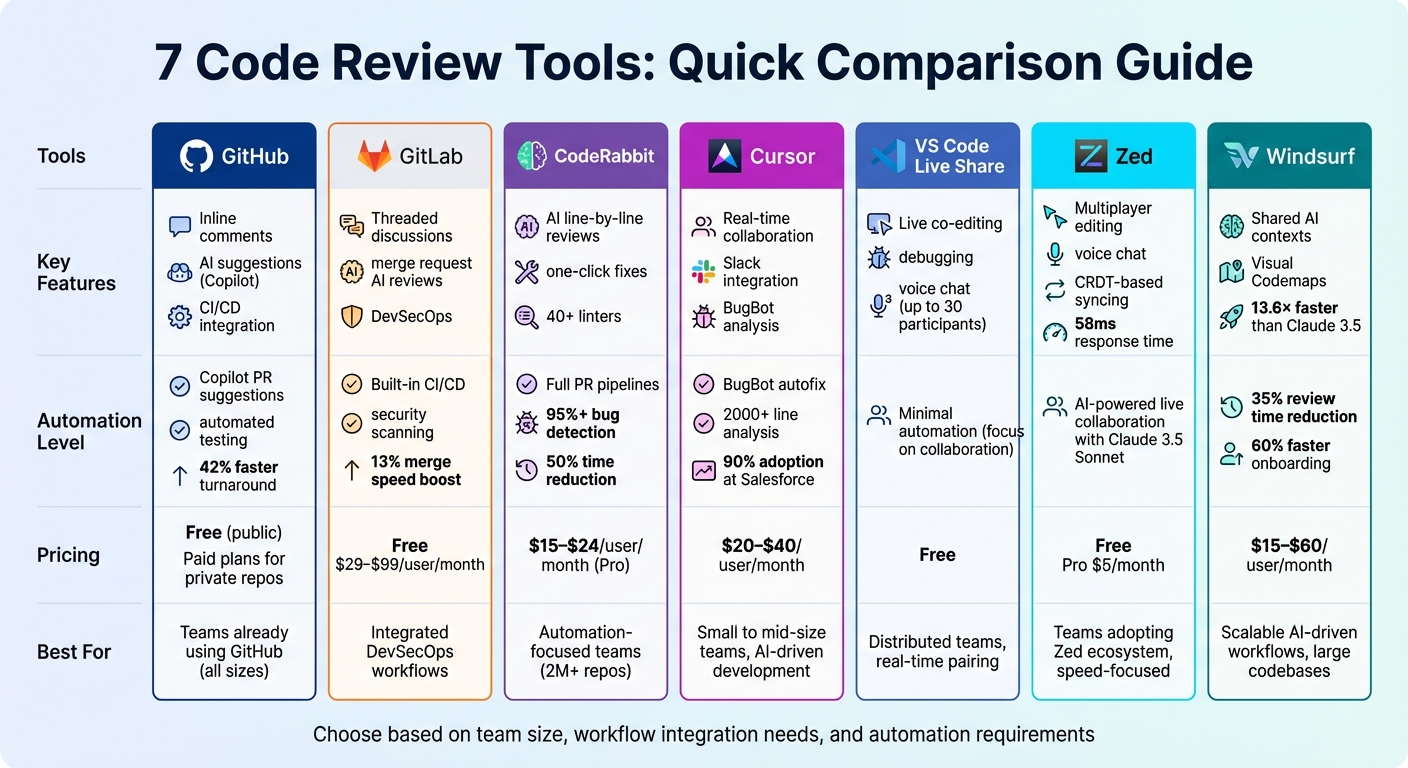
Code Review Tools Comparison: Features, Pricing, and Best Use Cases
Comparing all AI Pull Request Review tools to find the best one
sbb-itb-8feac72
Quick Comparison
| Tool | Key Features | Automation | Best For | Pricing |
|---|---|---|---|---|
| GitHub | Inline comments, AI suggestions, CI/CD integration | Copilot for PR suggestions, automated testing | Teams already using GitHub | Free (public), Paid plans |
| GitLab | Threaded discussions, merge request AI reviews | Built-in CI/CD and security scanning | Teams needing integrated workflows | Free, Paid tiers ($29–$99) |
| CodeRabbit | AI reviews, one-click fixes, multi-platform support | Full PR pipelines, 40+ linters | Automation-focused teams | $24/user/month (Pro) |
| Cursor | Real-time collaboration, Slack integration | BugBot for large-scale code analysis | Small to mid-size teams | $20–$40/month per user |
| VS Code Live Share | Live editing, debugging, voice chat | Minimal automation | Distributed teams | Free |
| Zed | Multiplayer editing, voice chat, CRDT-based syncing | AI-powered live collaboration | Teams adopting Zed ecosystem | Free, Pro ($5/month) |
| Windsurf | Shared AI contexts, visual codemaps | AI-assisted PR reviews, fast analysis | Scalable, AI-driven workflows | $15–$60/month per user |
Each tool has unique strengths, from GitHub's seamless integration to Windsurf's AI-powered analysis. Choose one based on your team's size, workflows, and automation needs.
1. GitHub
Speeding up code review is key to improving team collaboration, and GitHub stands out as a platform built with this in mind. Each change starts with a pull request, acting as a central space for reviewing and refining code. GitHub's side-by-side diffs make it easy to see changes in context, while inline comments and the "Suggested Changes" feature allow reviewers to propose and apply edits with just a click[7][8]. Draft pull requests also let developers share early work and gather feedback before finalizing.
Integration with Existing Workflows
GitHub seamlessly connects with CI/CD pipelines using GitHub Actions, automating tasks like linting, formatting, and testing. The Status API adds another layer of quality control by blocking merges until automated tests and security scans are successful. Features like the CODEOWNERS file assign specific reviewers based on file paths, ensuring the right people are involved. Organization-level Rulesets further enhance control, letting leaders enforce rules like bypass permissions, file restrictions, and metadata checks across repositories[9]. Together, these tools create a solid foundation for automation.
Automation Capabilities
GitHub Copilot Code Review takes automation to the next level. This AI-driven tool reviews pull requests in any programming language, identifies issues, and suggests fixes that developers can quickly apply[11]. Repository owners can set up Copilot to automatically review new pull requests, catching mistakes before human reviewers even see them. By analyzing the full project context, Copilot delivers highly accurate feedback. For example, between 2024 and 2025, FinTech startup Meridian Solutions cut its average pull request turnaround time from 27 hours to 15.7 hours - a 42% improvement - and caught 204% more bugs before merging[10].
"Copilot code review reviews code written in any language, and provides feedback... You can apply suggested changes with a couple of clicks." - GitHub Docs [11]
Team Size Suitability
GitHub works for teams of all sizes, from solo developers to enterprises managing thousands of repositories. For public repositories, the free tier includes essential pull request tools, while advanced features like GitHub Copilot are part of Pro or Enterprise plans. Large-scale trials highlight its impact: in 2024, Accenture tested GitHub Copilot with about 1,000 developers, reporting a 55% faster completion rate for coding tasks. Additionally, 85% of participants felt more confident in their code quality, and 90% noted improved job satisfaction[10]. Similarly, a 2025 trial at ANZ Bank, involving over 1,000 engineers in a regulated setting, showed clear improvements in both team velocity and code quality when AI-assisted reviews were used[10].
2. GitLab
GitLab takes code reviews to the next level by combining them with the entire development lifecycle, all within one unified DevSecOps platform. Instead of replacing individual tools, GitLab simplifies the process - every merge request automatically triggers pipelines to run unit tests, linters, and security scans before any human review happens[12]. This automation helps developers catch straightforward issues early, allowing reviewers to focus on more complex architectural or logical elements.
Collaboration Features
The merge request is at the heart of GitLab's collaboration system. Reviewers can leave inline comments on specific lines of code, creating threaded discussions that keep feedback clear and organized. With the "Start a review" feature, reviewers can draft multiple comments and submit them together, cutting down on unnecessary notifications[12]. For Premium or Ultimate tier users (starting at $29 per user per month), the "Assign reviewers" drawer suggests the most relevant approvers based on Code Owners or preset approval rules[2]. Additionally, GitLab's AI assistant, @GitLabDuo, can be mentioned in discussion threads to provide follow-up answers or clarifications[12].
Integration with Existing Workflows
GitLab seamlessly integrates code reviews into the broader development workflow. Merge request interfaces display live CI/CD statuses, security vulnerabilities, and code quality reports all in one place[12]. Code changes are directly tied to integrated issues, serving as a single source of truth for context and decision-making. Teams can also enforce automated quality gates, blocking merges until all builds and security scans have passed.
"GitLab's merge request is the heart of effective code reviews." - CodeAnt AI [12]
Automation Capabilities
GitLab Duo Code Review, introduced in GitLab 18.8[13], integrates AI directly into the merge request process. The @GitLabDuo reviewer performs contextual analysis across all changed files, guided by the .gitlab/duo/mr-review-instructions.yaml file[14]. By connecting with Amazon Q, developers can use the /q dev quick action to automatically apply suggested code changes, boosting merge speed by about 13%[15]. The Suggested Reviewers tool, powered by machine learning, analyzes Git commit history to recommend up to five reviewers based on their expertise[14]. To further streamline workflows, GitLab's Security Analyst Agent (launched in January 2026) autonomously prioritizes vulnerabilities and filters out false positives, reducing alert fatigue[14].
Team Size Suitability
GitLab is designed to work for teams of all sizes, from solo developers to enterprises managing thousands of repositories. The free tier includes essential merge request and basic CI/CD features, while the Premium tier (starting at $29 per user per month) adds advanced approval workflows and Code Owners. For $99 per user per month, the Ultimate tier unlocks AI-driven tools, advanced security dashboards, and compliance frameworks. G2 Reviews highlight how GitLab's merge requests fit well into enterprise workflows, though its AI features are more focused on process improvements[2]. Overall, GitLab is a strong choice for organizations aiming to simplify their toolchains with an all-in-one DevSecOps platform, offering scalability and efficiency for teams of any size.
3. CodeRabbit
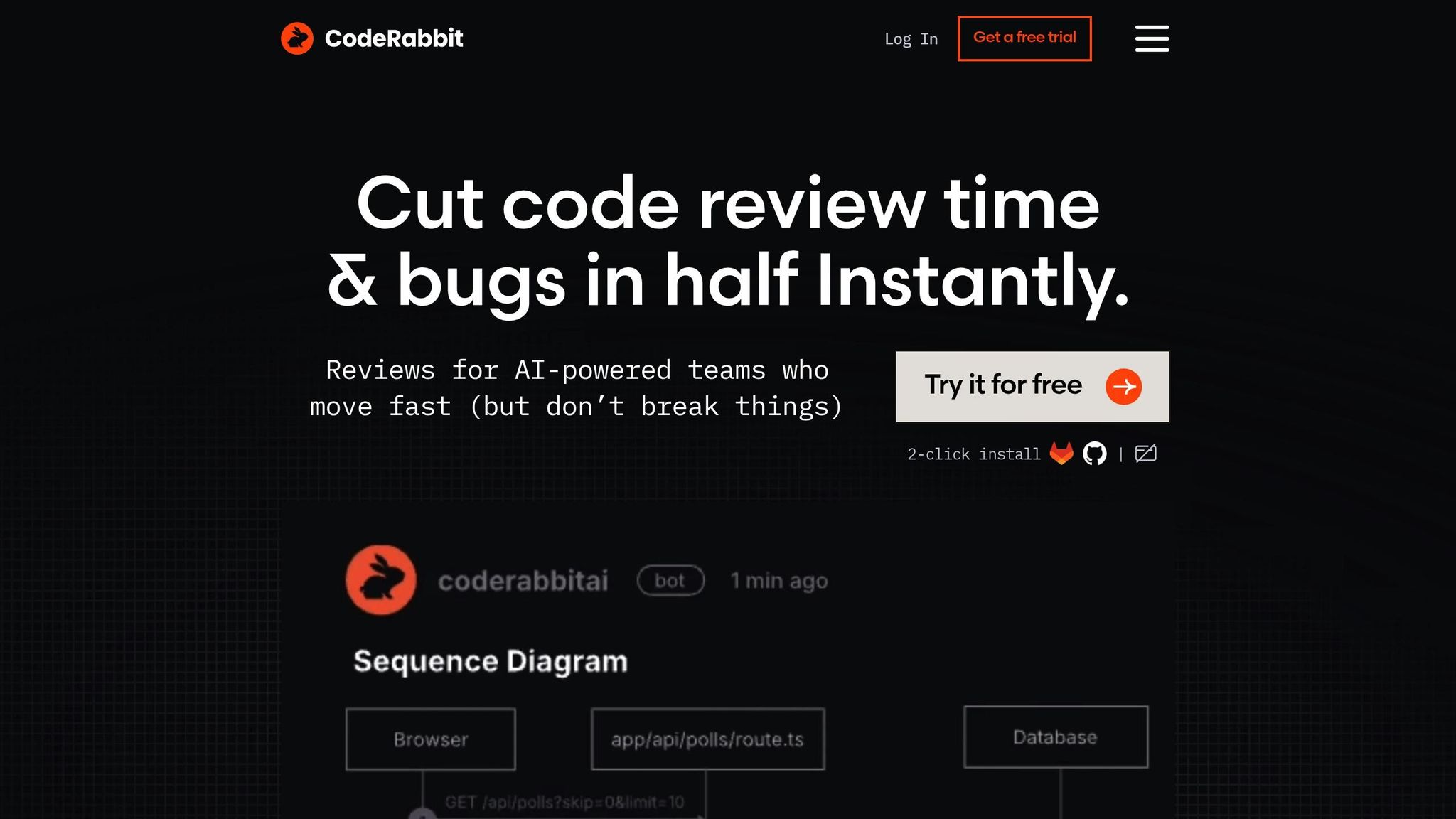
CodeRabbit steps into the world of AI-powered development as a real-time assistant for pair programming. Designed to integrate seamlessly into your workflow, it operates both within your code editor and pull request processes. With over 2 million repositories already using the tool and more than 75 million defects identified, CodeRabbit aims to catch issues before they ever reach production. The platform boasts a detection rate of over 95% for bugs, helping teams cut both code review time and bugs by 50% [16].
Collaboration Features
CodeRabbit transforms pull requests into interactive discussions. Developers can tag @coderabbitai in GitHub or GitLab comment threads to perform tasks like generating docstrings, creating unit tests, or resolving review threads [18]. For quick fixes, the tool offers one-click commits, while the "Fix with AI" button delegates more complex tasks to your chosen AI coding agent. This interactive functionality enhances collaboration and fits naturally into existing workflows.
"We're using CodeRabbit all over NVIDIA" - Jensen Huang, Founder & CEO of NVIDIA [16]
Integration with Existing Workflows
CodeRabbit integrates seamlessly with popular CI/CD platforms like GitHub Actions, GitLab CI/CD, CircleCI, Azure DevOps, and Jenkins. It monitors pipeline runs in real time, offering inline remediation for build failures and infrastructure errors [19][20]. The tool also works with issue trackers such as Jira and GitHub Issues to ensure code changes align with acceptance criteria [21][23]. Additionally, it supports over 40 third-party linters and security scanners (e.g., ESLint, Gitleaks, Semgrep), with its AI filtering out irrelevant alerts to highlight actionable fixes [22].
Automation Capabilities
Using advanced language models like GPT-4o and Claude 3.5 Sonnet, CodeRabbit performs line-by-line analysis as soon as a pull request is created. Unlike standard linters, it employs a "codegraph" to understand complex dependencies across the repository, ensuring its suggestions are context-aware. The platform automatically generates high-level pull request summaries, walkthroughs, and architectural diagrams, giving reviewers immediate context. Its "Learnings" feature adapts to your team’s coding style based on feedback. For example, PandasAI reported that integrating CodeRabbit halved their pull request review time while also uncovering potential edge cases [17].
Team Size Suitability
CodeRabbit caters to teams of all sizes. Individual developers can use the free tier, which allows for up to 10 pull requests per month, while open-source projects enjoy unlimited usage. The Pro Plan costs between $15 and $24 per developer per month (billed annually), and the Enterprise Plan offers custom pricing and self-hosting options for organizations with 500 or more seats [24][25]. The platform is SOC 2 Type II certified and ensures data security with end-to-end encryption and zero data retention after reviews [16].
4. Cursor
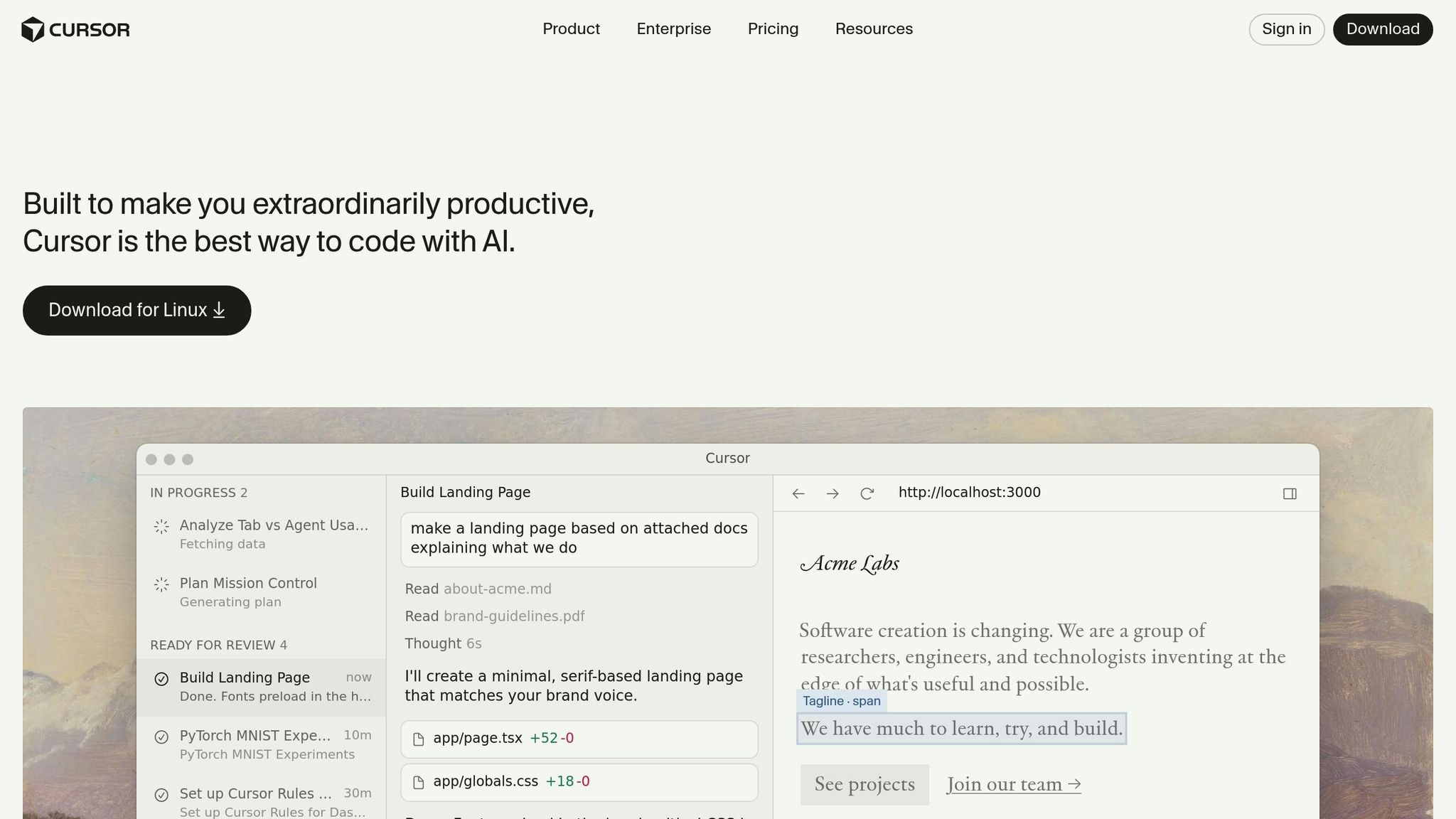
Cursor brings AI-driven code reviews directly into your development environment, offering real-time collaboration, multiplayer coding, and integrated voice chat for team discussions. These tools combine to deliver AI-powered suggestions that enhance the development process [26].
Collaboration Features
Cursor's AI Review (Beta) feature examines modified files in pull requests, making it easier to address feedback. For example, the "Fix in Cursor" button links pull request comments directly to the relevant code, streamlining the workflow. Additionally, Cursor integrates with Slack to summarize code changes, notify team members about pull request updates, and provide direct links to open changes [28].
In January 2026, Salesforce revealed that over 90% of its 20,000 developers had adopted Cursor, reporting notable improvements in cycle time and pull request velocity [28]. These tools are designed to fit seamlessly into existing workflows, enhancing collaboration.
"My favorite enterprise AI service is Cursor. Every one of our engineers, some 40,000, are now assisted by AI and our productivity has gone up incredibly." - Jensen Huang, President & CEO, NVIDIA [28]
Integration with Existing Workflows
Cursor includes a CLI that works with GitHub Actions, allowing teams to create custom workflows triggered by pull request events. Its BugBot service connects to GitHub repositories to automatically analyze pull requests for issues like logic errors, regressions, or security vulnerabilities. Developers can manage AI permissions through a .cursor/cli.json file, restricting actions like git push during CI runs. While human reviewers often struggle with diffs exceeding 200 lines, Cursor’s AI reliably analyzes changes over 2,000 lines without losing accuracy [27].
Cursor also automates critical checks, making it a natural fit for teams looking to enhance their review process.
Automation Capabilities
Cursor offers three key automation tools:
- Agent Review: Performs local checks before code is committed.
- BugBot: Automatically reviews pull requests for potential issues.
- CLI Integration: Enables custom CI/CD workflows.
Teams can define specific review standards in a .cursor/rules/bugbot.md file, guiding the AI to enforce practices like using parameterized database queries. The AI agent uses contextual data - such as open files, git status, and linter errors - to provide accurate and actionable feedback [30]. In February 2026, Cursor introduced BugBot Autofix, which not only detects issues but also suggests and applies fixes automatically [28].
Team Size Suitability
Cursor is designed to scale effortlessly, whether you're a solo developer or part of a large enterprise. Pricing options include:
- Pro Plan: Around $20 per month for individual developers.
- Business Plan: Approximately $40 per user per month, offering advanced security, admin controls, and BugBot features [29].
Its scalability has been proven by companies like Stripe. In January 2026, Stripe's CEO Patrick Collison shared that their use of Cursor expanded from hundreds to thousands of employees, driving significant productivity gains [28]. For large-scale projects, teams can break down reviews into phases, such as focusing on correctness in one pass and API surface in another, to maintain clarity and efficiency [27].
Cursor’s features make it a versatile tool for teams of all sizes, ensuring both productivity and precision in coding workflows.
5. VS Code Live Share
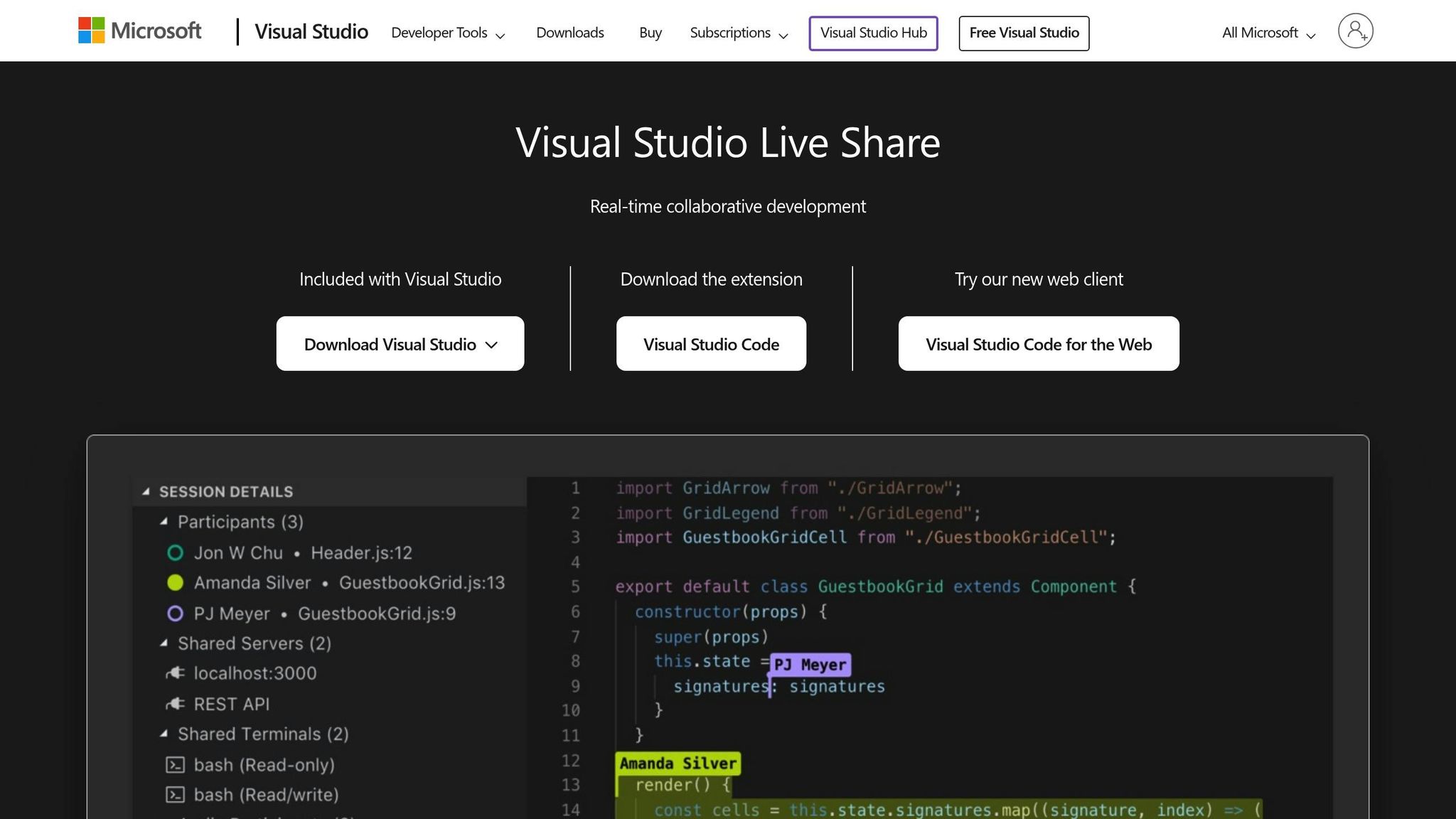
VS Code Live Share brings real-time collaboration right into your editor. With over 22,844,792 installs on the Visual Studio Marketplace [35], it's a favorite for teams looking to simplify their code review process.
Collaboration Features
This tool supports up to 30 participants in a single session, making it flexible for both pair programming and larger group reviews [34]. It displays live cursors and edits, while features like Follow help keep everyone aligned, and Focus ensures attention is drawn to critical parts of the code [33].
What sets Live Share apart is its shared debugging functionality. Team members can set breakpoints, step through code together, and independently inspect variables. This is a game-changer for tackling complex code reviews [34]. Plus, the built-in text and audio chat eliminate the need to juggle multiple apps, keeping communication smooth and efficient.
"Just used a @code Live Share to do a code review with four students around a table. It worked brilliantly. Living in the future is pretty awesome." - Kris Jordan, @KrisJordan [31]
Integration with Existing Workflows
Live Share fits seamlessly into your workflow. You can share session links via tools like Microsoft Teams, Slack, Skype, or email [32]. Guests don’t need to clone repositories - they gain full editor context, complete with language services and debugging capabilities [34]. For added privacy, you can use a .vsls.json file to hide sensitive files, and it automatically respects .gitignore rules [32]. All connections are encrypted end-to-end, ensuring your code stays secure on the host's machine [34].
This seamless integration makes Live Share a powerful addition to your toolkit, complementing the automation and scalability features of other tools.
Team Size Suitability
Whether you're pairing with a single colleague or conducting a large-scale technical interview, Live Share adapts to teams of all sizes [34]. It’s included for free with Visual Studio Community, Professional, and Enterprise editions, offering a robust free tier for regular use [31].
"I'm loving the Live Share extension, which has been extremely helpful in pairing and getting help from colleagues, whether in the office or remote." - Rob Jones, @code_lobster [31]
Hosts can also manage access permissions and require approval for participants, making it suitable for everything from casual reviews to secure enterprise sessions [32].
6. Zed
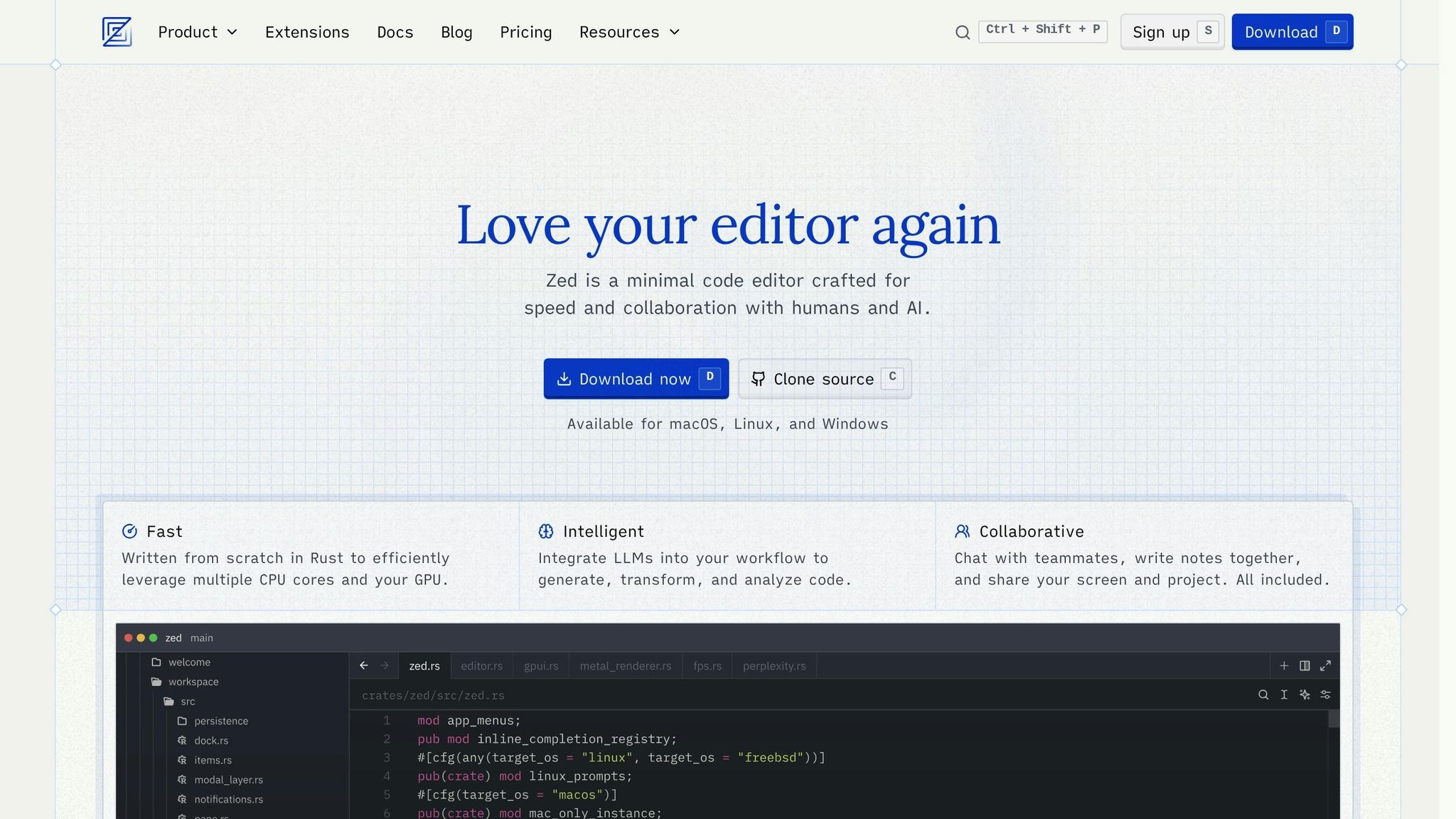
Zed is built with teamwork in mind, embedding real-time collaboration into its very foundation. Written in Rust and featuring GPU acceleration, it prioritizes speed, boasting a 58ms response time and consuming just 73 MB of RAM at startup [38]. Unlike some editors that tack on collaboration tools as extras, Zed uses Conflict-free Replicated Data Types (CRDTs) to ensure seamless, built-in collaborative functionality.
Collaboration Features
Zed takes team editing to another level with multiplayer editing, allowing users to see each other's cursors and changes in real time. It introduces Channels, which are persistent virtual spaces where teams can share projects, hold voice chats, and maintain collaborative notes. The Follow Mode feature ensures effortless coordination by syncing your view to a teammate's cursor and active file, eliminating the need for manual screen sharing.
One standout feature is Agentic Editing, which enables live collaboration between developers and AI agents. Powered by Claude 3.5 Sonnet, you can assign tasks to an AI agent and watch its progress in real time, reviewing updates as they happen [36][37]. Zed also integrates voice chat and screen sharing directly into the editor, making external tools unnecessary.
"My god it is so fast. Boot time, UI interaction, typing latency. I feel it. I knew VS Code always felt sluggish, but I didn't realize how good things could really be." - Matt Baker, Principal Engineer [36]
These features are designed to blend effortlessly with your existing workflows, enhancing productivity without disruption.
Integration with Existing Workflows
Zed's native Git support allows you to stage, commit, and view split diffs directly within the editor [36][37]. Its integrated terminal and task runner make it easy to execute build and test tasks locally, creating a feedback loop similar to what you'd experience with CI/CD pipelines [38]. While it doesn't include a dedicated issue tracker, teams can use Channel Notes - shared Markdown files - to link GitHub Issues and project boards, keeping task management close to the code [40].
The editor also supports Remote Development, running the interface locally while the codebase resides on a remote server, ensuring consistency across team environments [36][37]. With Language Server Protocol (LSP) integration, Zed offers diagnostics and project-wide refactoring, while Debug Adapter Protocol (DAP) support allows for breakpoints and variable inspection in various programming languages [36][37].
Team Size Suitability
Zed is designed to accommodate teams of all sizes, but its founders emphasize that teams get the most out of it when they fully adopt Zed's ecosystem [39]. At Zed Industries, the tool is used for company-wide meetings, where dozens of team members edit shared files simultaneously to track goals and metrics [40].
"In order to use Zed as a collaboration tool, you sort of need to be all in as a team on Zed." - Nathan Sobo, Founder, Zed Industries [39]
Zed's pricing model supports different needs. The Free Plan is ideal for individual users and open-source projects, while the Pro Tier costs $5/month and includes advanced AI features along with a token allowance. For larger organizations, Enterprise pricing offers custom security and remote development options [37]. Currently, all collaboration features are in alpha and available for free to all users [40].
7. Windsurf
Windsurf (formerly Codeium) integrates its AI-powered agent, Cascade, directly into the development workflow, speeding up review cycles significantly. Unlike traditional tools that primarily focus on pull request comments, Windsurf leverages its SWE-1.5 model, which is 13.6× faster than Claude 3.5 Sonnet for code generation tasks [42]. This remarkable speed helps streamline both review processes and feedback loops.
Collaboration Features
One standout feature is Shared Context, which allows team members to build on each other's AI interactions, eliminating redundant queries [42]. Developers can work together with the same AI agent in real time, fostering a collaborative environment where both human reviewers and AI contribute to solving complex tasks [42].
Another key feature is AI-Powered PR Reviews, which automatically analyze GitHub pull requests and provide inline feedback. Admins can integrate the Windsurf GitHub bot to enable automated team-wide feedback, with reviews triggered manually using commands like /windsurf-review [41]. During testing, this feature cut code review time by 35% [42]. Additionally, Visual Codemaps offer AI-generated visual representations of the codebase architecture, making it easier to understand dependencies during architectural reviews. These Codemaps have been shown to reduce developer onboarding time by 60% [42].
Integration with Existing Workflows
Windsurf works seamlessly with over 40 IDEs, including popular ones like VS Code, JetBrains, Vim, and Emacs [42]. This compatibility ensures teams can adopt the platform without experiencing the downtime often associated with switching to new tools. It also integrates smoothly with existing VS Code plugins for CI/CD pipelines and issue tracking, keeping workflow interruptions to a minimum [43].
"Since it can seamlessly work alongside popular platforms like VS Code, alongside plugins, it minimizes disruption. This leads to a smoother transition, meaning less downtime for projects." - Zack Saadioui, Author [43]
The Cascade Flow system further enhances productivity by integrating various tools and providing real-time context during review tasks. For best results with automated reviews, teams should use natural language in PR guidelines and include detailed examples of intended changes [41]. Currently, the PR Review beta for organizations supports up to 500 reviews per month and a maximum of 50 files per PR [41]. With its ability to integrate into existing workflows, Windsurf adapts to teams of any structure and size.
Team Size Suitability
Windsurf offers pricing plans tailored to different team sizes:
- Pro Plan: $15/month per user, providing 500 fast AI requests per month and unlimited agent usage [42].
- Team Plan: $25/month per user, adding features like shared contexts, team prompts, collaborative Codemaps, and centralized billing - great for small teams and freelancers [42].
- Enterprise Plan: Starting at $60/month per user, this plan includes advanced security features such as RBAC, SOC 2, GDPR compliance, and private deployment options [44].
Windsurf’s scalable design caters to both fast-moving startups and enterprises requiring robust security. OpenAI’s acquisition offer in February 2026, valued at approximately $3 billion [42], highlights the platform's potential to transform team collaboration.
Tool Comparison Table
Here’s a quick look at how some of the top tools stack up in terms of collaboration features, automation, pricing, and ideal team fit.
| Tool | Key Collaboration Features | Automation Capabilities | Pricing | Best For |
|---|---|---|---|---|
| GitHub | Inline commenting on pull requests, bundled reviews, CODEOWNERS assignments, and Codespaces for cloud testing [1] | GitHub Copilot integration for PR summaries and suggestions, plus advanced security scanning with CodeQL | Free for public projects; paid plans for private repositories | Teams of any size already using GitHub |
| GitLab | Threaded discussions in merge requests, multi-assignee support, and "Suggested Changes" with one click [1] | Duo AI reviews, built-in security scanning, and automated compliance reporting [4] | Free tier available; scalable paid plans | Teams needing DevSecOps workflows |
| CodeRabbit | AI-driven line-by-line reviews with one-click fixes; supports GitHub, GitLab, Bitbucket, and Azure [5] | Fully automated PR pipelines with over 40 integrated linters and SAST scanners [5][47] | $24/user/month (Pro, billed annually) | Teams seeking robust automated reviews |
| Cursor | Real-time collaborative editing and AI-powered pair programming | Bugbot reviews with full-codebase indexing to uncover cross-module issues [5] | Subscription plans starting at a fixed rate per user | Small to mid-size teams prioritizing AI-driven collaboration |
| VS Code Live Share | Real-time co-editing, shared debugging, and voice integration | Focuses on live collaboration with minimal automation | Free (included with VS Code) | Distributed teams needing real-time collaboration |
| Windsurf | AI-powered PR analysis with Shared Context and Visual Codemaps | Visual Codemaps for PR analysis, reducing onboarding time by 60% [42] | Tiered pricing available | Teams looking for scalable, AI-driven review automation |
GitHub and GitLab stand out for their free tiers, which make them appealing to smaller teams, though private repositories often require a subscription. CodeRabbit, an AI powerhouse, has processed over 13 million pull requests and is one of the most-installed AI tools on GitHub and GitLab marketplaces [5]. For teams already using Microsoft's ecosystem, VS Code Live Share offers free, real-time collaboration, eliminating the need for extra subscriptions.
The table highlights how each tool caters to different team sizes and workflows, helping technical leaders make informed decisions. Tools like Windsurf, with its Visual Codemaps, exemplify a shift toward full-codebase analysis, which can catch architectural issues that traditional diff-based reviews might overlook [45][5]. This feature alone has been shown to cut onboarding times by 60% [42].
"AI code generation has accelerated development 3-5x but increased PR review times by 91%, creating critical bottlenecks." - Ali Adl-Tabatabai, CEO, Gitar.ai [46]
When choosing a tool, think about whether your team needs real-time collaboration (like VS Code Live Share) or advanced automation (as offered by CodeRabbit or GitHub). This breakdown helps technical teams and leaders identify the best fit for efficient, scalable code reviews.
Conclusion
Choose code review tools that enhance productivity and maintain high-quality code. The seven tools highlighted here - GitHub, GitLab, CodeRabbit, Cursor, VS Code Live Share, Zed, and Windsurf - offer options to suit various team sizes, workflows, and goals.
When selecting a tool, consider your team's size, workflow, and budget. Free tiers work well for smaller teams, while paid plans with AI-powered features are better suited for larger organizations. Lightweight solutions are ideal for small teams, whereas enterprise-level tools are necessary for scaling in larger setups. If your team already uses Microsoft products, VS Code Live Share might be a seamless addition.
"The best source code review tools combine workflow fit, automation coverage, and measurable quality impact." - Propel [4]
Before rolling out a tool across your organization, test it with a small team to gather data and insights [3]. Make sure the tool aligns with your current review policies and team culture. Strike a balance between AI automation and human oversight to maintain quality and avoid "bot fatigue" [3].
The right tool will integrate seamlessly into your workflow, help catch defects early (teams using peer reviews identify 30% to 80% more defects [6]), and support developer growth through meaningful feedback. Select the tool that best matches your team's needs to streamline reviews, improve collaboration, and achieve better code quality.
FAQs
Which tool best fits our team’s workflow?
The right tool for your team hinges on your specific needs, such as automation, AI capabilities, or customization options. Graphite stands out for its AI-powered code reviews and developer analytics, while Collaborator by SmartBear shines with its customizable templates and integration options. If open-source flexibility is what you’re after, take a look at Gitea or Gerrit. For teams that prioritize quick feedback, AI-driven tools like CodeRabbit might be the best fit. Ultimately, your choice should align with your team’s workflow, size, and priorities.
How do we avoid “bot fatigue” with AI reviews?
Reducing "bot fatigue" in AI-assisted code reviews is all about streamlining the process and cutting down on unnecessary mental load. One way to do this is by leveraging AI tools for automated suggestions, inline comments, and summaries. These features can help reviewers focus on the important stuff instead of getting bogged down by repetitive tasks.
It's also crucial to set clear guidelines for your AI tools. This helps reduce noise, like irrelevant suggestions or false positives, which can quickly become frustrating. Pairing AI reviews with manual checks ensures a balanced approach, keeping quality high without overwhelming the reviewers. Lastly, using context-aware tools that highlight critical issues first can make the whole process more efficient and less tiring.
What security risks come with AI code review tools?
AI-powered code review tools can bring security concerns, such as vulnerabilities like remote code execution. Additionally, if the AI systems themselves have security weaknesses, they could open up new opportunities for attacks. Thorough evaluation of these tools is critical to address potential risks and ensure they are integrated securely into your workflows.