
Customer Journey Mapping for Tech Leaders
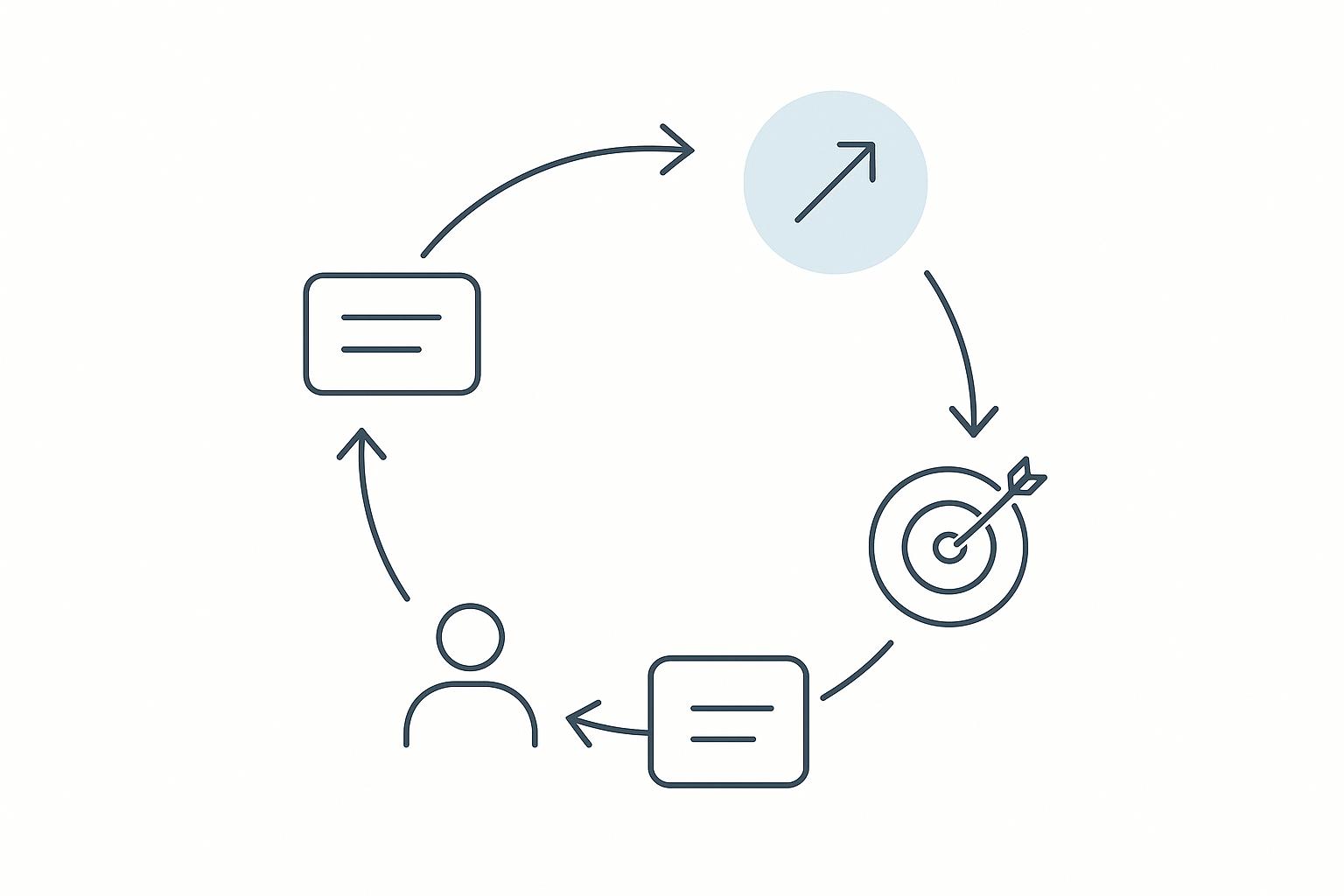
Customer journey mapping helps tech leaders understand how users interact with their products or services, focusing on both actions and emotions at every touchpoint. It’s not just about building features - it’s about improving the entire customer experience to drive satisfaction and business results.
Key takeaways:
- What it is: A visual representation of the customer’s steps, emotions, and challenges when engaging with a product or service.
- Why it matters: Companies using journey mapping report up to a 30% increase in customer satisfaction and a 15% revenue boost.
- How it helps tech leaders: Aligns product strategies with user needs, prioritizes impactful features, and eliminates friction points.
- Real-world examples: Amazon reduced cart abandonment by simplifying checkout, and Spotify improved engagement by addressing sharing feature pain points.
For tech leaders, journey mapping bridges technical expertise with user-focused strategies, helping teams create products that meet customer expectations and improve business outcomes.
Customer Journey Mapping Tutorial
Key Elements of a Customer Journey Map
A well-designed customer journey map helps tech leaders align their technical strategies with what customers actually need. Breaking down its components is essential for creating maps that are both accurate and actionable.
Customer Personas and Touchpoints
At the heart of any journey map are customer personas - detailed profiles of target users based on real data. These personas go beyond age or location, especially in tech. They include professional roles, levels of technical expertise, goals, and preferred communication methods. For example, a cloud platform might craft one persona for IT managers focused on scalability and another for developers who care most about API integration. Each persona highlights unique motivations and challenges, guiding teams to create tailored interactions.
Touchpoints are the moments when customers interact with your product or brand, whether online or offline. These range from website visits and app usage to support emails, onboarding processes, and even word-of-mouth recommendations. To capture these, tech leaders can map the entire customer lifecycle, analyze data, and gather feedback directly from users. It’s important to account for both planned touchpoints (like a demo) and unplanned ones (like an unexpected support call), as they all contribute to the overall experience.
Customer Actions, Emotions, and Pain Points
A thorough journey map tracks three key aspects at every stage: actions, emotions, and pain points. Start by documenting what customers are doing (e.g., searching for solutions, signing up), then connect those actions to how they’re feeling (e.g., excitement giving way to frustration). Finally, identify the points where they struggle, such as a confusing onboarding process or unclear pricing.
Emotions reveal friction that raw behavioral data might miss, while pain points highlight barriers or frustrations that need fixing. For example, a challenging data import process can turn an excited new user into a frustrated one. Addressing these pain points can lead to tangible benefits - Forrester found that companies using journey mapping to solve customer frustrations reduced service costs by up to 20% [2]. Combining hard data (like analytics) with personal insights from surveys, interviews, and support tickets creates a clear picture of where improvements are needed.
B2B vs. B2C Journey Mapping for Tech Products
The paths that business and consumer customers take can be worlds apart, requiring different approaches to mapping. Here's a quick comparison:
| Element | B2B Journey Mapping | B2C Journey Mapping |
|---|---|---|
| Decision-makers | Multiple stakeholders, committees | Individual or household |
| Journey length | Longer, more complex cycles | Shorter, more direct paths |
| Emotional drivers | Trust, ROI, risk reduction | Convenience, enjoyment, price |
| Touchpoints | Demos, proposals, onboarding | Website, app, in-store, support |
| Success metrics | Account retention, upsell, NPS | Conversion, repeat purchase, CSAT |
B2B journeys often involve longer timelines and multiple decision-makers, each with their own priorities. For example, a project management SaaS tool might need to appeal to end users who want simplicity while also addressing IT teams’ concerns about security and integration. A great example of this is HubSpot’s 2021 B2B journey map, which used color coding to highlight pain points and included real customer quotes. This approach made the map more actionable for teams and led to improvements in onboarding and support [5].
On the other hand, B2C journey mapping focuses on individual buyers making quicker, emotion-driven decisions. These customers prioritize convenience, price, and personal satisfaction. For instance, consumer apps often analyze user behavior and emotions to identify friction points and streamline processes.
For tech leaders serving both markets, separate journey maps may be necessary to capture the unique needs and behaviors of business versus consumer users. Companies that actively refine their customer journeys report a 54% higher return on marketing investment and a 24% boost in positive social media mentions compared to those that don’t [9]. Understanding these differences ensures journey maps translate into actionable insights that drive results.
How to Create a Customer Journey Map
Creating a customer journey map is all about turning scattered insights into a clear, actionable visual guide. Done right, it can help your team improve products, services, and overall customer experience. But to get there, you'll need the right team, tools, and data.
Getting Started: Tools, Data, and Team Setup
Start by building a team that spans multiple departments. This means bringing in people from product management, engineering, marketing, sales, customer support, and UX/UI design. Assign specific roles, like a project lead to oversee the process, a data analyst to handle the numbers, and a customer experience specialist to focus on user insights.
Next, gather the data you need. This might include customer demographics, behavioral analytics, survey feedback, support tickets, social media interactions, and product usage stats. Tools like CRM systems, Google Analytics, or Mixpanel can help you pull this data together. Make sure your team has a system for sharing information across departments, so nothing falls through the cracks.
For mapping, use platforms like Lucidchart or Miro to create visual diagrams. Combine these with data analytics tools to uncover patterns in customer behavior. If you're tracking interactions across multiple channels, customer engagement tools like Braze Canvas can be helpful. Choose tools that work well with your existing systems and allow for collaboration, so your team can easily map out both the logical steps and emotional experiences of the customer journey.
Before diving into the map itself, set clear goals. Whether you're trying to reduce churn, improve conversion rates, or address another issue, defining your focus will guide what data to prioritize and which touchpoints to examine.
Building Personas and Mapping Touchpoints
To create effective customer personas, base them on real data. Look at customer segments, purchasing habits, support interactions, and demographics. Validate these personas with direct customer feedback to ensure they represent actual user needs and behaviors.
Once you’ve nailed down your personas, map out every point where customers interact with your brand or product. For tech products, this could include web and mobile app usage, onboarding processes, support channels, in-app messaging, and even offline interactions like sales calls or demos.
Use visual tools like flowcharts, infographics, or storyboards to map out these touchpoints. At each stage, document what customers are doing, how they’re feeling, and any pain points they encounter. This approach helps you go beyond just the numbers, uncovering emotional and experiential insights that data alone might miss.
For example, in 2020, HubSpot created a linear journey map that highlighted pain points with color coding and included real customer testimonials. This visualization made it easy for teams to spot and address issues, leading to better customer support satisfaction and providing a clear, actionable overview for stakeholders [5].
Testing and Improving Your Journey Map
Think of your first journey map as a starting point, not the final product. Test it through customer interviews, usability testing, A/B testing, and surveys to spot any gaps or inaccuracies.
Use this feedback to refine your map. For instance, one SaaS company discovered through testing that customers were struggling with data imports during onboarding - something the internal team had assumed was simple. By redesigning the onboarding process and adding proactive support, they reduced churn by 20% and increased customer satisfaction [1].
Keep your map up to date. Review it quarterly or after major product updates, shifts in customer behavior, or changes in business strategy. Updates might be triggered by new feature launches, changes in support processes, or new pain points identified through analytics or feedback. Regularly revising your journey map ensures it stays relevant and continues to provide valuable insights.
Iterative improvements like these can make a big difference, helping reduce friction and improve customer experiences over time.
sbb-itb-8feac72
Customer Journey Mapping Best Practices for Tech Leaders
For tech leaders, customer journey mapping isn't just a one-off exercise - it's a powerful tool to drive meaningful results and address common challenges. When done right, it provides actionable insights that evolve with your customers' needs.
Building Cross-Team Collaboration
The best journey maps come from breaking down silos and fostering collaboration across departments. When engineering, product, marketing, sales, and customer support work together, you get a full-picture view of the customer experience instead of fragmented insights.
Start by assembling cross-functional teams with representatives from all key departments. For example, Atlassian uses workshops where product, engineering, and customer support teams come together to map out the user experience. These sessions help identify pain points and prioritize fixes, leading to smoother onboarding and reduced customer churn by addressing both technical and emotional hurdles[11].
Hold regular workshops and use shared digital tools to combine insights from different teams. For instance, engineering might highlight bottlenecks, while customer support can flag recurring complaints. Atlassian emphasizes that collaborative sessions ensure every team feels responsible for the final map, leading to stronger follow-through on improvements[11]. This shared accountability ties earlier research to ongoing strategy updates, creating a more cohesive approach.
Balancing Functional and Emotional Customer Needs
Customers don’t just evaluate products based on features - they also judge how they feel at every interaction. The most effective journey maps capture both what customers aim to achieve and the emotions they experience along the way.
Blend quantitative data with qualitative feedback to uncover hidden friction points. For instance, if 40% of users drop off during onboarding and feedback shows they feel overwhelmed, it’s clear that simplifying the process is key. This dual perspective helps design solutions that address both practical and emotional barriers.
Take a page from LEGO’s playbook: they use an "experience wheel" with emoticons to visualize customer emotions at each stage of their journey. This tool helps teams empathize with users and tackle both technical and emotional challenges[5].
Incorporate real-time feedback to identify new emotional pain points as they arise. For example, if customers report feeling confused during a technical process, addressing that frustration can significantly improve their overall experience.
Keeping Journey Maps Current
Once you’ve built a collaborative, well-rounded journey map, keeping it up to date is essential. Customer expectations and technology change quickly, and outdated maps lose their value as strategic tools.
Organizations that regularly update their journey maps are 2.5 times more likely to exceed customer experience goals[7]. Schedule quarterly reviews or update maps after major product launches and shifts in customer behavior. Salesforce advises revising maps after any significant release or when new customer segments emerge[10]. Set clear triggers for updates, such as changes in analytics, feedback highlighting new pain points, or adjustments in support processes, and assign someone to monitor these triggers.
Leverage real-time analytics and continuous feedback to refine your map. For instance, if usage data reveals unexpected user behavior or new friction points, investigate and update the map accordingly. Regular updates ensure that insights from cross-team workshops and customer feedback remain relevant, keeping your map as a "living document" that reflects current realities rather than outdated assumptions.
Industry Examples of Effective Practices
Here’s how some companies have successfully used journey mapping:
| Company | Best Practice Highlighted | Outcome/Metric | Year |
|---|---|---|---|
| Amazon | Cross-team mapping and actionable insights | 10% reduction in cart abandonment | 2021 |
| HubSpot | Emotional mapping with customer testimonials | 15% increase in customer satisfaction | 2022 |
| Fitbit | Day-in-the-life mapping with personalization | 20% increase in daily active users | 2023 |
These examples show that journey mapping isn’t a one-and-done task - it’s an ongoing process. By fostering collaboration, balancing technical and emotional insights, and keeping your maps updated, you can continuously improve the customer experience and stay ahead of changing expectations.
Using Customer Journey Mapping to Drive Business Growth
Customer journey mapping can be a game-changer when tech leaders use it to tackle real-world business challenges. When done right, it not only boosts revenue but also enhances customer satisfaction[9]. The secret lies in turning journey map insights into actionable steps that improve product development, customer support, and overall performance.
Guiding Product Development and Personalization
Customer journey mapping pinpoints exactly what customers need and when they need it. This insight gives product teams a clear direction for creating features that users will actually embrace. Instead of relying on guesswork, tech teams can focus on addressing real issues revealed through customer behavior.
For instance, mapping friction points has been shown to inspire feature innovation. A SaaS company discovered through journey mapping that users were abandoning the onboarding process due to unclear instructions. By redesigning the onboarding flow and adding contextual help, they increased activation rates by 25%[1]. The process starts with tracking key metrics at each stage of the journey, such as feature adoption rates, customer satisfaction scores (CSAT), Net Promoter Score (NPS), and conversion rates[3][4].
Personalization also becomes more impactful when based on journey insights rather than just demographic data. One tech firm, for example, found that enterprise clients valued custom integrations more than standard features. Using this insight, they developed API features that significantly improved retention among B2B customers[8]. These findings revealed that enterprise users had distinct emotional and functional needs at various stages of their journey.
Insights like these naturally extend to improving customer support, which plays a critical role in retention.
Improving Customer Support and Retention
Journey mapping doesn't just inform product development - it can also transform customer support strategies. It highlights gaps and inefficiencies in support processes. McKinsey reports that focusing on customer journeys can cut customer service costs by up to 20% while increasing satisfaction by the same amount[7].
A great example is Vodafone, which in 2023 mapped its customer support journey and found that long wait times were a major issue. By overhauling their approach, they reduced churn and improved customer satisfaction[7]. The mapping process didn’t just identify what was wrong; it also revealed when customers needed help the most and what emotions they experienced during those moments.
Journey maps enable support teams to shift from reactive to proactive service. By identifying common friction points - like unclear documentation or delayed responses - teams can take steps to address issues before they escalate[2][4]. For example, adding live chat at key stages, creating self-service resources for frequent problems, or simplifying ticket submission can make a big difference.
The best results come from mapping emotional states at each touchpoint and prioritizing improvements where frustration is highest[1][4]. If customers feel overwhelmed during technical setup, for instance, support teams could offer step-by-step video guides or schedule proactive check-ins during that phase.
Keeping support strategies up to date is equally important. Regular reviews after major product launches or when customer feedback highlights new pain points ensure the approach stays relevant[4]. Using data from multiple channels - analytics, surveys, and direct feedback - helps identify where the journey breaks down and what needs fixing[4].
How Tech Leaders Programs Support Customer-Centric Growth
Tech leaders can take these insights further by participating in structured programs designed to drive growth through customer-centric strategies. Tech Leaders offers training in engineering leadership and entrepreneurship, equipping professionals with the skills needed to master these approaches. The programs emphasize critical non-technical skills like leadership and AI business strategy, preparing individuals to transition from technical roles to positions where they can directly impact business growth.
Participants learn how to lead cross-functional journey mapping workshops, translate technical capabilities into customer benefits, and use journey insights to shape product roadmaps. This training is particularly important given that 80% of customers now prioritize the experience a company provides as much as its products and services[9].
For those stepping into consulting or entrepreneurship, understanding customer journeys becomes even more essential. These programs teach how to identify customer pain points, design solutions that address both emotional and functional needs, and measure the business impact of customer experience improvements.
The focus on AI business strategy is especially timely as companies increasingly adopt data-driven journey mapping methods. Participants learn how to use analytics and customer feedback to create dynamic, real-time journey maps that adapt to evolving customer behaviors[6][7].
Conclusion
Customer journey mapping is transforming how tech leaders approach customer engagement. By laying out the entire customer experience visually, it enables leaders to make informed decisions that drive both customer satisfaction and business success. Companies that actively manage these journeys report a 54% higher return on marketing investment and generate 3.5 times more revenue through customer referrals[9].
This shift from a purely technical focus to a customer-centered approach demands new skills. Journey mapping bridges this gap by encouraging tech professionals to think beyond code and product features. Instead of relying on assumptions, leaders can use real customer data to uncover pain points and opportunities. It’s about balancing product functionality with the emotional experience customers have at every interaction. This approach highlights the importance of keeping journey maps updated to reflect evolving customer behaviors.
The best tech leaders view journey maps as dynamic tools that grow alongside their customers. Regular updates after product launches, coupled with collaboration across teams, ensure these maps remain actionable and relevant. Companies adopting this strategy have seen tangible results: 20% boosts in customer satisfaction, 15% drops in churn rates, and 20% reductions in service costs[9].
Programs like Tech Leaders are designed to help professionals integrate these customer-focused strategies into their leadership roles. By combining technical expertise with skills like customer-centric strategy and AI-driven insights, these programs teach leaders how to turn journey mapping insights into actionable product plans, support initiatives, and growth strategies that thrive in competitive markets.
The future belongs to tech leaders who can merge their technical skills with a deep understanding of their customers. Journey mapping offers the structure to make this shift, turning customer insights into strategic advantages that drive business growth.
FAQs
What are the best ways for tech leaders to incorporate customer journey mapping into product development?
Tech leaders can weave customer journey mapping into product development by making it a core part of agile workflows and engaging cross-functional teams from the start. The first step? Gather data-driven insights to identify where customers face challenges and where there’s room to improve.
Use this information to build a clear, visual representation of the customer journey. This map helps ensure that everyone involved - designers, developers, and other stakeholders - has a shared understanding of the user's experience. Keep it dynamic by regularly updating the map with customer feedback, and let it drive continuous improvements. This approach not only refines the product but also elevates the overall user experience.
What’s the difference between B2B and B2C customer journey mapping, and how should tech leaders tailor their approach?
When it comes to B2B customer journey mapping, the process often involves longer sales cycles, multiple stakeholders, and an emphasis on establishing trust and proving ROI. On the other hand, B2C journey mapping leans more toward creating emotional connections, encouraging fast decision-making, and catering to the unique preferences of individual customers.
For B2B strategies, tech leaders should focus on identifying critical touchpoints for every stakeholder, prioritizing relationship-building, and clearly demonstrating measurable value. In the B2C space, the goal should be to deliver personalized, seamless experiences that meet individual customer needs while strengthening loyalty.
How can tech leaders keep their customer journey maps effective as customer needs and technology evolve?
To keep customer journey maps relevant and impactful, tech leaders should focus on staying ahead of the curve. Regularly reviewing customer behavior and keeping an eye on industry trends can reveal changes in needs or expectations. Incorporating real-time data and customer feedback allows for continuous improvement, helping to pinpoint and address any gaps in the journey.
It’s also smart to use advanced tools and analytics to anticipate future trends. Aligning strategies with these insights ensures your maps stay useful. Frequent updates and a commitment to fresh ideas will keep your maps driving both positive customer experiences and business success.