
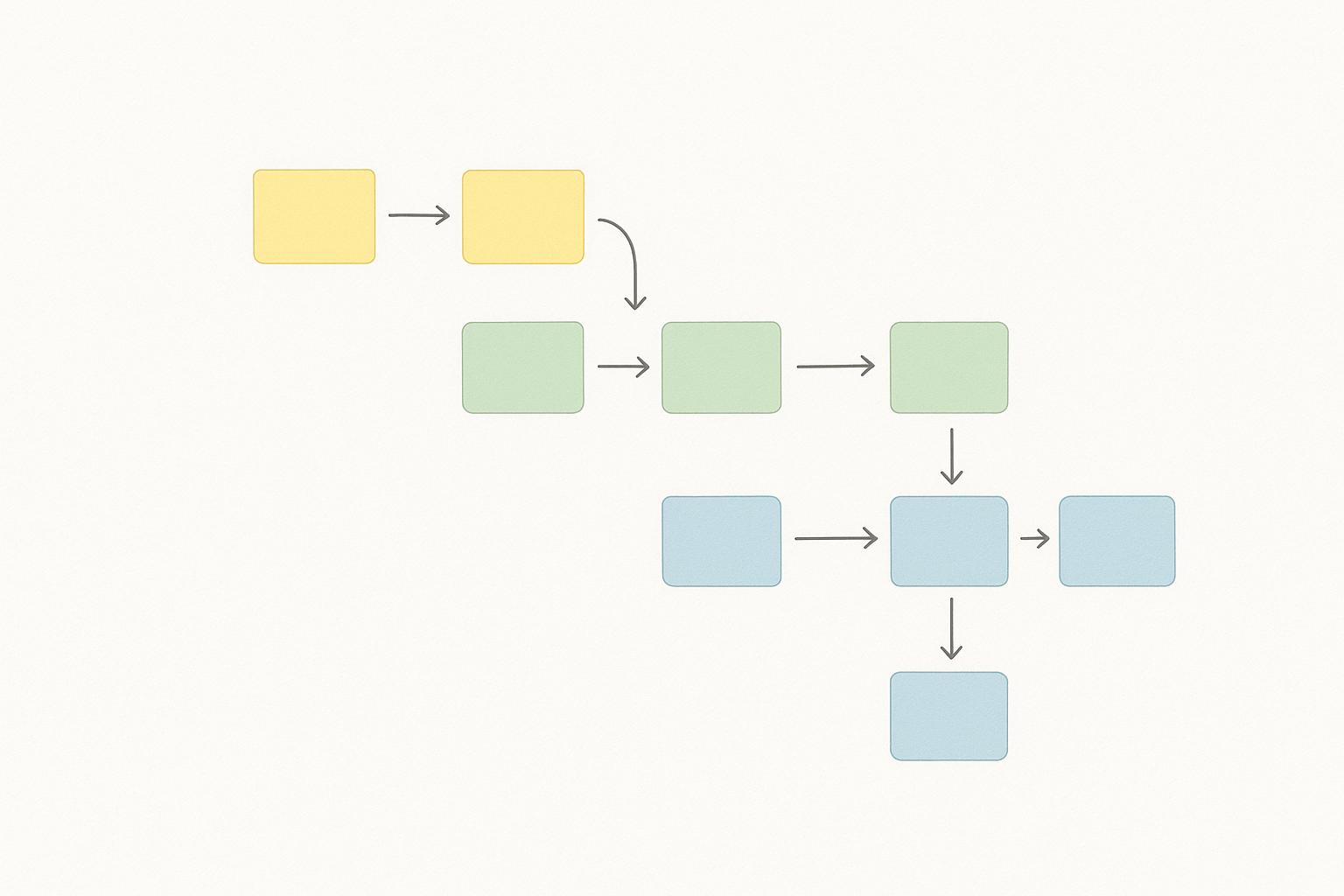
User Story Mapping for Agile MVP Development
User story mapping is a visual method that helps Agile teams organize user needs and prioritize tasks for developing a Minimum Viable Product (MVP). Unlike traditional backlogs, which list tasks in a single column, story maps use a two-dimensional grid to show the user journey horizontally and task priority vertically. This approach connects high-level product goals with actionable tasks, making it easier to focus on what matters most for the MVP.
Key Takeaways:
- User Journey Focus: Maps the steps users take to reach their goals.
- Prioritization: Highlights critical tasks for the MVP while deferring less urgent features.
- Collaboration: Brings together developers, designers, product managers, and stakeholders for better alignment.
- Clear Scope: Defines a "cut line" to separate MVP features from future iterations, preventing scope creep.
By following this method, teams can deliver an MVP that addresses core user needs while maintaining flexibility for future improvements.
User Story Mapping Basics
What is User Story Mapping?
User story mapping is a visual approach to organizing user needs and development tasks, structured along two key dimensions. The horizontal axis represents user activities, while the vertical axis prioritizes tasks. This method helps teams visualize the entire user journey, from the first interaction to achieving the user's goal[5].
At its core, user story mapping begins with user stories - simple descriptions of what users aim to achieve, written from their perspective[3]. These stories are organized into a hierarchy, with main user activities placed at the top. For instance, in a flight booking app, the top-level activity might be "Book a flight", with supporting steps such as "Search for flights", "Select a flight", and "Complete payment" layered underneath[3].
This mapping technique creates a clear, visual representation of how individual tasks contribute to broader user objectives[3]. It typically consists of three layers:
- The Backbone: Major user activities or epics are arranged horizontally in chronological order. For example, in a travel booking app, the backbone might include "Search for flights", "Select a flight", "Enter passenger details", and "Complete payment"[3][4].
- Supporting Tasks: These are the steps required to complete each activity, placed vertically under each corresponding epic[3][1].
- Specific User Stories: These actionable tasks are written in a format like "As a [user], I want to [action] so that [benefit]."
Once the structure is in place, teams prioritize tasks by placing the most critical user stories at the top and less urgent ones further down[1]. This sequencing approach makes it easy to determine which parts of the user journey should be tackled during each development phase.
This framework not only organizes work but also lays the groundwork for effective MVP development.
Benefits for MVP Development
User story mapping is particularly valuable for MVP (Minimum Viable Product) development because it keeps the focus on user needs while clearly defining the project scope. By visualizing the complete user journey, teams can ensure the MVP addresses real user problems rather than just building flashy features[3]. It helps identify which elements are essential for the MVP and which can be deferred to future iterations[3][1]. Drawing "cut lines" across the map makes it clear which stories belong in the MVP, reducing the risk of scope creep. For example, in a shopping app MVP, the map might reveal that users prioritize a fast checkout process over aesthetic animations, allowing the team to focus on what truly matters[3].
Another major advantage is improved collaboration. When everyone - developers, designers, product managers, and stakeholders - works from the same map, communication becomes more effective. Tools like Miro or a simple whiteboard allow teams to review, adjust, and align on the plan together. This shared visualization helps catch gaps in planning and ensures everyone is on the same page about the product's goals[3].
User story mapping also enhances prioritization by sequencing tasks to deliver maximum value to users as quickly as possible[1]. It helps teams identify dependencies, ensuring foundational features are built before those that rely on them. This approach ensures that every release contributes to a cohesive user experience, rather than delivering disconnected features.
Additionally, the map serves as a powerful tool for stakeholder communication. Its clear, visual format makes it easy for stakeholders to understand the product vision and see which parts of the user journey will be addressed in upcoming iterations[1]. This transparency makes planning discussions more productive and minimizes misunderstandings about priorities.
In short, user story mapping simplifies Agile MVP delivery by aligning features with user needs and constraints. It breaks down the user journey into smaller, actionable tasks that match the product's goals, making it especially useful for MVPs where resources are tight and every feature must provide meaningful value[2].
How to create MVP on the user story map.
How to Create a User Story Map
Creating a user story map is a structured way to focus your MVP (Minimum Viable Product) on what matters most: solving essential user needs. Here's a practical guide to help you map out an effective plan.
Define MVP Goals and User Personas
Start by clarifying your MVP's main goal and identifying the key user personas. Write a straightforward goal statement from the user's perspective, such as: "As a [user type], I want to [action] so that [benefit]." For example: "As a busy professional, I want to quickly book flights online so I can efficiently plan trips." This statement serves as your guiding principle throughout the process.
Keep your personas limited to 1–3 to avoid losing focus. For each persona, document their primary goal, pain points, technical skills, and the specific problem your MVP will address. Collaborate with stakeholders and subject matter experts to ensure alignment. This groundwork helps avoid unnecessary features and keeps your efforts centered on delivering meaningful results.
With your goals and personas in place, you're ready to map out the user journey.
Map the User Journey and Activities
Bring together your team - developers, designers, product managers - and walk through the user journey step by step. Have a product manager or expert narrate the process as if they were the user. As they describe each step, team members can jot down activities and tasks on sticky notes (physical or digital) and arrange them in chronological order.
For an MVP, focus on 3–7 major activities that form the backbone of the journey. For instance, a flight booking MVP might include: "Search for flights" → "Compare options" → "Select flight" → "Enter passenger details" → "Complete payment" → "Receive confirmation." Arrange these activities in a logical sequence that mirrors the user's natural workflow.
If some activities happen in parallel or depend on conditions, reflect that in your map. Use tools like a whiteboard or digital platforms like Miro for easy collaboration and adjustments.
Stick to the happy path - the simplest route to achieving the user's primary goal. For example, in a travel app, focus on the core booking process and leave extras like seat selection or loyalty programs for later.
Break Activities into User Stories
With your backbone in place, break each activity into detailed, actionable user stories. For example, under "Search for flights," you might include:
- "As a user, I can enter my departure city."
- "As a user, I can select my travel dates."
- "As a user, I can see available flights matching my criteria."
- "As a user, I can filter results by price or duration."
Each story should follow the format: "As a [user type], I can [action] so that [benefit]." Keep stories small enough to fit within one sprint - if one seems too large, break it down into smaller tasks. For instance, instead of a single story for searching flights, split it into smaller ones like entering the city, selecting dates, and viewing results.
Add acceptance criteria to each story to define what "done" looks like. For example: "When I type 'New York,' the system suggests matching cities" or "When I select dates, the system displays flights within 24 hours." Acceptance criteria ensure clarity and help the team stay aligned during development.
Focus on the happy path for now; edge cases and error handling can be tackled after the MVP launch. If a story feels too broad, break it down further using workflow steps. For example, "As a user, I want to search for products" could be split into smaller tasks like:
- "As a user, I want to see a search bar on the homepage."
- "As a user, I want to type my query into the search bar."
- "As a user, I want to see search suggestions as I type."
- "As a user, I want to submit my search and see a list of products."
Once you’ve broken down your activities, it’s time to prioritize.
Prioritize and Define Your MVP Swimlane
Use prioritization techniques like the MoSCoW method and Value vs. Effort analysis to decide which stories belong in your MVP. The MoSCoW method categorizes stories as:
- Must Have: Essential for MVP functionality.
- Should Have: Important but not critical.
- Could Have: Nice-to-have features.
- Won't Have: Features explicitly excluded from the MVP.
Value vs. Effort analysis helps you visualize priorities by plotting stories on a 2×2 matrix. High-value, low-effort tasks take precedence, while low-value tasks are deferred regardless of effort. For a flight booking MVP, "Search flights" and "Complete payment" are Must Haves, while "Seat selection" might be a Could Have, and "Loyalty program integration" a Won't Have.
Draw a cut line or swimlane on your story map to separate MVP stories from future features. This visual boundary clarifies the scope and ensures the team stays focused. Typically, the MVP swimlane includes 40–60% of your identified stories, balancing speed with user needs. Involve your team and stakeholders in these discussions to build consensus and avoid scope creep.
Refine and Simplify MVP Stories
Review your MVP stories and simplify wherever possible. Ask, "Can this story be smaller?" If a story takes more than 2–5 days of development, break it down further.
Set clear, testable acceptance criteria for each story. Avoid vague descriptions like "search works properly." Instead, specify: "When I type 'blue shoes,' the system shows 5 relevant suggestions within 2 seconds." This level of detail helps prevent misunderstandings and provides clear testing guidelines.
Stick to the happy path when setting criteria. Edge cases, like handling special characters, can wait until after the MVP launch. Use a "Definition of Done" checklist to ensure all MVP stories meet quality standards, such as tested code, updated documentation, and verified functionality across devices.
Finally, eliminate any tasks that don’t directly support the user’s primary goal. Ask yourself: "Is this essential for users to achieve their goal?" If it’s not, set it aside for future iterations. A lean MVP allows you to launch quickly, gather feedback, and refine based on real user insights.
sbb-itb-8feac72
Collaborate and Validate the Story Map
A user story map isn’t just a static document - it’s a dynamic tool that thrives on input from developers, designers, product managers, and, most importantly, real users. This collaborative effort helps identify gaps, align priorities, and ensure your MVP tackles genuine user problems.
Team Reviews and Stakeholder Input
Structured review sessions are key to building a shared understanding. Unlike typical sprint planning, which focuses on short-term goals, a user story map review takes a step back to examine the entire product vision and how everything fits together.
Plan a 60–90 minute session for this purpose. If your team is co-located, a whiteboard works great; for distributed teams, tools like Miro can help replicate the experience. What matters most is that everyone can see the full map and contribute in real time.
During the session, have a stakeholder or subject matter expert guide the team through the user journey, explaining how users will interact with the product. By focusing on the user stories, these reviews highlight the most critical tasks for the MVP. This narrative approach paints a clearer picture of the user experience, helping the team view the product as a cohesive journey rather than a collection of features.
Input from developers, designers, and product managers is invaluable here. Developers can flag technical constraints, designers can identify areas to improve the user experience, and product managers can ensure alignment with business goals. When conflicting feedback arises, prioritize the needs of the user persona and their main goal. For example, organizing user stories vertically can help pinpoint which features are essential for the MVP and which can be postponed.
After the walkthrough, gather the team to refine the map collectively and finalize the plan. Adding an estimation step for each user story can also reveal what’s feasible within MVP constraints. For remote teams, recording the session and collecting feedback asynchronously ensures everyone has a chance to contribute.
Validate with Real User Feedback
Once the team is aligned, it’s time to validate the story map with real users. This step confirms that the map addresses actual problems rather than internal assumptions, saving time and resources by avoiding unnecessary rework.
One effective approach is user interviews. Present the story map to your target users and ask them to walk through how they would achieve the goal outlined in it. Focus on the MVP swimlane priorities during these sessions. Pay attention to moments of hesitation or confusion - these often reveal gaps or mismatches between your assumptions and real-world behavior. For instance, you might discover a missing confirmation step, like a "Confirm deposit amount" in a payment flow, which could otherwise lead to user errors.
Another option is to test the map using low-fidelity prototypes. These help users visualize the proposed solution and provide feedback on whether the sequence of steps feels intuitive. Keep the validation centered on the core user journey defined in the MVP swimlane, and avoid spending time on features planned for future releases.
It’s also crucial to validate the map with each of your user personas. Different personas may interact with your product in unique ways, and understanding these differences can help you decide which workflow should take priority in your MVP. Don’t forget to consult customer-facing teams, like support and sales, as they often have insights into user pain points that may not come up in interviews.
Document all findings from the validation process to refine the story map before moving into development. If a gap represents a critical user need, include it in the MVP - even if it requires additional effort. For less urgent needs, defer them to a post-MVP release. This upfront validation ensures you’re building a product that users genuinely need, not just an idea that looks good on paper.
Use the Story Map for Continuous Delivery
After launching your MVP, the user story map transforms into a living roadmap, guiding your releases, iterations, and team priorities.
Define Release Scopes and Iterations
Once your MVP is live, it’s time to plan the next steps. Use horizontal swimlanes on your story map to organize releases [1].
The top swimlane represents your MVP - the core features you’ve already delivered. Below it, add swimlanes for future versions. For example, if your MVP for an e-commerce platform includes "Browse Products", "Add to Cart", and "Checkout", the next swimlane might feature "Wishlist", "Product Recommendations", and "Loyalty Program."
Effective release planning is about sequencing stories to deliver the most value quickly and consistently. Place the highest-priority user stories at the top of each swimlane, with lower-priority items further down. This way, if you need to trim a release, the essential features remain intact.
When assigning stories to releases, think about the overall user journey. Group related features - like "Create a workout plan" and "Log daily exercises" - to ensure a seamless experience. Before finalizing your plan, gather your team to estimate the effort for each story. If a swimlane’s workload exceeds your sprint capacity, you’ll need to extend the timeline or shift some stories to a later release.
As new feature requests come in after your MVP launch, avoid the temptation to add them immediately. Instead, place these ideas below the existing swimlanes or in a dedicated backlog section. Use prioritization frameworks to evaluate these requests and prevent scope creep [2].
Reserve about 20–30% of your team’s capacity for addressing technical debt, bug fixes, and performance improvements, with the rest allocated to new features.
Your story map also works as a great visual tool for communicating with stakeholders. Highlight the MVP swimlane (already delivered) and the upcoming releases with estimated timelines. For instance, label them as "MVP (Current) – Launched December 2025", "Version 1.1 (Q1 2026) – Advanced Search and Recommendations", and "Version 2.0 (Q2 2026) – Social Features."
Once your release plan is in place, it’s time to refine priorities using real user feedback.
Integrate Feedback Loops and Adjust Priorities
After each release, your story map should adapt based on user insights. Successful teams gather feedback from multiple sources - user interviews, surveys, analytics, support tickets, and in-app feedback tools - and feed it into their delivery process.
Hold retrospectives after every release to evaluate successes, challenges, and changing user needs. Dive into your analytics to understand user behavior. For instance, if data shows users abandoning the checkout process at the payment step, you’ll want to prioritize payment-related stories in the next release. On the other hand, if a feature like "Wishlist" sees minimal use (e.g., only 5% adoption), it might be time to rethink its priority.
Track metrics like sprint velocity and cycle time to ensure your delivery process stays aligned with user needs. Customer satisfaction scores and Net Promoter Score (NPS) can also reveal whether your features are meeting expectations.
Your story map should remain flexible as user needs and market conditions evolve. If a competitor launches a similar feature, you may need to adjust your swimlanes to stay competitive. Regular refinement sessions with your team and stakeholders will help keep your roadmap focused on the right priorities.
The story map acts as your blueprint for sprint planning and backlog refinement. During sprint planning, select stories from the current swimlane that can be completed within the sprint while maintaining a cohesive user experience. Pay close attention to dependencies - like scheduling "Create user profile" before "Share workouts with friends" - to avoid bottlenecks.
At Tech Leaders, this dynamic approach to story mapping showcases the balance of technical expertise and leadership needed for agile success.
Conclusion
User story mapping transforms the way teams approach agile MVP development by putting the user's needs front and center. Instead of relying on assumptions, it creates a clear, visual layout of the user journey. This helps your team focus on what users truly need and prioritize features that deliver the most value.
The process is straightforward yet powerful. You break down user activities into detailed stories, define your MVP swimlane to identify the must-have features, and refine those stories until they’re actionable. Collaboration is key - bringing together product managers, developers, designers, and stakeholders ensures everyone is aligned on what to build and why.
The advantages are clear. User story mapping makes prioritization easier by distinguishing essential features from those that can wait. It also helps prevent scope creep by maintaining a big-picture view of how all features fit into the user journey. This enables teams to deliver meaningful results without wasting resources.
Even after your MVP is launched, the story map remains a valuable tool. It evolves with user feedback and changing priorities, ensuring your product stays aligned with real-world needs rather than drifting into assumptions.
Ready to get started? Gather your cross-functional team for a mapping session, pick a tool that suits your workflow, and schedule regular reviews to validate your stories with actual users. While it takes effort upfront, this collaborative process saves time and resources down the road by reducing rework and keeping everyone on the same page.
User story mapping isn’t just about execution - it’s about building a strategic mindset. It helps technical professionals bridge the gap between technical expertise, business goals, and user-centered design. At Tech Leaders, this practice demonstrates how technical teams can step into leadership roles, using agile principles to craft effective product strategies that align with business objectives.
FAQs
What makes user story mapping different from a traditional product backlog in Agile development?
User story mapping and product backlogs play distinct roles in Agile development. A product backlog is essentially a ranked list of features or tasks, while user story mapping offers a visual way to chart the user's experience, showing how different features work together to create value.
Story mapping takes a broader view, helping teams spot gaps, set priorities, and plan Minimum Viable Products (MVPs) with greater precision. By focusing on the user's journey, this method ensures development stays aligned with both user expectations and business objectives. It’s a more collaborative and comprehensive tool compared to the straightforward task list of a backlog.
What are the best tools for creating user story maps, especially for remote agile teams?
For agile teams working remotely, there are plenty of tools that make creating user story maps a breeze. Miro and MURAL stand out with their collaborative digital whiteboards, complete with templates tailored for user story mapping. Meanwhile, Trello and Jira are popular choices for their seamless integration with agile workflows, offering intuitive task tracking and prioritization features.
When picking the right tool, think about what matters most for your team - whether it’s ease of use, the size of your team, or how well the tool connects with your current project management systems. Many of these tools also support real-time collaboration, which is a game-changer for teams spread across different time zones.
How does user story mapping help avoid scope creep during MVP development?
User story mapping is a handy approach for keeping MVP development on track and aligned with your objectives. By laying out features and tasks in a visual format, based on what users need and prioritize, it helps teams zero in on the most important functions to include in the MVP. This way, the focus stays on delivering value quickly, without getting bogged down by features that aren't as critical.
Another big plus? It encourages teamwork and clear communication among team members. When everyone shares the same understanding of the project's scope and priorities, it reduces the risk of misunderstandings that could lead to scope creep. This shared clarity helps teams stay focused, avoiding unnecessary additions that might delay the project or drive up costs.