
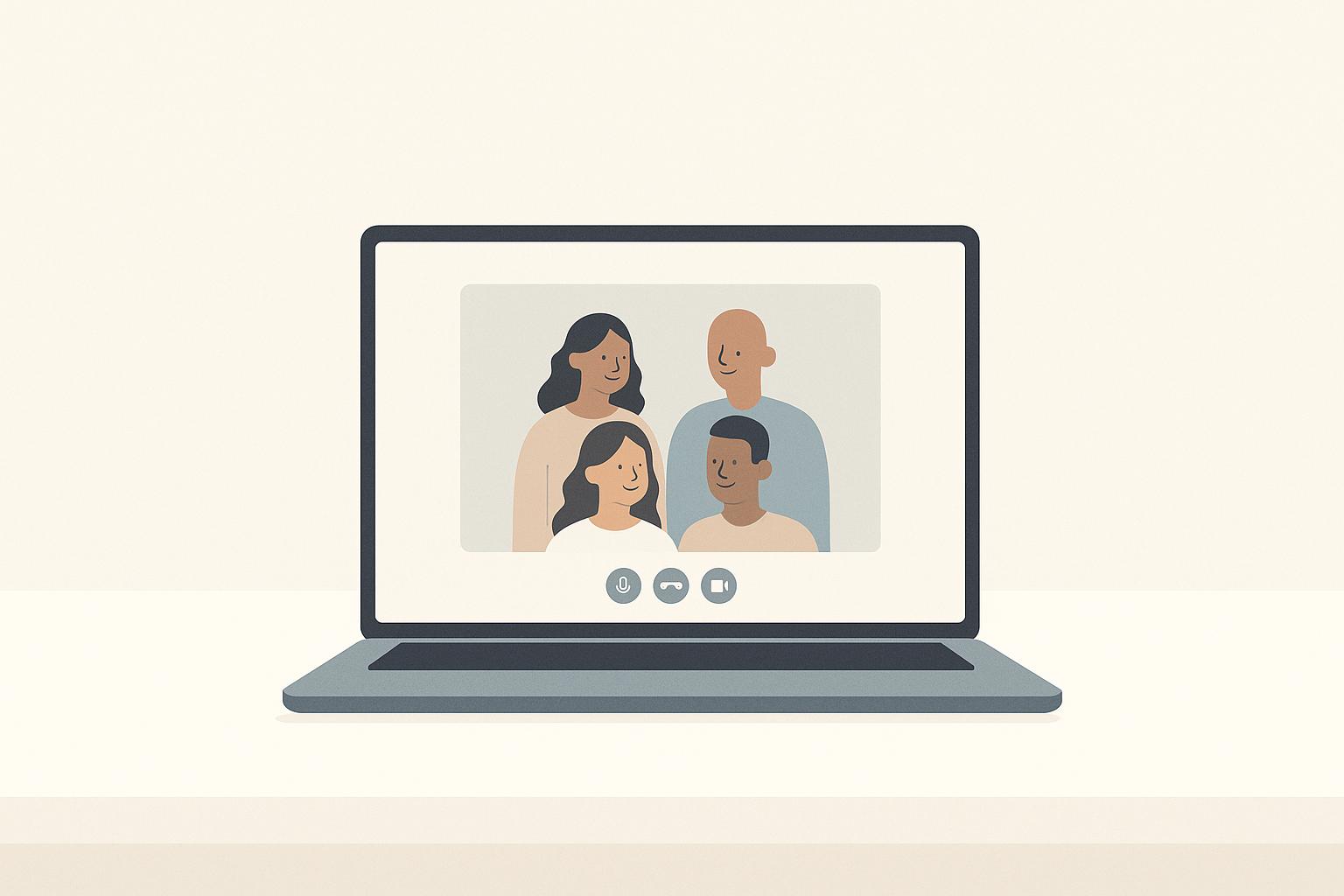
10 Ways to Communicate Charisma in Virtual Meetings
Virtual meetings make it harder to connect because of limited body language, screen fatigue, and technical issues. But you can still shine by improving how you present yourself and engage with others. Here are 10 practical tips to help you stand out:
- Upgrade your setup: Use a good camera, microphone, and lighting to look and sound professional.
- Simulate eye contact: Look directly at the camera to build trust.
- Vary your voice: Change tone, speed, and volume to keep people’s attention.
- Tell stories: Use short, relatable stories or metaphors to make your points memorable.
- Show emotion: Be expressive and let your enthusiasm come through.
- Use gestures: Keep your hands visible and use them to emphasize key points.
- Listen actively: Nod, smile, and paraphrase others’ ideas to show you’re engaged.
- Encourage interaction: Ask direct questions and use polls or chat features to involve everyone.
- Add visuals: Use simple slides, videos, or graphics to make your message clear and engaging.
- Follow up: Build connections by reaching out after meetings with personalized messages.
15 Ways to Make Your Video Calls Instantly Better
1. Set Up Professional Camera, Audio, and Lighting
How you present yourself in virtual meetings can make or break first impressions. A high-quality camera, microphone, and proper lighting ensure your audience focuses on what you’re saying - not on distractions. Did you know that up to 82% of someone's impression of you is shaped by your charisma in less than a second of interaction[3]? That’s why your setup matters.
Let’s start with your camera. Position it at eye level, about 1–1.5 feet away. This distance feels natural and gives you enough room to use hand gestures without appearing cramped. Sitting too close - anything under a foot - can feel awkward and might limit how much of your body language comes through[3].
Next, let’s talk audio. Clear sound is non-negotiable. An external microphone is your best bet for capturing your voice with clarity and depth, ensuring every word lands the way you intend. On the other hand, built-in laptop mics often produce hollow or muffled audio, which can undercut your presence and authority[2].
Lighting is another critical piece of the puzzle. Place your main light source in front of you to avoid unflattering shadows. If you’re using natural light, position yourself near a window so the light falls evenly across your face. This setup highlights your expressions and keeps your appearance sharp and inviting.
Before any big meeting, do a quick test run. Record a short clip to make sure your audio is crisp and your video is framed correctly - your head and shoulders should fill the screen comfortably[1]. Also, check your surroundings: a clean, uncluttered background keeps the focus on you.
If you’re leading a meeting or giving a presentation, standing can give you an edge. Standing boosts your energy and lets you use broader, more dynamic gestures.
With your camera, audio, and lighting in check, you’ll be ready to command attention and deliver your message with confidence.
2. Look at the Camera to Simulate Eye Contact
Eye contact is a cornerstone of trust. In virtual meetings, your camera acts as your stand-in for direct eye contact. By looking into the lens instead of at the faces on your screen, you create the impression of genuine connection, making participants feel seen and valued [2].
It’s natural to want to look at the people on your screen, especially when they’re speaking. But doing so can make you appear distracted, even if you’re paying close attention.
Position your camera at eye level. This alignment ensures a steady, natural gaze that exudes confidence and fosters a sense of connection with your audience [1]. If the camera is positioned too high or low, it can distort your presence - either making you appear to look down on others or seem disengaged.
For smaller, interactive meetings, try focusing on one person or a pair of eyes on the screen to create a sense of direct engagement [2]. This approach makes the exchange feel personal and shows you’re actively listening. When speaking to larger groups, shift your gaze back to the camera to ensure everyone feels included [2]. These simple adjustments can help you establish trust and rapport in a digital setting.
Smile at the camera rather than at your colleagues on screen. This subtle shift helps strengthen your connection with the audience and conveys warmth more effectively.
Charisma comes from striking the right balance between warmth and competence. Warmth helps people feel they can trust you, while competence reassures them of your reliability [3]. Direct eye contact with the camera delivers both, signaling respect for your audience’s time and genuine engagement, which naturally builds trust [2].
To make this habit second nature, practice regularly. Record yourself during practice sessions to evaluate how consistently you maintain focus on the camera [7]. Start by holding your gaze on the camera for the first 30 seconds, then gradually increase this focus during key points. Always return your gaze to the camera when delivering important statements or main ideas - it’s a small adjustment that makes a big difference.
3. Vary Your Voice Tone, Volume, and Speed
A monotone voice is a surefire way to lose your audience’s attention, especially in virtual settings where distractions are constant and "Zoom fatigue" is all too common [9]. When your voice lacks variation, it becomes harder for listeners to stay engaged.
Since the screen limits how much of your physical presence people can perceive, your voice becomes your main tool for expressing emotion, emphasis, and importance [9]. Without the benefit of face-to-face body language, vocal variety isn't just a nice touch - it’s critical.
Think of it this way: a melody with only one note gets dull fast, and the same goes for your voice. Studies show that people make quick judgments about charisma, and vocal variety plays a big role in this [3]. Charismatic speakers strike a balance between warmth and authority [3]. By varying your tone and using vocal inflection to convey emotion, you project warmth and authenticity. Meanwhile, clear speech and strategic emphasis communicate competence and authority. This dynamic use of your voice enhances your on-screen presence and helps maintain your audience's focus.
Don’t underestimate the power of a pause. A well-timed five-second pause can build anticipation and give your audience time to digest key points [4]. Use these pauses before or after delivering something important. The silence not only grabs attention but also signals that what you’re saying matters.
Adjusting your pace and lowering your volume at critical moments can also help emphasize key information and improve retention [3][4]. On a screen, where physical cues are limited, your voice has to do more of the heavy lifting. What might feel like exaggerated vocal expression to you often comes across as just right for your audience. Deliberately varying your speed, tone, and volume ensures your delivery stays engaging [4].
One common trap to avoid: rising intonation at the end of statements. When your voice rises at the end of a sentence that isn’t a question, it can make you seem unsure and diminish your authority [3]. Instead, let your voice drop slightly at the end of declarative statements to project confidence.
Practice makes perfect. Record yourself speaking to identify moments where your delivery becomes flat or monotonous [9]. This self-evaluation helps you pinpoint areas for improvement.
When paired with expressive gestures and facial expressions, a varied vocal delivery creates a more dynamic and engaging presence [4][8]. For example, when you restate a team member’s point using varied intonation and emphasis, you not only clarify their idea but also position yourself as an active and central participant in the conversation [8].
The goal isn’t to sound overly rehearsed or unnatural. Instead, aim to bring the energy and expressiveness of an in-person conversation to the virtual space, where it’s even more essential. Combine this with strong visual cues, like good lighting and intentional eye contact, and you’ll have the complete toolkit for engaging your audience online.
4. Use Stories and Metaphors to Explain Ideas
A polished setup and a dynamic voice go a long way, but storytelling is what truly enriches your digital presence.
Here’s the thing: facts and data, no matter how accurate, rarely create emotional connections. Stories and metaphors, on the other hand, can spark that connection by engaging multiple parts of your audience's brain - not just the language centers, but also areas tied to movement and sensation. This makes your message more memorable [2].
In virtual meetings, where nonverbal communication is limited and distractions are everywhere, a well-told story can fill the gaps left by reduced visual and spatial cues. People naturally gravitate toward stories - they’re far more engaging than raw data.
There are three types of stories that work particularly well: personal transformation, customer success, and constructive failure. Each of these builds trust and demonstrates impact. The trick is to keep your story short - about 2–3 minutes - and make sure it ties directly to your main message. When done right, stories not only capture attention but also open the door to a variety of storytelling techniques.
Research suggests that presenting ideas in sets of three - the "rule of three" - improves both engagement and retention [2]. Three points are easy to remember, feel complete, and are pleasing to the ear. This principle is a great foundation for crafting concise and impactful narratives.
Metaphors are another powerful tool for simplifying complex ideas. Instead of diving into the technicalities of cloud computing, for example, you could compare it to "renting an apartment instead of buying a house." Or describe data security as "locking your front door and windows." Studies show that combining metaphors with rhetorical questions can significantly enhance both engagement and understanding [2].
When structuring your story, stick to the classic narrative arc: setup (introduce context and characters), conflict (present the challenge), resolution (explain how it was solved), and lesson (connect it back to your message). For virtual settings, keep the setup brief - 15 to 20 seconds is plenty. Ensure the conflict feels relatable, and clearly outline the resolution.
If you’re delivering your story on video, consider ramping up your animation. Use gestures to emphasize key points - an upward motion to suggest growth, or spreading your hands to show contrasting ideas. Match your facial expressions to the mood of your narrative, and position yourself so your gestures are visible on camera. Pausing at critical moments can also help your audience absorb your message. And don’t forget to make eye contact with the camera - it’s your virtual connection to the audience [3].
Choose stories and metaphors that tap into shared human experiences, like overcoming setbacks, learning from mistakes, or achieving goals. If you’re using a sports metaphor with a diverse group, provide a brief explanation (e.g., "In basketball, you need both offense and defense…") to ensure everyone understands.
To stay ready, build a "story bank" of 3–5 short, relevant narratives. Practice them using quick notes or keywords instead of a full script so your delivery feels natural [2].
Use stories strategically - at the beginning to grab attention, during transitions to keep momentum, or at the end to reinforce your message. Pair them with rhetorical or direct questions to encourage deeper thinking and make the interaction more personal.
The combination of storytelling, varied vocal tone, purposeful gestures, and well-timed pauses creates a balance of warmth and authority. This balance is what defines charisma [2] [3]. In today’s virtual-first world, where face-to-face interactions are rare, the clarity and depth of your ideas often take center stage. Well-crafted stories and metaphors are invaluable tools for making those ideas stick.
And if a story or metaphor doesn’t land as you hoped? No problem. Acknowledge it lightly - "Let me put that another way…" - and steer the conversation back to your main point. Confidence is key to keeping your audience engaged, even when things don’t go perfectly.
5. Show Real Emotion and Enthusiasm
Adding genuine emotion to your virtual meetings takes your communication to another level. When combined with a strong setup and varied vocal delivery, showing real enthusiasm helps you connect with your audience in a way that feels authentic and engaging.
Virtual meetings naturally limit nonverbal cues, which can make interactions feel distant. To bridge this gap, you’ll need to be more animated than you might be in person. But don’t confuse animation with being over-the-top or fake. Instead, channel your real passion for the topic at hand.
Forced enthusiasm is easy to spot - and it can backfire, making you seem insincere. Instead of trying to manufacture excitement, focus on the aspects of your message that genuinely inspire you. Before your meeting, take a moment to reflect: What do I want the audience to feel by the end of this presentation? If your goal is to energize them about a new project or reassure them during uncertain times, start by connecting with your own feelings of excitement or confidence. For example, one executive used humor and animated visuals to bring his personality into monthly meetings, leaving a lasting impact on his team [1].
Your facial expressions are a powerful tool in virtual settings. A genuine smile, a thoughtful nod, or a shift in tone can convey warmth and trust. Let your expressions match your message - show concern when discussing challenges and let your enthusiasm shine when celebrating successes.
Body language also plays a key role in building trust. Research shows that open gestures, like visible palms, signal honesty and openness. Avoid crossing your arms and, if possible, stand while presenting to project energy and dynamism [1][3].
When discussing critical points, slow down. Use deliberate pauses - lasting up to five seconds - to emphasize key moments and show you care. Pausing also reinforces confidence, making your message more impactful [2].
Humor can also work wonders. When used naturally and appropriately, it lightens the mood, keeps people engaged, and makes your message more memorable [1].
Empathy is another cornerstone of authentic communication. Active listening goes a long way in virtual settings. Acknowledge others’ points with simple phrases like, “I hear you,” and ask direct questions, such as, “What’s your take on this, Sarah?” This shows you value their input and strengthens the connection [2].
To prepare for a meeting, give yourself a few minutes to settle in and eliminate distractions. Reflect on your purpose by asking yourself, Who am I speaking to, and why does this matter to them? One leader even introduced a ritual where participants shared a quick personal update and chose a virtual background that reflected their mood. This small but meaningful practice helped foster a sense of connection [1][5].
Remember, charisma doesn’t mean putting on a show - it’s about balancing warmth with competence. And here’s the encouraging part: charisma isn’t something you’re born with; it’s a skill you can develop. Some organizations even use virtual reality training to help leaders refine their delivery [7].
If you’re struggling to feel excited about a topic, take it as an opportunity to reconnect with the purpose behind your work. Authenticity starts with being honest with yourself. When you pair genuine emotion with a polished setup, dynamic vocal delivery, storytelling, and intentional gestures, you create a virtual presence that feels human, relatable, and impactful. It’s this combination that turns a routine meeting into an experience that truly resonates.
6. Use Hand Gestures and Facial Expressions
Your hands and face are powerful tools for nonverbal communication - make sure they’re visible and working to engage your audience. In virtual meetings, where the camera limits what others can see, you need to be deliberate about how you use gestures and expressions to enhance your presence.
Once you’ve set up your camera properly, focus on framing your upper body so it captures both your facial expressions and hand gestures clearly [3]. Sitting too close to the camera - less than a foot away - can dominate the screen with your face, leaving no room for gestures. This not only feels uncomfortable for viewers but also robs you of the chance to use hand movements to emphasize your points.
Research underscores the importance of visible hands in building trust [3]. Open hands signal openness and reduce perceived threats, making others feel more at ease. A simple wave with an open palm when you join a call can set a welcoming tone [3]. Throughout the meeting, keep your gestures open and avoid crossing your arms, which can come across as defensive [1] [3].
Because the screen naturally dulls the impact of nonverbal cues, you’ll need to compensate by being more animated than you might be in person. Exaggerate your gestures and facial expressions slightly to overcome this limitation [4].
Facial expressions are just as important as hand gestures. Smiling directly at the camera - not at colleagues’ video tiles - creates a stronger sense of connection [6]. Nodding more frequently can also signal attentiveness and respect for others’ contributions [4]. In virtual settings, these nonverbal cues take on added importance since vocal affirmations like "uh-huh" don’t translate as effectively [2].
To make your hand gestures impactful, coordinate them with your speech. For example, if you pause during a dramatic moment, use your hands to underline the significance of what you’re saying. Just ensure your movements stay within the camera frame. When asking a specific person a question, gesturing toward their video tile can add a personal touch, combining eye contact with intentional movement to foster a sense of connection [2].
The size of your meeting also plays a role in how you should adjust your approach. In smaller, more intimate meetings, subtle gestures and expressions may suffice [2]. For larger presentations, however, you’ll need to amplify your movements and expressions to ensure they’re noticeable across multiple screens [4]. If you’re sharing your screen, make sure your camera still shows your upper body and hands so your nonverbal cues remain visible [1].
Avoid common pitfalls that can undermine your effectiveness. Keep your expressions natural and maintain steady eye contact. Steer clear of virtual backgrounds that might obscure your hand gestures or distract from your message [6].
To refine your skills, consider recording yourself delivering a presentation and reviewing the footage. Look for whether your gestures stay within the camera frame and whether your facial expressions align with the tone of your message [7]. You can also ask a colleague for feedback to ensure your nonverbal communication supports, rather than detracts from, your message.
sbb-itb-8feac72
7. Listen Actively and Acknowledge Others
Active listening in virtual settings can be tricky since vocal cues often lead to distracting audio feedback[2]. To bridge this gap, use simple gestures like nodding and smiling to show you're engaged. These small actions help replace the natural vocal affirmations we rely on in face-to-face conversations[2][4].
Acknowledging others is key to fostering collaboration. For instance, saying something like, "Cheryl, I hear you", validates the speaker's input and sets a positive tone for the discussion[2]. Taking it a step further, paraphrasing their points in your own words shows you're truly engaged and helps build trust.
To make participants feel included, direct questions to specific individuals. Phrases like, "What do you think, George?" not only encourage participation but also highlight your genuine interest in their perspective[2][4]. Even brief, clarifying questions can signal that their input matters. These personal touches go a long way in creating effective nonverbal communication in virtual environments.
Your body language also plays a role. An open posture and visible hands with open palms can subtly convey trust and receptiveness[3]. At the same time, eliminating distractions - like silencing your phone and closing unnecessary apps - ensures you're mentally present. Arriving a few minutes early helps you settle in and focus[1].
When speaking, keep your remarks concise and include deliberate pauses. These pauses invite others to jump in, preventing your comments from turning into a one-sided monologue[2].
Handling disagreements requires a thoughtful approach. Start by acknowledging the other person's perspective before sharing your own. For example, you might say, "I understand your point about X. Here's how I see it differently..." This approach keeps the conversation respectful and collaborative. And when quieter team members contribute, show genuine interest by asking follow-up questions. This creates a safe and welcoming space for everyone to share their thoughts[2].
8. Encourage Questions and Interactive Elements
Great leaders know that virtual meetings shouldn't be one-sided. Instead of monopolizing the conversation, they create opportunities for others to engage. By encouraging questions and adding interactive elements, you can turn passive listeners into active participants.
One way to do this is by addressing specific individuals rather than making broad invitations. For instance, asking, "George, what are your thoughts on this?" feels more personal and shows genuine interest in their input. It’s a simple yet effective way to draw people into the conversation.
Another technique is speaking in short bursts and pausing deliberately. In virtual settings, a slightly longer pause than usual gives others the chance to step in without feeling rushed. These pauses act as subtle cues, signaling that their contributions are welcome.
Acknowledging what others have said before sharing your thoughts also helps create a sense of psychological safety. Starting with phrases like, "Cheryl, I really appreciate your point about..." validates their input and encourages more dialogue. It shows you’re not just listening but actively building on their ideas.
Interactive tools built into virtual platforms can also work wonders. Features like polls, chat boxes, and breakout rooms turn passive viewers into engaged participants. Polls, for example, provide instant feedback and make people feel their opinions matter. Using the chat function allows quieter participants to contribute without interrupting the flow. And referencing specific comments - like, "I see several of you mentioning budget concerns in the chat" - reinforces that you’re paying attention and value their input.
Rhetorical questions and metaphors can spark curiosity and deeper thinking. Asking something like, "What if we tackled this from a completely different angle?" can open the floor for creative discussion. Additionally, grouping discussion points in threes makes your message easier to follow and leaves a lasting impression.
For team members who might hesitate to speak up in larger groups, offer multiple ways to participate. Written contributions in the chat can be just as impactful as spoken ones. When quieter voices do chime in, follow up with genuine questions to show their input matters. These small gestures go a long way in creating a collaborative and inclusive environment.
Handling tough questions with care is another key to building trust. Thanking individuals by name for their contributions - especially when they challenge or question ideas - reinforces an open and respectful atmosphere.
Creating a space where questions are welcomed is crucial. Pamela Johnston, Senior Business Strategy Consultant for IT software projects, highlights the importance of this kind of environment:
"The Tech Leaders environment is supportive, practical, and encouraging, with no judgement, pressure, or intimidation... Doesn't matter how many times you ask the same question, or want a deeper explanation so you can understand at your level. Tech Leaders will meet you where you are with patience, understanding, and real practical help." [10]
The ultimate goal is to foster real dialogue where everyone feels heard and valued. When you actively encourage participation and respond with thoughtfulness, you build a collaborative atmosphere that keeps people engaged and strengthens your role as a leader worth following.
9. Add Slides, Videos, and Graphics to Your Presentations
When you're in a virtual meeting, your on-screen presence can feel limited. While your voice and authentic engagement are key tools, incorporating thoughtful visuals can take your online charisma to the next level.
Why do visuals matter so much? Studies reveal that presentations with visuals are 43% more persuasive than those without. Plus, people retain 65% of information presented visually, compared to just 10% when it's only spoken[3]. These stats highlight how visuals can strengthen your leadership presence and help your message stick.
But here's the catch: cluttered slides can backfire. Overloading slides with text or data pulls attention away from you and onto dense blocks of information. Instead, stick to one main idea per slide. Think of your visuals as the supporting cast, not the star of the show.
Short videos are a game-changer. Keep them under two minutes - viewers are 80% more likely to watch a video to the end if it’s brief[2]. A quick clip can re-energize your audience and keep them engaged.
Graphics and data visualizations are another powerful tool. They simplify complex ideas, turning lengthy explanations into something your audience can understand at a glance. In fact, 70% of professionals say visual aids help them grasp complicated information better in remote settings[3].
For maximum impact, design your visuals with care:
- Use clear contrasts and fonts no smaller than 24 points, ensuring readability on any screen.
- Opt for high-resolution images and graphics to maintain quality during screen sharing.
- Avoid low-quality visuals, as they can undermine your credibility.
The "rule of three" is a handy guideline for structuring your visuals. Whether it’s three key points on a slide, three supporting graphics, or three steps in a process, this structure feels complete and is easier for your audience to remember[2]. After presenting a key visual, pause for five seconds to let your audience process the information[4]. This simple rhythm keeps your presentation from feeling rushed.
To keep your audience engaged, mix up your visual approach. Alternate between slides, short videos, and live demonstrations. This variety combats the dreaded virtual meeting fatigue, which often creeps in when presentations lack visual diversity[4]. For instance, you might show a data slide, follow it with a quick video testimonial, and then switch to a live document for a real-time demonstration.
Testing your visuals before the meeting is non-negotiable. Make sure videos play smoothly, graphics display clearly, and file sizes don’t slow down your connection. Always have a backup plan ready in case technology decides not to cooperate.
Balance is everything. Just as your tone and gestures captivate your audience, visuals should enhance - not overshadow - your message. Look into the camera when making key points, especially after showing a visual. Use slides as quick reference tools, not as scripts to read from. And make sure your hand gestures remain visible when pointing to or discussing slides[4].
Finally, consider developing a signature visual style that reflects your brand. A consistent color scheme or recurring graphic elements can make your presentations instantly recognizable over time.
The goal isn’t to wow people with flashy graphics. It’s about making your ideas clearer, more memorable, and easier to connect with. When used thoughtfully, visuals bridge the gap created by the small screen, giving your audience multiple ways to engage with your message. By combining these strategies with your personal style, you can leave a lasting impression in any virtual meeting.
10. Connect with People Outside of Meetings
The charisma you bring to meetings shouldn't end when the call does. It’s important to extend that energy into your everyday interactions. Charisma isn’t just for show during virtual calls - it’s about consistently displaying genuine interest and value in your relationships, both on and off camera.
A simple yet effective way to maintain this connection is by sending follow-ups within 24 hours of a meeting. Reference specific contributions, like saying, "Your idea about the customer feedback loop really got me thinking - how can I support you further?" Thoughtful follow-ups like these reinforce the trust you’ve built during meetings.
Take the time to personalize your communication. If someone shares their interest in learning a new skill, send them a relevant article or training opportunity. These small, meaningful gestures show you’re paying attention and care about their career growth.
You can also create opportunities for informal networking. Host drop-in coffee chats, set up dedicated Slack channels for casual conversations, or organize virtual lunch-and-learns where team members can present on topics they’re passionate about. These activities help foster genuine connections and encourage peer-to-peer relationships.
For a more personal touch, schedule small group video calls with rotating team members. These informal chats allow you to connect authentically, moving beyond structured presentations to conversations where everyone feels heard and valued.
Consistency is key to building strong relationships. Sporadic outreach can feel impersonal, but regular check-ins - whether bi-weekly or monthly - help establish a genuine connection. One thoughtful, specific message is far more impactful than several generic ones. And when team members reach out to you, respond promptly. It signals that you value their time and input.
Use digital tools wisely. For example, share tailored resources via email, comment on internal posts to show engagement, or create a monthly newsletter celebrating team achievements and individual contributions. These actions demonstrate that you’re actively involved in your team’s success beyond scheduled meetings.
That said, it’s crucial to strike the right balance. Keep your outreach professional and focused on work-related topics, career development, or shared goals. Avoid messaging outside business hours unless it’s culturally acceptable within your organization. The aim is to show genuine interest in their professional growth without crossing into overly personal territory.
How can you tell it’s working? Look for signs like increased engagement during meetings - team members asking more questions or sharing more ideas. Notice if colleagues start seeking your input or mentorship more often. When people reference past conversations or follow up with you, it’s a clear sign they value your interactions. Higher response rates to your messages and improved retention rates within your team are also strong indicators of success.
Don’t forget about those less frequently in your orbit. Attend their meetings when possible, follow up on their contributions, and check in periodically about their projects and challenges. This ensures everyone - whether remote or rarely seen - feels connected and valued under your leadership.
Comparison Table
Virtual meetings come with their own set of challenges. Here’s a breakdown of common obstacles, paired with strategies to overcome them and actionable steps to implement.
| Virtual Meeting Challenge | Strategy to Use | Why It Works | Key Action |
|---|---|---|---|
| Limited body language visibility | Use hand gestures and facial expressions (Strategy #6) | Enhances nonverbal communication, compensating for reduced physical presence | Be more animated than usual; show open palms to convey trust [3][4] |
| Technical issues undermining credibility | Set up professional camera, audio, and lighting (Strategy #1) | Ensures a polished, professional appearance, building trust | Position your camera at eye level; invest in quality microphones and lighting [3][6] |
| Appearing distant or disengaged | Look at the camera to simulate eye contact (Strategy #2) | Creates a sense of connection and makes participants feel valued | Focus your gaze directly on the camera [2] |
| Monotone or robotic delivery | Vary your voice tone, volume, and speed (Strategy #3) | Keeps the audience engaged and highlights key points | Use deliberate pauses; adjust pitch and tempo to convey emotion [2][4] |
| Difficulty maintaining attention | Use stories and metaphors (Strategy #4) | Turns abstract ideas into relatable concepts, sparking imagination | Follow the rule of three - three points are easy to remember and feel complete [2] |
| Lack of spontaneity and stiffness | Encourage questions and interactive elements (Strategy #8) | Breaks monotony by inviting participation and fostering dialogue | Ask specific individuals direct questions instead of waiting for general responses [2] |
| Reduced vocal engagement cues | Show real emotion and enthusiasm (Strategy #5) | Replaces missing verbal affirmations with visible emotional cues | Nod frequently and amplify facial expressions [2] |
| Appearing self-focused or disconnected | Listen actively and acknowledge others (Strategy #7) | Shifts focus to collaboration, making meetings feel more inclusive | Paraphrase others’ comments to show active listening [2] |
| Passive audience participation | Add slides, videos, and graphics (Strategy #9) | Enhances visual appeal and reinforces key messages | Use multimedia to create engaging moments [1] |
| Difficulty building trust through screens | Connect with people outside of meetings (Strategy #10) | Strengthens relationships beyond scheduled calls | Reach out to colleagues after meetings to build lasting connections |
This table serves as a quick guide to address virtual meeting challenges effectively. Identify your primary obstacle and select the corresponding strategy to improve your virtual presence.
For example, if your audience seems disengaged, focus on vocal variety and interactive elements. Struggling to build trust? Start by refining your technical setup and using confident hand gestures. And if technical glitches are a recurring issue, prioritize upgrading your camera, audio, and lighting before diving into more advanced techniques.
Here’s an interesting insight: research shows that when people can’t see someone’s hands, their brain subconsciously wonders if there’s a potential threat [3]. Showing open palms during virtual meetings can help ease this instinctive concern, creating a more relaxed and trusting environment.
To build a strong virtual presence, start with the basics. Nail your technical setup, establish a connection through eye contact and vocal variety, and then elevate your delivery with storytelling and interactive elements. By following this sequence, you’ll create a solid foundation that ensures your charisma shines through the screen.
Conclusion
Building virtual charisma is a skill that improves with consistent practice and constructive feedback. The ten strategies discussed in this article form a cohesive system: your technical setup lays the groundwork, your nonverbal cues bring energy and personality to your interactions, and your engagement with others fosters authentic connections. These elements work together to help you gradually enhance your virtual presence.
Start small - focus on one or two strategies, like adjusting your lighting or refining your camera angle. As you grow more comfortable, layer in additional techniques. Recording your meetings can be an eye-opener, revealing habits you might not have noticed, such as speaking in a monotone or letting your hands drop out of view during key moments.
Improving your virtual charisma requires deliberate effort. Use low-pressure meetings as a testing ground, ask for specific feedback, and tweak your approach to find what resonates.
For technical professionals, mastering these skills goes beyond just improving communication; it’s a pathway to leadership. By blending technical expertise with polished virtual presence, you can elevate your impact. As one participant in the Tech Leaders program shared:
"Applying my new approach has led to a new job offer and a promotion" [10].
Programs like Tech Leaders are designed to help professionals bridge the gap between technical skills and leadership capabilities. With training provided to over 300 individuals across 200+ organizations worldwide [10], these programs offer a supportive space to practice, receive feedback, and refine your skills without the pressure of high-stakes environments.
Investing in virtual charisma pays dividends. It strengthens relationships, fosters trust, and amplifies your influence. With consistent practice and a willingness to learn, every virtual meeting becomes a chance to showcase the leadership qualities that today’s remote work environment demands.
FAQs
How can I create a virtual meeting setup that looks professional and helps me appear more charismatic?
To create a virtual meeting setup that exudes professionalism and charm, pay close attention to these essential elements:
- Lighting and Camera Angle: Make sure your face is well-lit, either with natural light or a ring light. Position your camera at eye level to appear confident and engaged.
- Background: Opt for a tidy, uncluttered background, or choose a subtle virtual background that maintains a professional vibe.
- Audio Quality: A reliable microphone or headset can make a big difference in how clearly you’re heard, ensuring smooth communication.
- Appearance: Dress as you would for an in-person meeting. This not only shows respect for others but also boosts your credibility.
Focusing on these aspects will help you present yourself as polished and approachable, leaving a lasting impression during your virtual interactions.
How can I use storytelling in virtual meetings to make my presentations more engaging?
Storytelling is a fantastic way to grab attention and ensure your presentations stick with your audience - even during virtual meetings. Kick things off with a brief, relevant story that ties directly to your main message. This could be something personal, a customer’s success story, or an example from your industry. The key is to make it relatable and align it with the point you want to drive home.
To make your story hit the mark, keep it clear and concise. Use colorful, descriptive language to help your audience visualize the scene, but steer clear of unnecessary digressions. Rehearse your delivery so it feels natural and conversational - it should come across as genuine, not rehearsed. Incorporating storytelling into your presentations helps build an emotional connection with your audience, making your message more engaging and memorable.
How can I express enthusiasm in virtual meetings while staying professional and authentic?
Striking a balance between enthusiasm and professionalism in virtual meetings can make all the difference in building trust and keeping participants engaged. Start with a warm, friendly tone of voice that feels natural - steer clear of over-the-top excitement, which can come across as insincere. To create a sense of connection, look directly into the camera to simulate eye contact, and use gestures to emphasize key points, but keep them subtle and purposeful.
Pay attention to your body language and facial expressions as well. A relaxed posture paired with a genuine smile can project both confidence and approachability. The key is to stay true to yourself while aligning your demeanor with the meeting's professional atmosphere. Authenticity resonates, so focus on being natural and present.