
Optimizing Workflows with Real-Time Communication Tools
Distributed teams face challenges like time zone differences, scattered conversations, and delayed decisions. Tools like Slack, Microsoft Teams, Zoom, Google Workspace, and Cisco Webex aim to solve these issues by offering features that centralize communication, speed up collaboration, and integrate with other software. Here's a quick look at how each tool stands out:
- Slack: Best for channel-based messaging and integrations with over 2,400 apps.
- Microsoft Teams: Ideal for organizations using Microsoft 365, with built-in file sharing and task management.
- Zoom: Focused on high-quality video meetings with added chat and whiteboarding options.
- Google Workspace: Lightweight tools integrated with Gmail, Calendar, and Google Drive for seamless collaboration.
- Cisco Webex: Prioritizes security, making it suitable for industries with strict compliance needs.
Each platform has unique strengths, but choosing the right one depends on your team's needs, existing tools, and workflow habits. For example, Slack excels in flexibility and integrations, while Teams is a natural fit for Microsoft users. Zoom shines in video reliability, Google Workspace simplifies collaboration, and Webex offers enterprise-grade security. The key is balancing features with clear communication norms and leadership practices to avoid notification overload and ensure effective collaboration.
1. Slack
Communication Modes
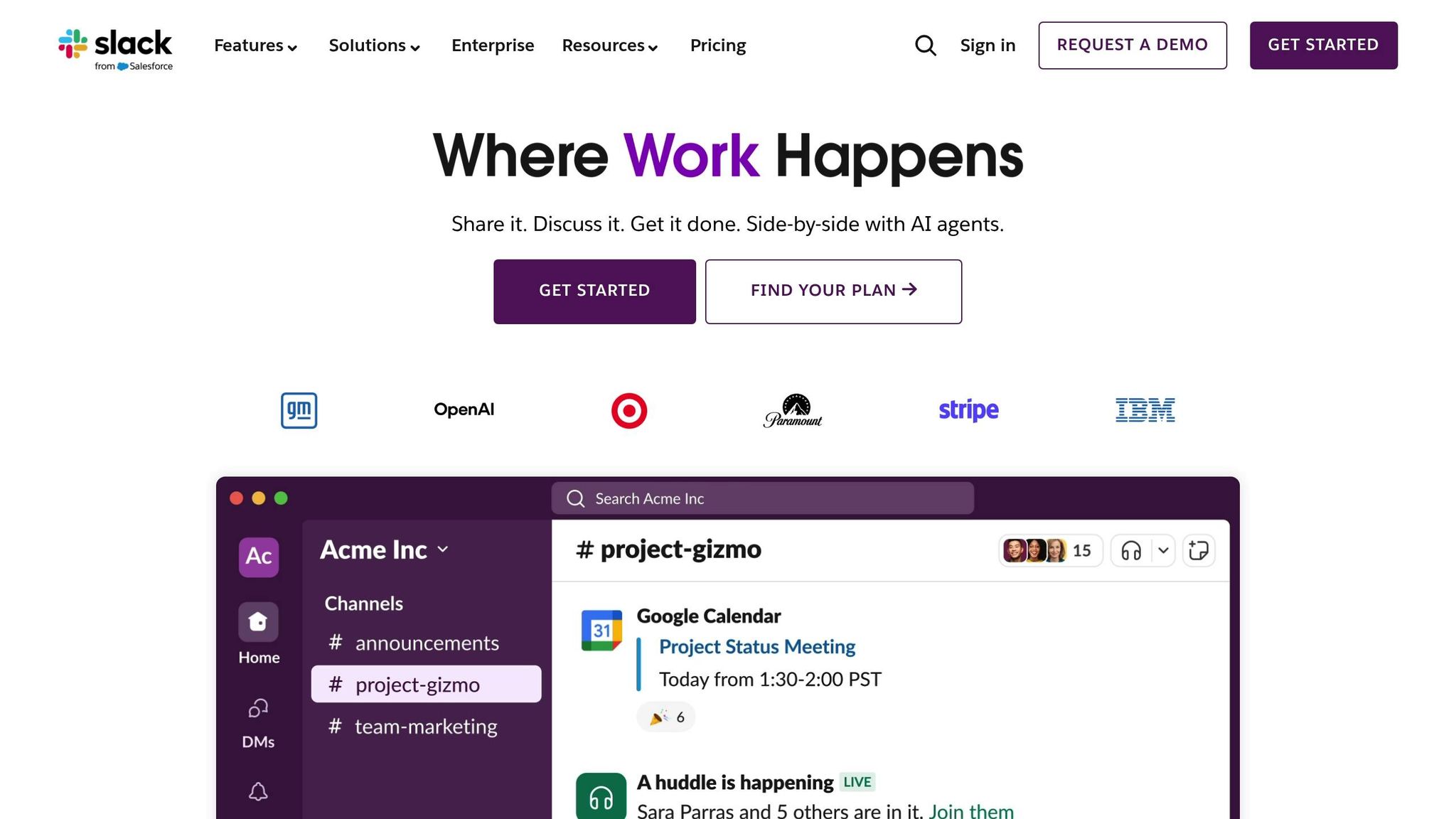
Slack organizes conversations into channels, direct messages, and threaded replies, making it easy to keep discussions focused. For real-time voice communication, Slack Huddles offer audio calls with screen sharing - no need to schedule in advance. Video calls are also available, either directly through Slack or via integrations like Zoom, making it simple to host more formal meetings. This flexibility allows teams to seamlessly transition between asynchronous updates - like posting a question in a channel for team members across time zones - and synchronous collaboration, such as troubleshooting an issue live in a Huddle. These communication options create a flexible foundation for integrating deeper workflows.
Integration Depth
With over 2,400 app integrations - including Asana, Trello, Jira, Google Workspace, Zoom, GitHub, Salesforce, and monitoring tools like PagerDuty and Datadog [3] - Slack transforms into a central hub for team workflows. For instance, engineering teams can receive GitHub pull request notifications directly in Slack channels, while product managers can turn a message into a task with just a few clicks. Features like inline Google Drive previews and one-click meeting launches help minimize the need to switch between tools, keeping everyone focused and efficient.
Workflow Optimization
Slack's Workflow Builder takes the hassle out of repetitive tasks by automating processes like daily stand-up check-ins, approval requests, and onboarding checklists. Built-in reminders and custom statuses - like "in deep work" - help teams communicate availability without interruptions. Threaded conversations ensure discussions remain organized and easy to search later. Many organizations report cutting meetings by 20–30% after adopting Slack [1], as asynchronous updates in channels and quick Huddles often replace routine status meetings. For incident response, dedicated channels bring together alerts, logs, and team input in real time, speeding up problem resolution and making post-mortem reviews more transparent.
Scalability
Slack is designed to grow with teams, from small startups using its free plan to large enterprises on Business+ or Enterprise Grid tiers. These advanced plans offer features like single sign-on (SSO), data loss prevention (DLP), compliance exports, and centralized administration. Larger organizations often organize channels by department, region, or project, and shared channels enable secure collaboration with external partners. That said, successful scaling relies on clear naming conventions, regular channel archiving, and well-defined communication norms. When paired with training on channel management and notification settings, user adoption rates often hit 80–95% [1].
2. Microsoft Teams
Communication Modes
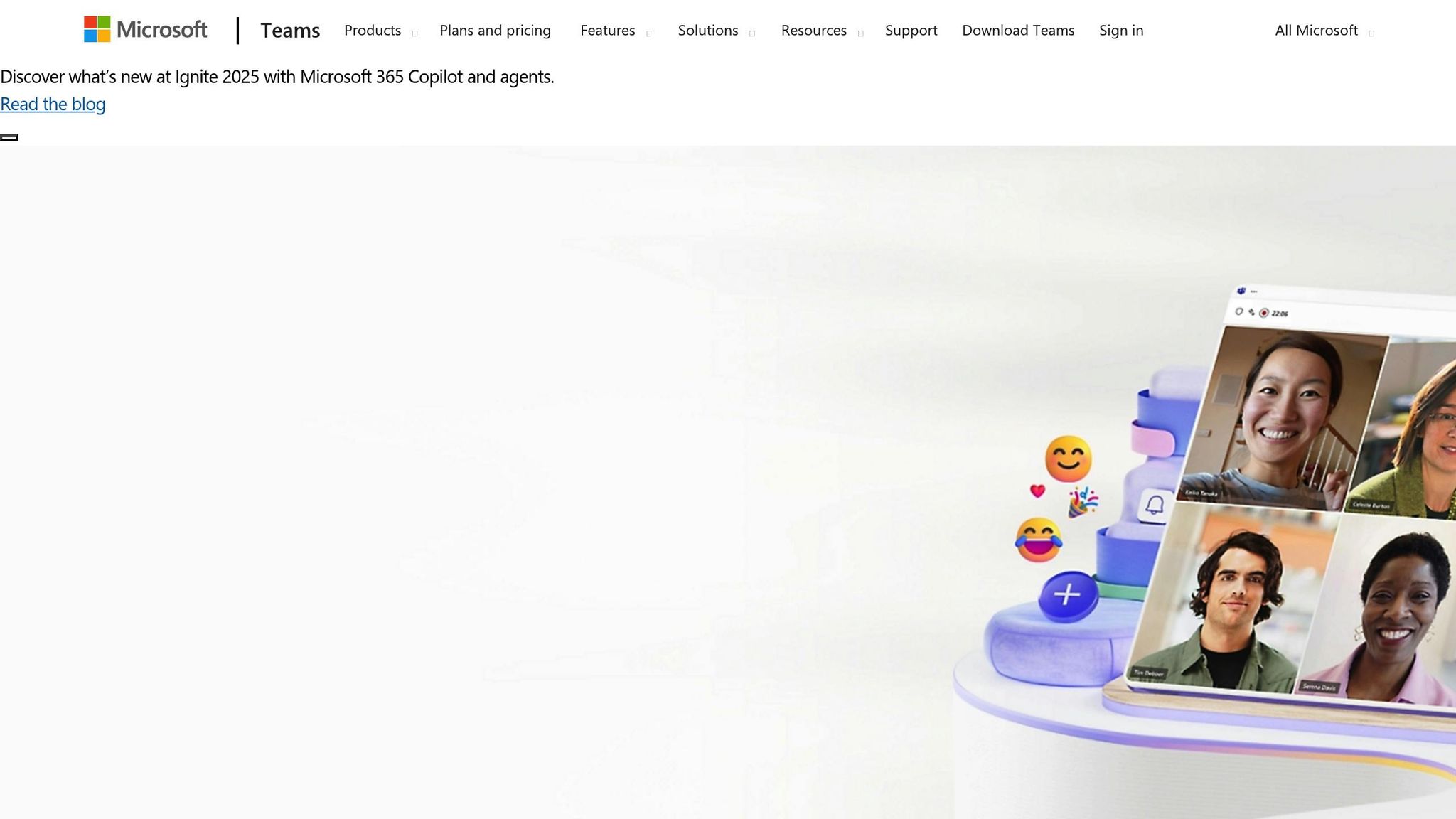
Microsoft Teams combines persistent chat, voice calls, video meetings, and screen sharing into one workspace, making it a go-to choice for enterprise communication [2][6]. For distributed teams across the U.S., channel chats are perfect for quick updates and threaded discussions, while scheduled video meetings with calendar integration handle sprint reviews and client calls. When speed is crucial, ad hoc voice or video calls are ideal for incident response. Features like meeting recordings, live captions, and inline file sharing allow team members across various time zones, from Pacific to Eastern, to catch up on missed discussions asynchronously. This setup minimizes the need for extra calls, making collaboration across time zones smoother.
Integration Depth
Teams is deeply integrated into the Microsoft 365 ecosystem, embedding tools like Outlook calendars for scheduling, SharePoint and OneDrive for file storage, and Planner for task management directly within its channels [1][2][6]. U.S.-based teams can seamlessly discuss specs, co-edit documents, assign tasks, and schedule reviews - all without leaving the Teams platform. Third-party integrations, such as Jira, GitHub, Azure DevOps, and Salesforce, bring notifications and context directly into Teams [1][5][6]. For example, a product-focused channel can display Jira issue updates and GitHub pull request notifications, enabling engineers to see changes in real time and dive straight into code reviews. This level of integration transforms Teams into a central hub for streamlined workflows and decision-making.
Workflow Optimization
Organizing Teams channels around products, services, or cross-functional squads helps align efforts with specific outcomes [1]. Pinning tabs like Kanban boards from Planner, product roadmaps in Excel, or design documents in Word ensures instant access to essential resources [1]. Teams also supports turning discussions into actionable tasks - for instance, converting a chat message into a Planner task or a GitHub issue using integrations [1][2]. Standardizing meeting workflows, such as pinning pre-read documents in meeting chats, summarizing decisions as channel posts, and storing recordings in OneDrive or SharePoint, keeps critical files and discussions easily accessible. Many organizations have found that this approach reduces the need for status meetings and eliminates redundant efforts, especially for distributed engineering teams. As workflows become more efficient, Teams’ ability to scale ensures these benefits extend across larger enterprises.
Scalability
Microsoft Teams is designed with enterprise-level security, compliance, and administrative controls, making it ideal for large organizations [2][4][6]. As usage grows, IT teams can implement policies for team creation, data retention, loss prevention, and guest access, ensuring compliance across departments without chaos. By April 2020, Microsoft reported 75 million daily active users, with numbers later climbing into the hundreds of millions [6]. To manage scale effectively, companies can adopt governance practices like standardized naming conventions, lifecycle rules for auto-archiving inactive teams, role-based permissions, and clear guidelines for external guest access. These measures prevent channel sprawl while allowing local teams the flexibility they need. For Tech Leaders and engineering managers, Teams provides transparent channels where product, design, and engineering teams collaborate openly. This transparency offers leaders a real-time view of project decisions, risks, and progress without the need for constant oversight [1][2][6]. Such scalability and visibility ensure distributed teams maintain efficient and seamless communication.
3. Zoom
Communication Modes
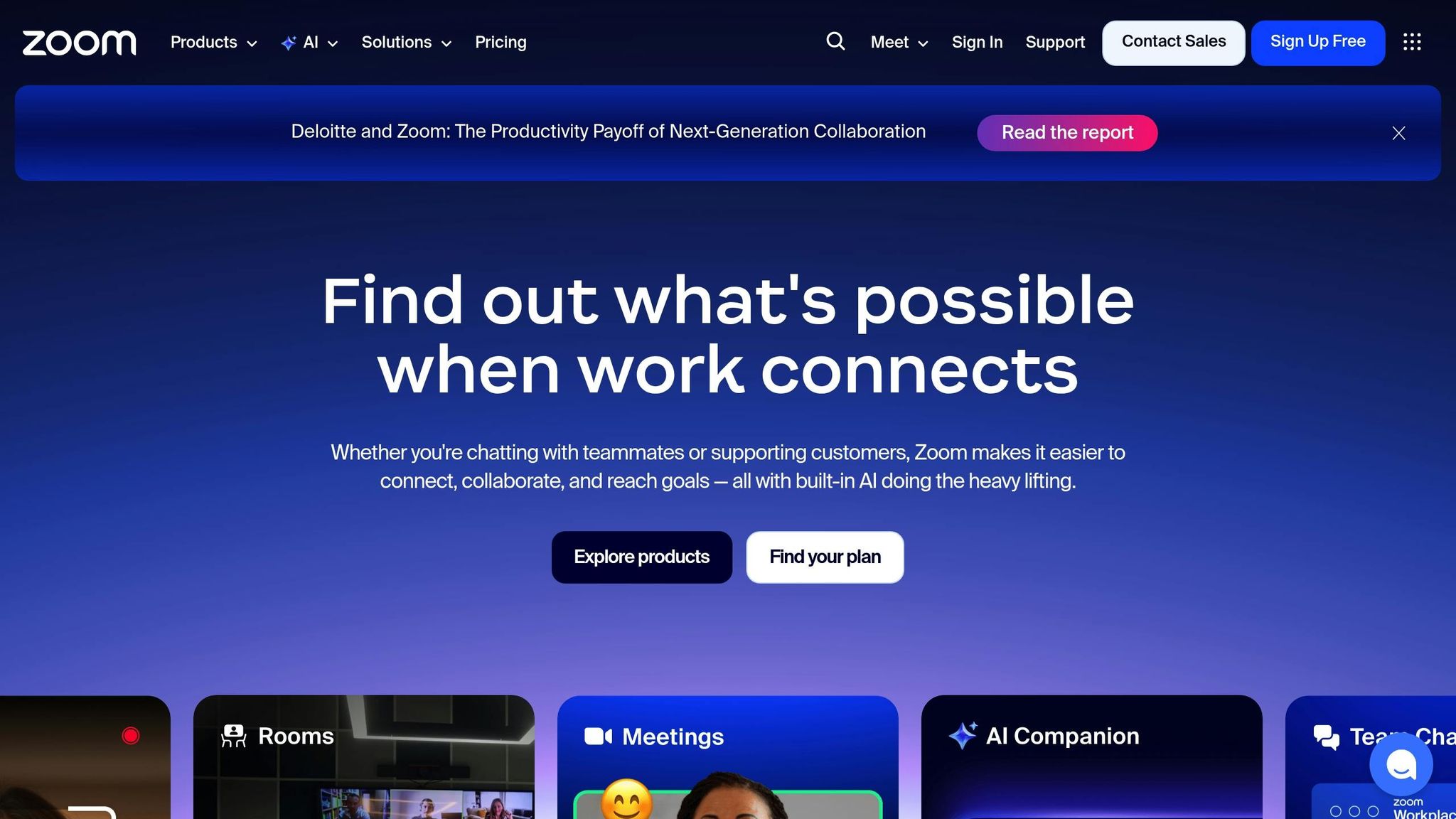
Zoom has evolved from being just a video conferencing tool to offering a full suite of communication features. These include HD video conferencing, Zoom Team Chat for ongoing messaging, voice calling, screen sharing, and collaborative whiteboarding - all designed to support distributed teams effectively [1]. Video is often used for daily standups, client presentations, or sprint retrospectives, while Team Chat provides an easy way to share updates without scheduling a meeting. Features like screen sharing and whiteboarding allow teams to tackle problems visually in real time, leading to more productive discussions and quicker decisions. Whether it's video, chat, or whiteboarding, Zoom's tools work together to minimize email reliance and enable faster collaboration across time zones.
Integration Depth
Zoom's seamless integrations with tools like Google Calendar, Microsoft Outlook, Google Drive, OneDrive, Asana, Trello, and Jira make it a powerful addition to any workflow [1]. For example, calendar integrations allow users to join meetings with a single click directly from their scheduled events. File-sharing capabilities let participants access documents during meetings without switching platforms. Imagine a software development team launching a Zoom meeting from a Jira ticket, recording the session, and attaching the transcript and recording to the ticket for future reference. These integrations ensure that meeting outcomes are translated into actionable tasks, all while minimizing the disruption of switching between tools.
Workflow Optimization
Zoom goes beyond basic integrations to enhance workflows with features like AI-powered meeting summaries and transcripts [1]. These tools make follow-ups faster and support asynchronous collaboration by automatically capturing key decisions and action items. For instance, a product manager can record a roadmap update, generate a summary, and share it with global teams, eliminating the need for multiple live meetings. Summaries can be shared through messaging apps or project management tools to keep everyone accountable. Combined with calendar integration and one-click collaboration, these features help teams stay aligned on goals and deadlines, boosting overall efficiency.
Scalability
Zoom is designed to grow with your organization, offering tiered plans to suit teams of all sizes. The free tier provides basic functionality, while paid plans start at $14.99 per host per month, with options to scale up for larger needs [1]. Many mid-sized companies choose the Business plan at $19.99 per host per month (minimum of 10 hosts), which includes advanced features like single sign-on, domain management, and dedicated Zoom Rooms for conference spaces. For large enterprises, the Enterprise plan offers perks like unlimited cloud storage, enhanced administrative controls, and advanced compliance options. From small team meetings to large-scale webinars, Zoom adapts to meet your needs effectively.
4. Google Workspace (Meet & Chat)
Communication Modes
Google Workspace brings together Google Meet for video conferencing and Google Chat for messaging, offering a versatile communication setup. Google Meet provides HD video calls, live captions, background noise cancellation, and screen sharing - all accessible directly through a web browser. On the other hand, Google Chat enables structured messaging with threaded conversations and persistent Spaces, allowing teams to organize discussions by specific projects or topics. This combination makes it easy to shift between live video calls and asynchronous text communication, which is especially useful for teams working across time zones or juggling different schedules.
Integration Depth
One of the standout features of Google Workspace is its tight integration with other Google tools like Gmail, Calendar, Drive, Docs, Sheets, and Slides. For example, you can launch a Meet session directly from a Calendar event, an email, or even a shared document. During meetings, participants can co-edit documents in real time, ensuring that project updates stay tied to the conversation. This level of connectivity reduces the need to switch between tools and keeps workflows smooth and focused.
Workflow Optimization
Google Workspace simplifies collaboration with features designed to save time and improve efficiency. Smart scheduling in Calendar makes it easier to plan meetings, while Chat Spaces act as centralized hubs for project-related discussions. Meet's live captions and noise cancellation enhance clarity during calls, making it ideal for distributed teams in the U.S. Additionally, the ability to record meetings (available on Business Standard and higher plans) allows team members in different time zones to stay updated without needing to attend live sessions.
Scalability
Google Workspace is designed to grow with your team, whether you're a small startup or a large enterprise. Pricing starts at around $6 per user per month for the Business Starter plan, which supports up to 100 Meet participants, and goes up to $18 per user per month for the Business Plus plan, which accommodates up to 500 participants and includes advanced security features. Google reports that over 9 million organizations worldwide are paying users of Workspace, and at its peak, Meet was adding more than 2 million new users daily. With an easy onboarding process - often using existing Gmail accounts - teams can start collaborating right away, making it an excellent choice for distributed teams that need reliable, real-time communication tools.
sbb-itb-8feac72
5. Cisco Webex
Communication Modes
Cisco Webex combines video conferencing, team messaging, VoIP calling, and webinars into one platform, making it easy to handle everything from quick team check-ins to large company town halls without juggling multiple tools. With Webex Meetings, you get HD video, screen sharing, whiteboarding, and in-meeting chat. Meanwhile, Webex Messaging offers persistent spaces where teams can keep conversations and files accessible between meetings. This setup allows teams to move effortlessly between live video calls and asynchronous messaging, making it ideal for collaboration across different time zones.
Integration Depth
Webex works smoothly with popular productivity tools like Microsoft 365, Google Workspace, Salesforce, Jira, and Trello. These integrations make scheduling and collaboration simple. For instance, teams can schedule meetings directly from Outlook or Google Calendar or start calls straight from CRM records or project boards. Picture a SaaS company in the U.S. using Webex with its CRM: sales reps could launch product demos directly from opportunity records, automatically log meeting details, and save recordings for later review. Similarly, customer support teams could escalate issues by starting a Webex session from a ticket, loop in an engineer through a persistent support space, and share the session recording back into the ticket system. This approach speeds up resolutions and improves customer satisfaction.
Workflow Optimization
Webex uses AI to streamline meetings with features like automatic transcription, meeting summaries, noise removal, and enhanced background audio. Teams can record meetings with time-stamped highlights, making it easy to share concise clips instead of scheduling additional live meetings. For example, engineering leaders can use Webex to formalize routines like 15-minute daily standups or sprint reviews, turning meeting recordings into valuable resources for training new team members. By automating repetitive tasks, Webex helps teams protect their focus time, cutting down on unnecessary meetings and shifting routine updates to asynchronous Webex messaging.
Scalability
Webex is designed to grow with your business, whether you're a small startup or a large enterprise. In the U.S., the Webex Suite typically costs between $14 and $25 per user per month, with custom enterprise pricing available for larger needs. During the pandemic, Cisco reported over 600 million monthly meeting participants on Webex [1]. Standard meetings can host up to 1,000 interactive participants, while webinars can handle tens of thousands, making it perfect for all-hands meetings or large training sessions. Plus, with features like single sign-on (SSO), data retention controls, and compliance tools - including FedRAMP authorization for U.S. public sector organizations - IT teams can ensure secure, standardized collaboration across distributed workforces.
Which Collaboration Suite is The Best Fit For your Startup, Google Workspace or Microsoft365? (2025)
Pros and Cons
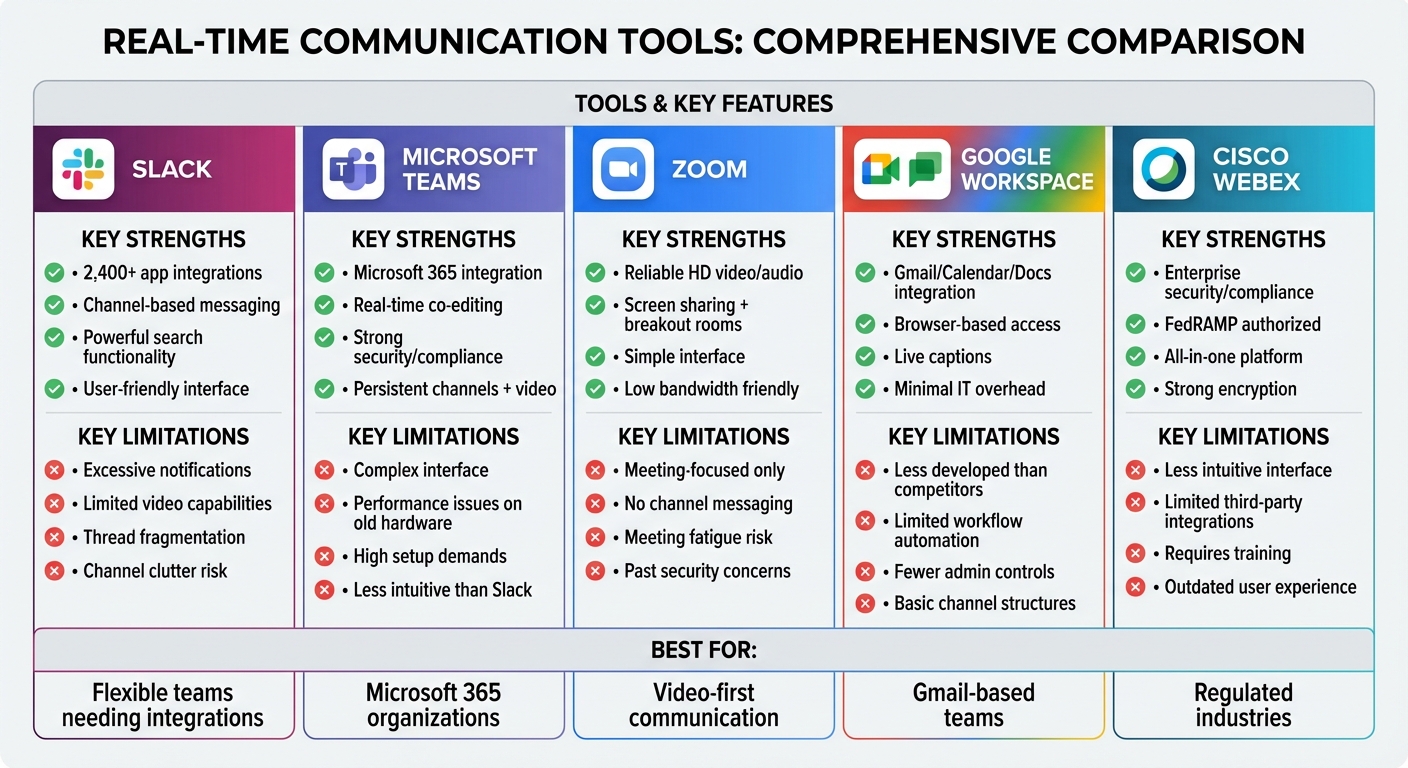
Real-Time Communication Tools Comparison: Slack vs Teams vs Zoom vs Google Workspace vs Webex
Below is a summary table highlighting the strengths and limitations of each tool, following the detailed feature reviews. Each platform brings distinct advantages and trade-offs that can influence how distributed teams collaborate.
| Tool | Pros | Cons |
|---|---|---|
| Slack | - Integrates with over 2,400 tools like Jira, GitHub, Salesforce, and Trello, streamlining notifications and reducing the need to switch between apps. - Channel-based messaging keeps conversations organized by project or topic. - Powerful search functionality makes it easy to locate files and decisions, even across time zones. - User-friendly interface and mobile apps support work on the go. |
- Excessive notifications can disrupt focus. - Overuse of threads can fragment discussions. - Limited video call capabilities may require additional tools for complex meetings. - Poor channel management can lead to clutter and disorganization. |
| Microsoft Teams | - Seamlessly integrates with Microsoft 365 tools like Word, Excel, and SharePoint, allowing real-time co-editing and reducing context switching. - Persistent channels, threaded conversations, and built-in video conferencing support structured collaboration. - Strong security and compliance features cater to industries with strict regulations. |
- The interface can feel overly complex for smaller teams. - Performance issues may occur on older hardware. - High setup and configuration demands for organizations not fully invested in Microsoft 365, particularly when managing external guests. - Often considered less intuitive than Slack for casual, chat-first workflows. |
| Zoom | - Known for reliable, high-quality video and audio, even on low bandwidth. - Features like screen sharing, breakout rooms, and webinars enhance collaborative meetings and decision-making. - Simple interface reduces training time and makes scheduling quick and easy. - Works well as a complement to asynchronous communication tools. |
- Focused on meetings rather than ongoing collaboration, lacking features like channel-based messaging or integrated document workflows. - Heavy reliance on meetings can lead to fatigue and fragmented decision records without additional tools for structured communication. - Past security and privacy concerns may still influence some organizations’ decisions. |
| Google Workspace (Meet & Chat) | - Combines lightweight video calls and structured messaging within Gmail, Calendar, and Google Docs, enabling smooth transitions from emails or comments to real-time discussions. - Browser-based access simplifies setup, and features like live captions help teams align across time zones. - Minimal IT overhead makes it appealing for smaller teams. |
- Google Chat's functionality and integrations are often seen as less developed compared to Slack or Teams. - May not meet the needs of organizations requiring advanced workflow automations or complex channel structures. - Offers fewer administrative controls compared to competitors. |
| Cisco Webex | - Provides enterprise-level security and compliance, including strong encryption, which is especially valuable for regulated industries and global enterprises. - Consolidates meetings, messaging, and calling into a single platform, reducing the need for multiple tools. - Features robust hardware integrations and FedRAMP authorization, making it suitable for U.S. public sector organizations. |
- The interface can feel less intuitive, often requiring additional training for effective use. - Limited third-party integrations and automation options can hinder workflow customization and increase reliance on IT. - The user experience is sometimes viewed as outdated compared to other modern tools. |
While each platform delivers a range of features, they also face common challenges - such as notification overload and information sprawl - that teams must address to maintain efficient workflows. These issues tie back to earlier discussions about effective channel management and integration strategies.
Conclusion
When deciding on your collaboration stack, align it with your primary ecosystem: Teams pairs seamlessly with Microsoft 365, Meet/Chat integrates well with Google Workspace, and Slack shines with its diverse range of integrations. For customer-facing engagements or large-scale webinars, Zoom is a solid choice. Meanwhile, Teams or Webex are ideal for scenarios requiring stricter compliance measures. These decisions lay the groundwork for smoother workflows and more effective teamwork.
To avoid meeting fatigue, combine a dedicated chat tool with a primary video platform, and back them up with asynchronous resources. Establish clear guidelines for using chats, emails, and meetings, and maintain a centralized space for documenting decisions and actions. Regularly auditing your tools can also help eliminate redundancies and reduce notification overload.
However, tools alone aren't enough - leadership practices play a pivotal role in driving success. Managers should lead by example, ensuring meetings are structured, decisions are clearly documented, and follow-ups are communicated in writing. Programs like Tech Leaders can help managers sharpen these skills by focusing on remote leadership, effective meeting strategies, and leveraging AI for business. Participants gain the expertise to transform their knowledge into consultative services, helping other organizations optimize distributed workflows.
FAQs
What’s the best way to select a real-time communication tool for your team?
When choosing a real-time communication tool for your team, the first step is to pinpoint what you actually need. Think about things like how simple it is to use, whether it works well with tools you already rely on, how it can grow with your team, and how secure it is. Key features to look for include instant messaging, video calls, file sharing, and options for team collaboration.
Before committing, try out a few tools with your team to see which one works best in practice. Pay attention to how each option enhances communication and simplifies your workflow. Ultimately, the best tool will be the one that keeps your team efficient and connected in real time.
How do Slack and Microsoft Teams compare for improving team workflows?
Slack and Microsoft Teams are both excellent tools for improving team communication, but they serve slightly different purposes depending on your organization's needs.
Slack shines with its intuitive, customizable interface, making it a favorite for teams that prioritize messaging and rely on a wide range of third-party app integrations. Its extensive app marketplace allows users to tailor their workspace to fit specific workflows, fostering efficient collaboration.
Microsoft Teams, on the other hand, is deeply integrated with Microsoft 365 apps, making it a natural choice for organizations already invested in the Microsoft ecosystem. Teams comes equipped with built-in features like video conferencing, document sharing, and robust security measures, all designed to streamline productivity. Plus, since Teams is often bundled with Microsoft 365 subscriptions, it can be a cost-effective option for businesses already using those services.
Ultimately, the choice between Slack and Teams often comes down to your team's priorities and the tools you already use.
How can I manage notifications effectively with real-time communication tools?
To keep notifications from taking over your day, tweak your settings to focus on what truly matters. Prioritize important updates and silence channels or alerts that don't contribute to your work goals.
Consider setting aside dedicated time for deep work by disabling notifications or using 'Do Not Disturb' features. Make it a habit to revisit and fine-tune your notification preferences regularly so they match your current priorities. This simple practice can help you stay on track and minimize distractions.