
User Story Mapping Basics Explained
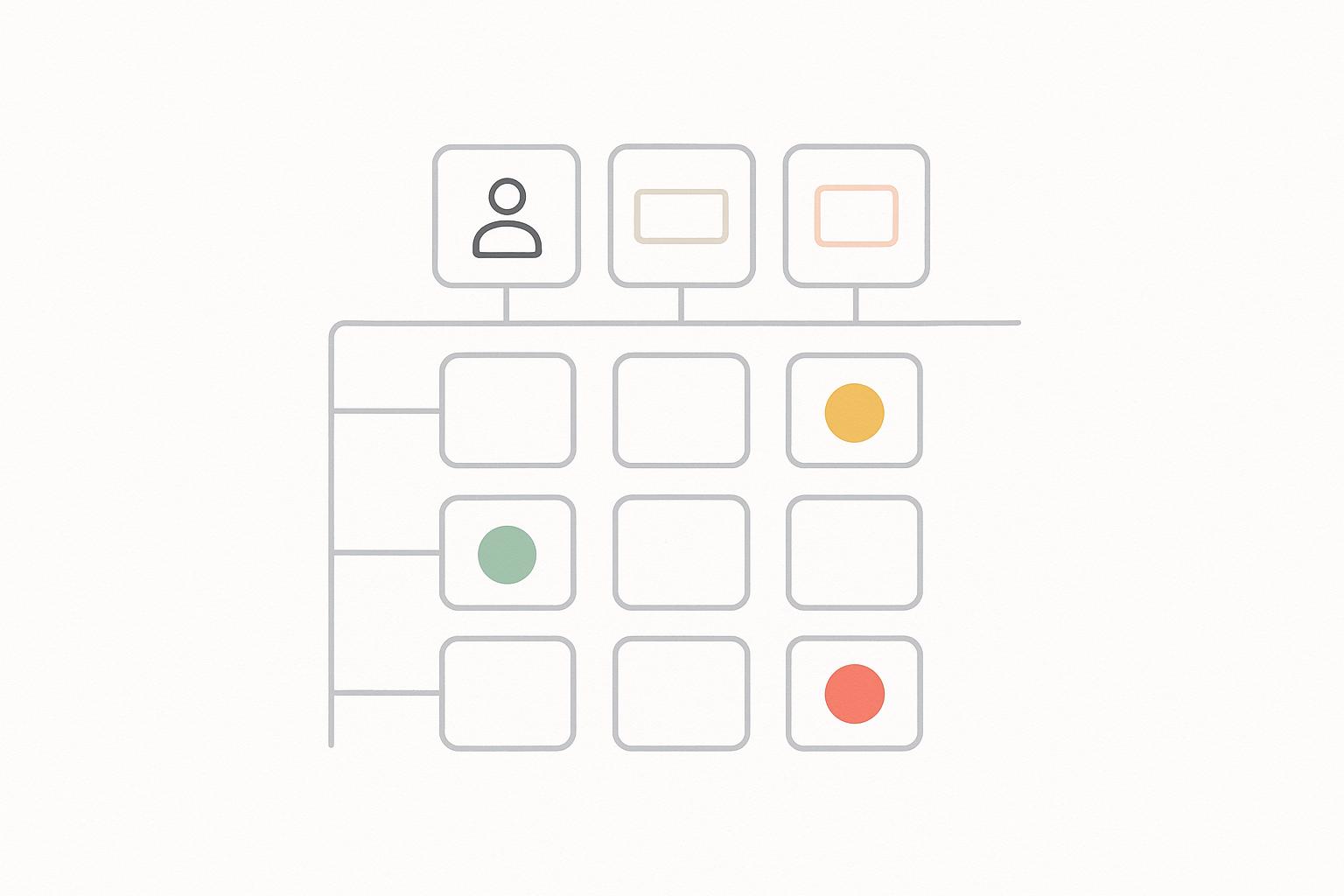
User story mapping helps agile teams organize work visually around the user's journey instead of relying on flat backlogs. It connects features to user goals, making it easier to prioritize, plan releases, and deliver value. Here's how it works:
- Horizontal Axis: Maps the sequence of user activities (e.g., "Browse products", "Add to cart") to create a clear flow of tasks.
- Vertical Axis: Prioritizes features from essential to optional, enabling incremental delivery.
- Key Components: Personas (user focus), backbone (high-level activities), tasks (specific actions), epics, user stories, and cut lines (release planning).
This approach improves collaboration across teams - engineers, designers, and stakeholders align on user needs and priorities. It also helps plan MVPs by focusing on a "walking skeleton" (basic functionality for early releases) and refining over time based on user feedback.
Quick Tip: Start with a clear user goal, map key activities left-to-right, and break them into smaller tasks. Use the map to prioritize and adjust as needed during sprints or releases.
Story mapping isn't just about planning - it's a tool for better teamwork and decision-making, keeping user outcomes at the center.
User Story Mapping Tutorial (How to create, read, and use story maps)
Core Concepts and Structure
A user story map is a tool designed to organize work around the user's experience. It helps teams focus on what users need before diving into technical specifics. By understanding its core components and how they connect, teams can create maps that spark meaningful discussions and help prioritize work effectively. This structure ensures that user outcomes stay front and center throughout the agile development process.
Key Elements of a Story Map
At the heart of every story map is a persona - a representation of the user whose goals shape the entire map. While the persona might not be physically displayed on the board, having it defined keeps the team aligned on who they are designing for.
The backbone forms the top layer of the map, outlining the major activities or goals the user goes through. These are typically high-level actions, often phrased as verbs, such as "Browse products", "Compare options", "Purchase", and "Track delivery." Arranged from left to right, the backbone visually represents the user's journey, making it clear how the product should support their experience from start to finish.
Below the backbone, the map breaks down into steps or tasks - specific actions users take within each activity. For example, under "Browse products", you might find tasks like "Search by keyword", "Filter by category", or "Sort by price." These details help teams identify gaps in the workflow. If a key task like "View recommendations" is missing, the team can evaluate whether it’s necessary to include it.
Deeper into the map, you’ll find epics and user stories, which provide actionable details. An epic groups related stories, such as "Search functionality", which might include stories like "As a user, I want to search by keyword so I can quickly find items" and "As a user, I want to filter results by price range in USD so I can stay within budget." Each user story is small enough to be completed and tested within a sprint - usually one to two weeks in agile teams.
Lastly, cut lines or swimlanes divide the map horizontally to indicate releases or sprints. The first cut line often marks a "walking skeleton" release - a minimal version of the product that delivers the basic user journey. Additional cut lines layer in extra features for later releases. This visual structure helps teams plan releases and ensures everyone is clear on what will ship and when.
| Element | Where It Appears | Purpose |
|---|---|---|
| Persona | Defined before mapping; not always shown | Keeps the focus on a specific user type and their goals |
| User activities | Top horizontal backbone (e.g., "Browse products") | Represents key phases of the user journey |
| Steps / tasks | Under each activity | Details specific actions and identifies gaps |
| Epics | Grouped under steps | Bridges high-level activities and actionable stories |
| User stories | Under epics | Small, testable pieces of functionality for sprint planning |
| Cut lines | Horizontal bands across the map | Define releases or sprints and prioritize delivery |
Next, let’s explore how the map’s layout helps align activities and prioritize work.
Understanding the Horizontal and Vertical Axes
The horizontal axis represents time and sequence, mapping out the steps a user takes to achieve their goal. Reading from left to right along the backbone, you see the logical order of activities. This sequential flow sets story maps apart from flat backlogs, which often feel like scattered lists. Instead, the map creates a narrative: first the user does this, then that, and so on. This structure not only clarifies the user’s journey but also highlights potential design or experience issues.
The vertical axis is all about prioritization and planning. Stories at the top are essential - the minimum functionality needed for the user to complete a step. As you move downward, you’ll find less critical features, such as enhancements or optimizations. This layering allows for incremental delivery. Teams can draw a horizontal cut line to mark what will go into the next sprint or release, ensuring everything above the line delivers clear user value.
This two-dimensional structure makes trade-offs easier to manage. If a deadline is looming, the cut line can be moved up, reducing scope while still delivering a functional product. If new insights reveal that a specific step is more important than previously thought, related stories can be moved up the vertical axis without disrupting the overall flow. The Nielsen Norman Group has observed that visual tools like story maps help teams maintain a clear view of the entire product, avoiding the pitfalls of working from a flat backlog[2].
The axes also foster collaboration. During workshops, cross-functional teams can follow the horizontal axis to discuss dependencies and use the vertical axis to debate priorities. For example, a product manager might argue that "View shipping options" is critical for U.S. customers who expect transparency about delivery costs, while engineers might point out that "One-click checkout" requires complex backend work and should be delayed. The map provides a shared visual framework, grounding these discussions in user needs rather than abstract opinions. Modern tools now integrate story maps directly into agile workflows, making them even more practical for sprint planning and execution.
User Story Mapping in Agile Development
User story mapping brings clarity and focus back to the development process by connecting features directly to the user experience. Unlike a traditional backlog, which often lists features in priority order but lacks context, story mapping emphasizes how these features align with the user's journey. This approach helps teams not only understand what to build but also why it matters and how it all fits together. By turning abstract requirements into a clear, shared vision, story mapping becomes a cornerstone for guiding sprints and releases, making planning and delivery more effective.
How Story Mapping Supports Agile Practices
Story mapping helps define the minimum viable product (MVP) by mapping the entire user journey and identifying the core functionality required for the first release. For example, in an e-commerce platform, the MVP might focus on essential activities like "Browse Products", "Add to Cart", and "Checkout", while features like "Save Favorites" or "Leave a Review" are postponed for future iterations [3][4].
Using a story map during sprint planning ensures the team stays focused. Instead of randomly selecting tasks from a backlog, teams can group related stories by user activities or stages in the journey. For instance, if the sprint centers on the "Checkout" process, stories might include tasks like entering shipping details, choosing delivery options, and confirming payment. This approach ensures that all work within the sprint contributes to delivering cohesive value [6].
Story maps also help define releases through vertical cut lines, enabling incremental delivery and early feedback [2]. As user feedback comes in, teams can adjust priorities or add new stories, ensuring the map evolves with current needs rather than outdated assumptions [3][4].
Additionally, the visual nature of story maps reveals dependencies and missing steps. For instance, if "Calculate Shipping Costs" relies on "Verify Delivery Address", the map ensures these tasks are sequenced correctly, preventing critical gaps before a release.
Related Agile Tools and Techniques
Story mapping works seamlessly with other agile tools to enhance planning and execution. While the product backlog remains the central list of tasks, the story map adds a narrative structure that ties these tasks to real user activities [4].
Customer journey maps complement story maps by focusing on the emotional and experiential aspects of using a product. For example, if a journey map highlights frustration during checkout, the story map can break that into actionable tasks like:
- "As a user, I want to see my total cost, including shipping, in USD before entering payment details to avoid surprises."
- "As a user, I want to save my payment information securely so I don’t have to re-enter it for future purchases."
This process bridges user research with actionable development work, ensuring the product addresses both functional and emotional user needs [2][1].
Organizing user stories within the map also helps clarify how individual features contribute to broader goals. For instance, a story like "As a user, I want to filter search results by price range" gains more significance when it’s tied to the larger "Browse Products" activity. This context improves acceptance criteria and prevents isolated feature development [4].
Story maps also enhance retrospectives and planning sessions. When reflecting on challenges - like delays in delivering the "Checkout" feature - the map can pinpoint issues such as oversized stories, missed dependencies, or shifting priorities during the sprint.
Finally, digital tools that integrate story mapping with sprint boards and backlogs make collaboration even smoother. Teams can move stories directly from the map into their sprints, track progress, and update the map as work evolves, ensuring it remains a dynamic and useful resource throughout the project lifecycle [4][1].
How to Create a Story Map
Creating a user story map doesn’t require fancy tools or extensive training. At its core, it’s about understanding what your users want to achieve and breaking those goals into actionable tasks for your team. Whether you’re managing a small engineering group or coordinating across multiple departments, the process stays simple: start broad, then dive into the details where it counts. Here’s a clear roadmap to help you build a story map that drives meaningful development.
Basic Steps for Story Mapping
Start by establishing a clear product vision and identifying the users who will benefit from what you’re building. Before diving in, align with stakeholders on the main objectives and assemble a cross-functional team. This team should include representatives from engineering, product, design, and customer-facing roles. Ground your session in real-world user behavior by gathering data like customer interviews, analytics, or support tickets [2].
Next, define key personas and their main goals. For example, a SaaS product might focus on getting users to "complete onboarding and achieve first value", while a fintech app might prioritize helping users "link a bank account" or "complete their first transaction." These goals should come from actual user scenarios, not guesswork [4].
Once you’ve pinpointed user goals, identify the high-level activities users take to achieve them. These activities form the horizontal framework of your map, arranged chronologically from left to right. For instance, an e-commerce platform might outline steps like "discover products, evaluate items, checkout, track order." Meanwhile, a project management tool might flow from "create a project" to "invite team members", "assign tasks", and "monitor progress" [4].
From there, break each high-level activity into specific user tasks. For example, under "checkout", tasks might include "enter shipping address", "select delivery method", "apply discount code", and "confirm payment details." Each task represents a distinct user action within the broader activity [4].
Write detailed user stories for each task. A common format is: “As a returning customer, I want to see my saved addresses so that I can check out faster.” Ensure that each story is small enough to fit into a sprint and clearly ties back to its parent task and activity. This way, developers understand not just what they’re building, but also why it matters [5].
Prioritize these stories vertically to determine what gets released first. Use horizontal "release lines" across the map to define the order of releases, starting with a basic end-to-end experience (often called a "walking skeleton") and adding depth in later iterations [6].
Many teams begin with sticky notes or index cards on a physical whiteboard, which allows for quick adjustments. For distributed teams, digital tools like online whiteboards or product management software can help maintain a shared source of truth across time zones [4].
For example, a technical leader might map out an onboarding journey - including steps like sign-up, account setup, data import, and completing the first action - to align teams on the concept of "time-to-value." This helps prioritize which features ship first to improve trial conversions [4]. Similarly, a fintech team might map out the flow from "link bank account" to "complete first transaction", uncovering necessary steps like regulatory checks and fraud detection. This ensures compliance-critical tasks are prioritized without compromising the user experience [5].
Updating and Refining Your Map
A story map isn’t meant to be static - it should evolve as you learn more about your users, adapt to market changes, or face new technical constraints. Treat it as a living document that gets updated regularly to stay relevant.
Much like agile sprints, updating your story map ensures it aligns with current user needs and business goals. Plan periodic reviews during key events like release planning sessions, quarterly strategy meetings, or after major research cycles. A good rhythm is revisiting the map every four to six weeks to add new insights, remove outdated stories, and adjust release slices as needed [5].
When refining the map, compare its activities to analytics, such as conversion rates or feature usage, to ensure it reflects actual user behavior. Feedback from support tickets, user surveys, or A/B tests can highlight gaps or areas for improvement. For instance, if analytics show users often abandon the checkout process at "enter shipping address", you might add stories to address this - like implementing address validation or autofill features [2].
Handle scope changes carefully to avoid cluttering the map. When new opportunities or constraints arise, pinpoint the affected activities and adjust accordingly. This might mean adding, removing, or reshaping stories, but always keep the core journey intact. To stay focused, move deprioritized items to a separate lane or "parking lot", ensuring your top priorities remain achievable given current resources [5].
As priorities shift, redraw release lines to reflect what’s realistic for upcoming sprints. For example, if an urgent customer request or critical bug fix arises, update the map to show how it impacts other stories and activities. This transparency helps stakeholders understand trade-offs and stay aligned on release plans.
Collaboration across teams is key during the refinement process. If engineering identifies technical dependencies or customer success flags recurring issues, update the map to reflect these discoveries. Adjust the sequence of activities or add clarifying stories to keep everyone on the same page.
For technical leaders, mastering story mapping workshops and translating those maps into actionable roadmaps is a valuable skill. Programs like Tech Leaders can help engineers and technical experts develop leadership and communication skills, as well as strategies for integrating AI into product planning. These capabilities are essential for running effective mapping sessions and bridging technical work with broader business goals [3].
sbb-itb-8feac72
Common Mistakes and Best Practices
Even seasoned teams can stumble when it comes to story mapping. A few missteps can throw off alignment, but sticking to some core principles keeps product development focused on meeting user needs.
Mistakes to Avoid
One of the biggest mistakes is jumping straight into features instead of focusing on user behavior. Teams often populate their maps with internal tasks like "add search", "build dashboard", or "implement API", instead of framing the actions from the user's perspective. This creates a fragmented view that mirrors internal structures rather than how users experience the product. The result? Poor prioritization and wasted effort when actual user flows are eventually clarified.
To avoid this, start every mapping session by clearly outlining the user's goals and activities in plain, straightforward language. Always ask, "What is the user trying to achieve?" before asking, "What features do we need?" Every sticky note should represent a specific user step or outcome. For instance, instead of writing "checkout module", use phrases like "confirm payment details" or "review order summary" to reflect real user actions.
Another common issue is unclear or missing personas. Without well-defined personas, mapping becomes directionless. Create concise persona cards for 2-3 primary user types, highlighting their goals, behaviors, and constraints. This ensures that every story serves a specific user. If a story doesn’t align with your target personas, it can be deferred or handled separately.
Letting one role dominate the session is another pitfall. When one team member or department takes over, it undermines collaboration. To prevent this, enforce time-boxed turns and rotate facilitators. This way, everyone - from engineers to customer support - has a chance to contribute. Frontline teams can share where users typically struggle, while other roles offer insights into broader business challenges.
Over-detailing or under-detailing the map can also derail its effectiveness. Over-detailing clutters the backlog, making it hard to distinguish between strategic priorities and sprint tasks. On the flip side, under-detailing leaves activities too vague to translate into actionable stories. Strike a balance by structuring the map in tiers: high-level activities at the top, detailed user steps in the middle, and only the most essential tasks at the bottom. Decide upfront how much detail is appropriate for your current phase, whether it’s broad discovery or detailed release planning.
Failing to prioritize vertically can silently sabotage your efforts. If every story seems equally important, it’s nearly impossible to identify the minimum viable release. Clearly mark the first vertical slice as the essential "walking skeleton" - the leanest version of the product that can be tested. Techniques like color-coding or swimlanes can help maintain focus on delivering a functional, testable version first.
Ignoring dependencies and scope creep is another challenge. A visually appealing map can fall apart if dependencies and scope aren’t managed. Clearly mark technical and external dependencies, and use release bands to respect these constraints. Regularly ask, "Can this slice be built and tested end-to-end with our current resources and timeline?" If not, adjust the slice or set it aside for future planning.
Lastly, focusing only on the ideal flow overlooks common failures. Teams often map out smooth user journeys - like successful purchases or seamless onboarding - while neglecting to address error states, failed payments, or invalid inputs. Including these scenarios in your mapping process ensures you're prepared for the most frequent user challenges.
Avoiding these pitfalls lays the groundwork for a more effective mapping session. Now, let’s look at some best practices to take your process to the next level.
Best Practices for Story Mapping
Start by assembling the right cross-functional team. Product, engineering, design, QA, marketing, support, and even sales all bring unique perspectives. Frontline teams can highlight user pain points, while others provide insights into buyer objections or business constraints. This collective input results in a richer, more accurate view of the user journey.
To make the most of these diverse insights, assign clear roles during the session, such as facilitator, timekeeper, and scribe. Encourage participants to prepare key user insights ahead of time. Rotate leadership during different parts of the session to promote shared ownership and ensure everyone’s input is reflected in the final map.
Keep the horizontal axis user-centered. The map should follow the user’s actual workflow, not internal team structures or technical modules. Use concise phrases like "search for product", "review cart", or "place order." Avoid technical jargon at this stage. When the flow tells a clear story, the map becomes a powerful communication tool that’s easy for anyone - from executives to new hires - to understand.
Timeboxing discussions is another critical practice. It prevents sessions from dragging while ensuring enough detail is captured to prioritize and plan effectively. If technical debates - like API designs or database schemas - start to dominate, set them aside for separate discussions. For distributed teams across U.S. time zones, consider breaking the process into focused 60-90 minute sessions. Use digital whiteboards and record key decisions to keep everyone aligned.
Treat the map as a living document. Effective teams revisit and update their maps regularly - whether at the start of each release, during monthly roadmap reviews, or after gathering new user insights. This keeps the map relevant, prevents the backlog from becoming a static list of features, and reduces misalignment or duplicated efforts.
For technical leaders, story maps can drive outcome-focused decisions. Instead of dictating features, use the map to ask, "Which slice best serves this user goal next quarter?" This approach fosters transparency, encourages team input, and models a focus on user outcomes over feature mandates. Programs like Tech Leaders help technical professionals refine these leadership and strategic skills.
Finally, connect maps to delivery tools to keep distributed teams in sync. Tools like Jira add-ons or specialized mapping platforms can link visual slices directly to sprint backlogs and release plans, ensuring clear traceability from planning to execution. However, these tools should enhance - not replace - the collaborative discussions that make story mapping so effective.
Story Mapping as a Leadership Tool
Story mapping bridges the gap between strategy and execution, turning product visions into actionable, visual discussions. While it’s often associated with sprint planning, its value extends far beyond that. For technical leaders, story mapping is a powerful way to align teams around user-focused outcomes, transforming abstract ideas into concrete plans that bring teams and stakeholders together.
Building Collaboration and Alignment
Great technical leaders use story mapping to create a common language that unites different departments. Instead of allowing engineers, designers, product managers, and business stakeholders to get lost in their own jargon, the map becomes a shared visual tool that everyone can follow. By walking through user activities step by step, it tells a clear story that keeps the focus on what users actually need, rather than just what teams want to build.
For distributed teams, this shared narrative is even more valuable. A well-organized map serves as a lasting reference, capturing decisions and priorities without the need for endless email threads or meeting recaps. It provides clarity and context, ensuring everyone stays on the same page.
To improve cross-functional collaboration, leaders should structure mapping sessions thoughtfully. Timebox the session (e.g., 90 minutes) and use techniques like brainstorming and round-robin sharing to ensure every voice is heard. This approach draws out valuable insights from teams on the front lines who interact with users daily, as well as strategic input from executives who understand broader market dynamics.
Creating a safe environment during these sessions is critical. Leaders can foster this by being curious, not judgmental - using phrases like "Let’s explore this" instead of "That won’t work." Encourage differing opinions and set aside a "parking lot" for off-topic ideas, so discussions stay focused without dismissing contributions. When engineers feel comfortable raising technical challenges and support teams can share user pain points openly, the resulting map reflects real-world needs rather than wishful thinking.
For distributed teams, story maps also connect user value to release schedules, helping to reduce last-minute changes and scope creep. By making trade-offs visible, the map enables teams to make objective, value-driven decisions that everyone understands.
Making Better Decisions with Story Maps
Story maps bring clarity to prioritization by making trade-offs more visible than spreadsheets or backlog lists ever could. Leaders can annotate the map with indicators for value and effort, like color-coded notes or numeric scores. During discussions, they can walk the group through potential release slices, asking questions like, "If we prioritize this high-effort story now, which lower-effort, high-value items should we delay?"
These effort indicators are especially helpful for non-technical stakeholders. For example, if a sales leader pushes for a complex feature, the map can clearly show which user improvements would be delayed as a result.
To make decisions even more data-informed, enrich the map with lightweight metrics. For instance, align user analytics, conversion rates, support ticket volumes, or customer satisfaction scores with specific activities or stories on the map. If data shows a high drop-off rate during checkout, highlight those related stories as higher priority. By tying stories to measurable outcomes - like boosting completion rates or reducing support tickets - leaders can justify decisions with evidence rather than relying on the loudest voice in the room.
Story maps also help leaders communicate effectively with executives and non-technical stakeholders. Simplified versions of the map can highlight which parts of the user journey will be improved in upcoming releases and how those improvements tie to goals like revenue, retention, or customer satisfaction. For sales and customer success teams, the map serves as a visual aid to set realistic expectations with U.S.-based clients who often plan budgets and commitments by fiscal quarter.
Introducing story mapping doesn’t require a full agile process overhaul. Start small - focus on a single initiative or feature set. Schedule a short workshop with a cross-functional group (e.g., a product manager, tech lead, designer, and customer-facing representative) and create a lightweight version in 1–2 hours. Integrate the top stories into your existing backlog, gather feedback during retrospectives, and expand the practice as the team sees its benefits.
However, avoid common pitfalls that can undermine the process. For example, treating the map as a top-down directive instead of a co-created tool can erode trust. Overloading it with technical details makes it inaccessible to non-technical stakeholders. And letting it sit untouched after a single session means it quickly becomes outdated. To avoid these issues, co-create the map with your team, focus on user needs, and revisit it regularly to reflect new insights and experiments. Discuss constraints like team capacity and dependencies openly, making trade-offs clear rather than setting unrealistic expectations.
Developing Leadership Skills with Tech Leaders

Story mapping doesn’t just align teams - it’s also a tool for leadership growth. Facilitating effective mapping sessions requires more than technical know-how. It calls for strategic thinking, strong communication, and the ability to manage diverse stakeholders. These are the skills that separate individual contributors from leaders who can drive product direction and unite organizations around shared goals.
For technical professionals looking to develop these abilities, structured programs can be a game-changer. Tech Leaders offers training designed to help engineers transition into leadership roles. These programs teach frameworks for structuring product thinking, running stakeholder workshops, and creating value-driven roadmaps - all of which directly support practices like story mapping.
For those considering independent consulting or leadership roles, story mapping can even become a high-value service. Many U.S.-based organizations struggle with unclear product direction and misalignment between technology and business teams. Being able to facilitate a story mapping session positions you as a strategic partner who helps bridge these gaps, rather than just a technical executor. Programs like Tech Leaders also show participants how to package this expertise into consulting services that command premium rates.
Shifting from a focus on features and code to a focus on user outcomes and business strategy is essential for leadership growth. Story mapping offers a practical way to develop this mindset. Facilitating a session forces you to start with user goals and business objectives before diving into solutions. Balancing diverse input during the process builds stakeholder management skills, while translating a complex map into clear narratives sharpens communication abilities. These are the qualities that help you move from being seen as a technical contributor to being recognized as a product-oriented leader.
As technical skills become more common, the ability to pair technical expertise with leadership, communication, and a business-focused mindset sets you apart. Programs like Tech Leaders are designed to help professionals build these complementary skills, enabling them to step into roles like independent consultants, technical founders, or senior leaders who shape product strategy. By mastering practices like story mapping and tying them to broader business goals, you position yourself to lead teams, influence strategy, and build a career that goes beyond just writing code.
Conclusion
User story mapping reshapes how agile teams approach product development. Instead of juggling a flat list of features, it offers a visual representation of the entire user journey - showing how individual stories align with real user goals and activities. This shift from isolated tasks to comprehensive workflows helps teams avoid wasting time on low-priority items that only appear important because they sit at the top of the backlog.
By organizing activities horizontally and stories vertically, teams can quickly pinpoint a "walking skeleton" release - a version that delivers core value early while minimizing wasted effort. For U.S.-based teams operating on quarterly planning cycles, this approach also ties financial investments directly to measurable user outcomes.
This process brings more than just clarity; it fosters stronger team collaboration. Story mapping encourages teamwork by bringing together product managers, engineers, designers, and business stakeholders in structured workshops. These sessions establish a shared language that cuts through departmental jargon, making trade-offs - like which features fit within a quarter's roadmap or budget - clear and actionable. This transparency is especially valuable in today’s remote and hybrid work settings, where clear communication is essential.
Unlike static requirements documents that are rarely updated, story maps evolve over time. They grow as teams gather user feedback, evaluate outcomes, and adjust priorities across sprints or releases. Revisiting the map during retrospectives or planning sessions allows teams to refine their focus, remove outdated ideas, and align on the next steps. This iterative process ensures that the team stays centered on customer needs, even as markets and products evolve.
Getting started is simple and doesn’t require fancy tools or a perfect process. Pick a single user journey - like sign-up or checkout - and host a quick workshop using sticky notes or a digital whiteboard. Map out activities from left to right, prioritize the stories underneath, and use this initial map in your next backlog grooming or sprint planning session. Even a basic map can uncover misalignments and opportunities that might be hidden in a flat backlog.
For engineers and technical professionals aiming to grow into leadership roles, story mapping offers opportunities to develop critical skills beyond coding. Leading a session hones strategic thinking and communication abilities. Programs like Tech Leaders can help bridge the gap between technical execution and broader skills like facilitation, strategic planning, and AI-driven product strategies - equipping you to lead cross-functional discussions and turn your expertise into consultative value.
Story mapping is both approachable and transformative. It’s easy to try in your next planning session but powerful enough to influence strategy, roadmaps, and team dynamics over the long term. Make it a habit to revisit the map whenever priorities shift, new ideas arise, or the team needs to refocus on creating user value. By centering on real user behaviors and outcomes, story mapping helps teams build aligned, user-focused, and resilient products.
FAQs
How does user story mapping help cross-functional teams work better together?
User story mapping brings teams together by offering a clear, visual layout of a product's development process. It helps everyone - from designers to developers - stay on the same page about priorities, spot any gaps, and grasp the overall goal. By structuring tasks around user needs and workflows, it sparks meaningful conversations and promotes shared responsibility for the project's success.
This method also bridges gaps between departments by creating a shared language that team members from different backgrounds can understand. It simplifies collaboration, improves coordination, and helps deliver results more effectively.
What mistakes should I avoid when creating a user story map?
When building a user story map, there are a few pitfalls to steer clear of to make sure it serves its purpose effectively:
First, keep it straightforward. A user story map works best when it’s clear and focused on the core tasks and user needs. Overloading it with unnecessary details can make it confusing and less actionable.
Second, don’t leave collaboration out of the process. Involve your team and stakeholders to gather a variety of insights and ensure everyone is on the same page. This shared input helps create a map that truly reflects user priorities and team goals.
Lastly, don’t treat the map as a static document. It should evolve over time to adapt to shifting user needs or project goals. Regular updates ensure it remains a relevant and practical tool for guiding your agile development efforts.
How does user story mapping help prioritize features for an MVP?
User story mapping is a visual tool that helps teams zero in on the essentials when creating a Minimum Viable Product (MVP). By laying out user activities and tasks in a structured map, it becomes easier to pinpoint the most important features that meet user needs while supporting business objectives.
To get started, outline the user's journey and break it into main activities. Under each activity, list the related tasks, and then highlight the ones that are critical for the MVP. This process keeps the team focused on delivering a working product quickly, without adding extra features that might slow things down.